
IRS Tax Filing Website: Where to File and What to Avoid
Choosing an IRS tax filing website is not just about price or convenience. It is about speed, accuracy, and staying compliant, especially when you need proof fast (like an IRS-stamped Schedule 1 for truck registration). The problem is that search results can mix official IRS pages, legitimate IRS-authorized e-file providers, and look-alike sites that add fees or collect sensitive data.
This guide breaks down where to file, which options are best for common tax tasks, and what to avoid so you can file with confidence.
What “IRS tax filing website” really means
When people say “IRS tax filing website,” they usually mean one of these:
- Official IRS websites and tools (on IRS.gov): best for information, some consumer filing options, account access, and making payments.
- IRS-authorized e-file providers: private companies approved to transmit certain returns (including Form 2290) through IRS systems.
- Tax preparers or software companies: may be authorized, may not be, and may route you through additional steps or fees.
For truckers and fleet owners, the key detail is this: Form 2290 (HVUT) is typically filed through an IRS-authorized e-file provider when you want fast processing and a stamped Schedule 1, and e-filing is required when reporting 25 or more vehicles.

Where to file taxes online (based on what you need to do)
There is no single best IRS tax filing website for everyone. The right place depends on the form, the deadline pressure, and whether you need immediate proof.
If you are filing income taxes (like Form 1040)
For many individuals, the most trustworthy starting point is IRS.gov, where you can find official filing pathways and links to reputable options.
Common official starting points include:
- IRS Free File (for eligible taxpayers): available through IRS partner providers via the official IRS entry page at IRS Free File.
- IRS Online Account (view balances, payments, notices): IRS Online Account.
If your situation is complex (self-employment, multi-state issues, major deductions, business entities), you may want a tax professional. The main point is to start from IRS.gov so you are not guessing whether the website is legitimate.
If you need to make a federal tax payment
Paying is different from filing. For payments, the IRS provides official systems, including:
- IRS Direct Pay (bank account payments): IRS Direct Pay.
- EFTPS (Electronic Federal Tax Payment System): widely used for business tax payments and scheduled payments, EFTPS.
Payment tools are where scams often show up, so it helps to use official IRS links.
If you need to file Form 2290 (HVUT) for a heavy vehicle
If you are filing IRS Form 2290 (Heavy Vehicle Use Tax), you generally have two paths:
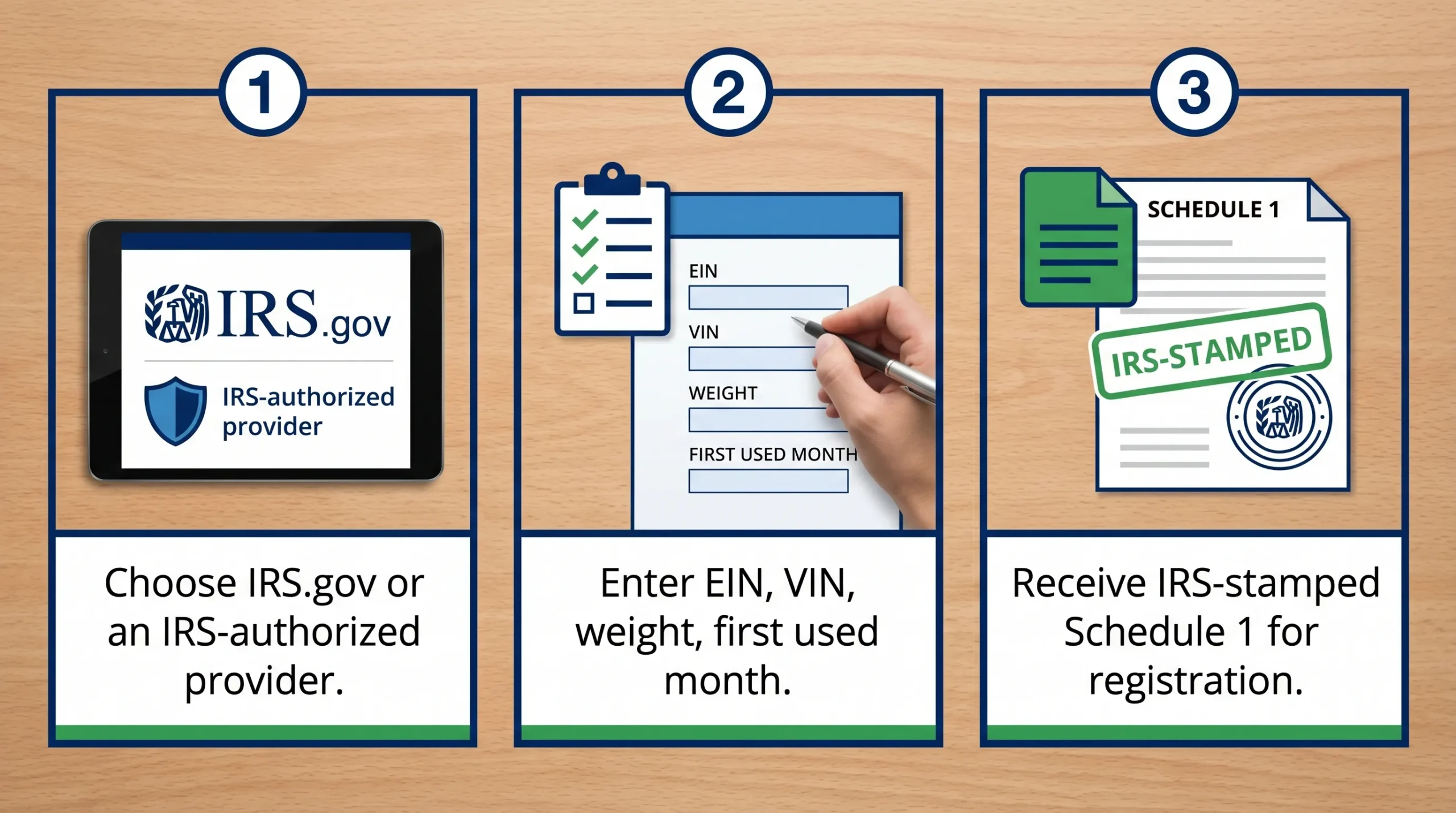
- E-file through an IRS-authorized provider (fastest way to receive the IRS-stamped Schedule 1 after acceptance)
- Mail a paper return (slower, higher risk of delays close to peak season)
If you need proof quickly for registration or IRP work, e-filing usually wins because you can receive your stamped Schedule 1 soon after IRS acceptance.
For deadlines tied to the current tax season and “first used month” rules, see the Simple Form 2290 due date guide: Form 2290 due dates.
If you are considering paper filing, use the correct IRS addresses and plan for longer processing: IRS mailing address for Form 2290.
How to confirm a website is legitimate (before entering EINs, VINs, or payment info)
A legitimate filing website should be easy to validate. Use this short verification process.
1) Start from an IRS.gov directory whenever possible
If you are unsure, begin on IRS.gov and follow their links outward. For tax professionals and e-file options, the IRS maintains official pages and references.
For e-file provider verification, you can also use the IRS list of authorized e-file providers: Authorized IRS e-file providers.
Note: that directory is primarily framed for individual returns. For specialized filings like Form 2290, you still want to see clear statements that the company is an IRS-authorized provider for that form, plus a strong track record and secure systems.
2) Look for clear “IRS-authorized” positioning (and realistic promises)
Legitimate providers typically explain what authorization means: they transmit returns through IRS e-file systems, and the IRS issues acceptance or rejection.
Be cautious if a site:
- Claims to be “the IRS” or implies it is an official government site when it is not
- Uses urgent scare tactics like “final notice” language before you have even logged in
- Guarantees outcomes they cannot control (for example, “guaranteed acceptance,” “guaranteed refund,” or “instant approval”)
3) Check basic security and business signals
This is not glamorous, but it matters:
- The site should use HTTPS (a secure connection) in the browser address bar
- It should have a real support channel (phone, email, address, business hours)
- Policies should be visible (privacy, refunds if applicable)
For truck tax filing, you should also expect the site to handle common operational needs like downloading prior-year filings and reprinting Schedule 1.
What to avoid on an IRS tax filing website
Some problems are outright scams. Others are “legit but costly” experiences that waste time and create rejected filings.
Look-alike “IRS” websites that charge for free actions
Some sites buy ads or rank for phrases like “IRS login” or “pay IRS bill” and then steer users into paid services.
Avoid paying for something you can do directly on IRS.gov, especially:
- Creating an IRS account
- Checking IRS payment options
- Getting official instructions or forms
If you are paying a fee, it should be because you are receiving a real service (like transmitting a return, guided validation, support, or fleet tools).
Hidden fees and add-ons that do not match your goal
Some filing sites advertise a very low entry price, then add charges for basic steps like:
- Downloading your proof documents
- Corrections after submission
- “Priority” processing that may not change IRS processing time
A good rule: the most important deliverable for Form 2290 filers is a correct, IRS-stamped Schedule 1. If a site is vague about how you receive Schedule 1 and how quickly you can access it after acceptance, that is a red flag.
Data-entry traps that cause Form 2290 rejections
Even legitimate websites cannot “fix” incorrect inputs. Many rejections come from small mismatches that are easy to avoid.
The most common Form 2290 issues tend to involve:
- EIN and legal business name mismatch (what you enter must match IRS records)
- VIN errors (transposed characters and incorrect digits)
- Wrong taxable gross weight category
- Wrong tax year or first used month
If you want a deep dive into operational mistakes that lead to rejections and delays, see: HVUT Form 2290 filing mistakes.
Which filing option is best for Form 2290? (Quick comparison)
For HVUT, your decision usually comes down to speed, proof, and support.
| Option | Best for | Typical downside | Proof you need (Schedule 1) |
|---|---|---|---|
| Paper filing by mail | Rare cases where you must file on paper and you have plenty of time | Slow processing and mailing risk during peak periods | Stamped Schedule 1 arrives much later |
| IRS-authorized e-file provider | Most owner-operators and fleets who need speed, accuracy checks, and quick proof | Provider fee (but saves time and reduces errors) | IRS-stamped Schedule 1 available after acceptance |
| Tax professional filing for you | Complex business situations or when you want full-service representation | Higher cost and you may still need fast proof for registration | Depends on how they file and deliver documents |
If you are filing 25 or more vehicles, e-filing is required. Even for small fleets, e-filing is often the simplest way to avoid delays when you are up against an IRP or DMV deadline.
A safe “before you submit” checklist (especially for truck taxes)
Most filing problems happen before you hit submit. Here is a quick checklist that prevents the most common issues.
- Confirm the taxpayer ID: Form 2290 e-filing requires an EIN, and the legal name must match IRS records.
- Verify every VIN against registration documents.
- Confirm taxable gross weight and whether any vehicle qualifies as logging or suspended (Category W).
- Choose the correct first used month for each vehicle.
- Use a payment method you can complete on time (EFTPS timing matters because payments can have cutoff times).
- Save proof immediately: download your stamped Schedule 1 and store it where dispatch, compliance, or registration staff can access it.
If you ever need to confirm whether your Form 2290 was accepted or rejected, this guide can help: How to check 2290 filing status.
When an IRS-authorized provider makes the most sense
If you are filing Form 2290, an IRS-authorized platform is often the practical choice when:
- You need your Schedule 1 quickly for registration or plates
- You are filing for multiple vehicles (or managing a fleet)
- You want built-in checks that reduce common errors
- You want reliable support for rejections, corrections, or amendments
Simple Form 2290 is an IRS-authorized e-file platform designed specifically for HVUT filing, with a guided online process, bulk vehicle filings, secure data handling, and bilingual customer support (English and Spanish). You can learn more about how IRS authorization and Schedule 1 issuance works here: IRS and Form 2290 overview.
Frequently Asked Questions
Is IRS.gov the only legitimate IRS tax filing website? No. IRS.gov is the official starting point, but the IRS also authorizes private e-file providers to transmit returns through IRS systems. The key is verifying legitimacy and authorization.
Where should I file Form 2290 online to get Schedule 1 fast? Typically, you would e-file Form 2290 through an IRS-authorized provider, then download the IRS-stamped Schedule 1 after the return is accepted.
Is e-filing Form 2290 mandatory for fleets? Yes. If you are reporting 25 or more vehicles on Form 2290, the IRS requires e-filing.
What should I do if a website asks for my SSN to file Form 2290? Form 2290 e-filing generally requires an EIN. If you are unsure what identifier you need, confirm your EIN status first and avoid entering sensitive data on questionable sites.
What are the most common reasons a Form 2290 filing gets rejected? Common causes include EIN and business name mismatches, VIN errors, incorrect taxable gross weight category, wrong first used month, or duplicate filings.
Is it safe to pay HVUT online? It can be, if you use a secure website (HTTPS), choose an IRS-approved payment method, and keep your confirmation records. Always save your stamped Schedule 1 and payment confirmation.
File Form 2290 with an IRS-authorized website that is built for truckers
If your goal is to file accurately and get your Schedule 1 fast, use a website that is built specifically for Form 2290, not a general-purpose tax tool. Simple Form 2290 helps owner-operators and fleets e-file HVUT through an IRS-authorized system with a step-by-step process, bulk filing options, secure data storage, and dedicated support.
File now at SimpleForm2290.com and keep your registration process moving with quick access to your IRS-stamped Schedule 1.