Form 2290 Printable: How to Download, Complete, and File Form 2290 Online
If you need a printable IRS Form 2290 for the 2026 tax period, the official version is available from the IRS, but printing it is not always the fastest way to finish your Heavy Vehicle Use Tax filing. Paper filing can work for some owner operators, yet online filing is usually faster, reduces math errors, and helps you get your stamped Schedule 1 sooner for registration or tag renewal.
This guide explains where to download the official PDF, how to complete the return, what the 2026 deadlines mean, how much the tax may cost, and when it makes more sense to file online with an IRS-authorized provider.
Quick answer: where to get the form 2290 printable
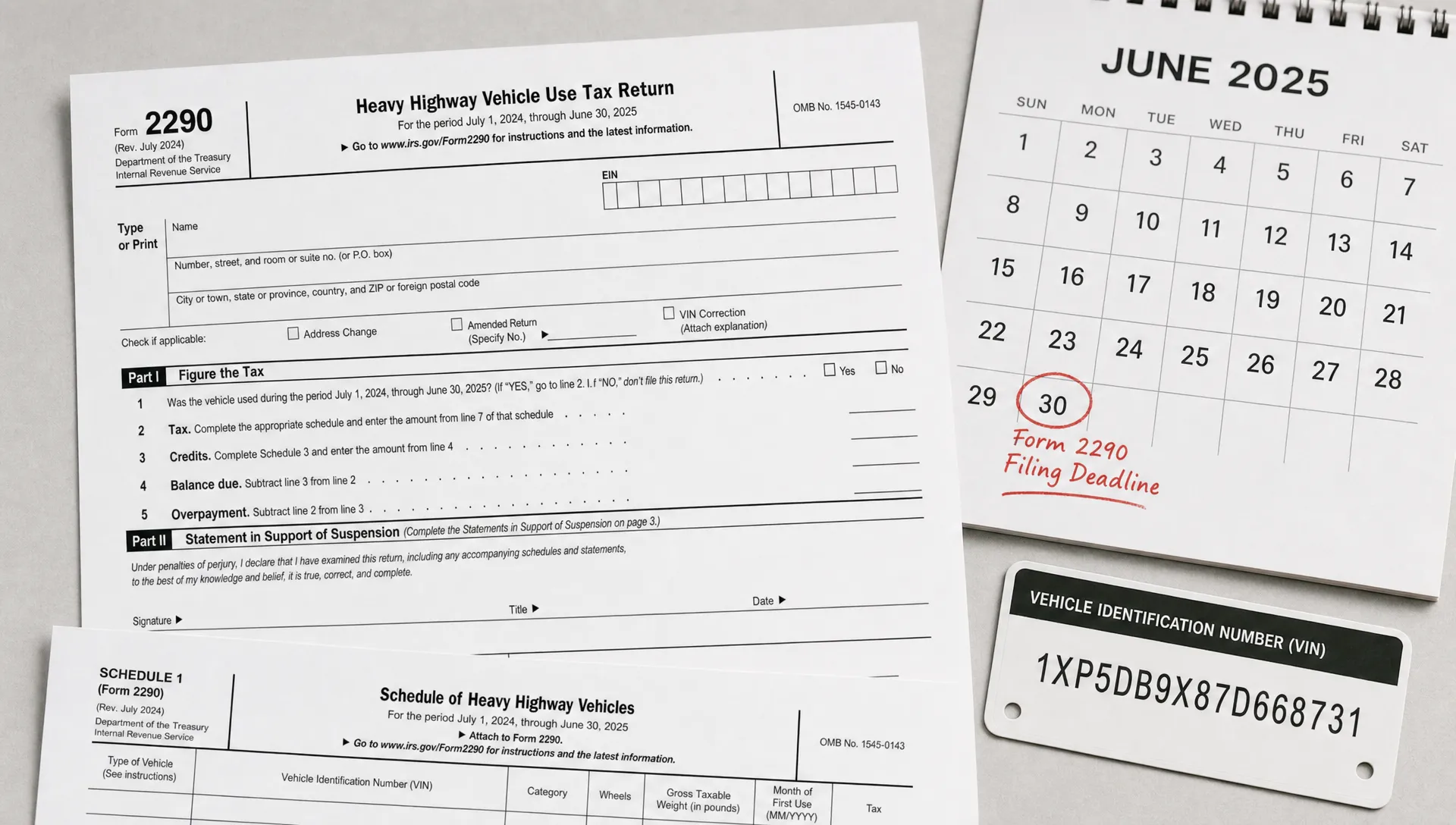
The safest place to get a form 2290 printable is the IRS website. You can download the official IRS Form 2290 PDF and review the official IRS instructions before you fill it out. The IRS page is the best source because it is updated when forms, mailing addresses, tax tables, or instructions change.
A form 2290 printable is useful if you want to review the return on paper, keep a blank copy in your compliance folder, or mail a paper return for a small number of vehicles. However, if you are reporting 25 or more taxed vehicles, the IRS requires electronic filing. Even if you have fewer than 25 vehicles, online filing is often the better option when you need Schedule 1 quickly.
For context, the IRS calls this the form 2290 heavy highway vehicle use tax return. Many truckers also search for tax form 2290, 2290 tax form, or 2290 tax when they are looking for the same annual HVUT filing.
| Item | 2026 filing detail |
|---|---|
| Current tax period | July 1, 2026 through June 30, 2027 |
| Who must file | Owners of highway motor vehicles with a taxable gross weight of 55,000 pounds or more |
| Standard July first use deadline | August 31, 2026 |
| General deadline rule | Last day of the month after the month of first use |
| E-filing rule | Required for 25 or more taxed vehicles |
| Proof you need | IRS-stamped Schedule 1 for registration and tag renewal |
Download the official PDF and instructions
Use the official form 2290 pdf for the return itself, then use the instructions to confirm tax rates, vehicle categories, payment rules, and mailing addresses. Do not rely on an outdated file saved from a prior year unless you confirm it matches the current IRS version on irs.gov.
For the current period, read the form 2290 instructions 2026 before mailing or submitting anything. Some websites host a 2290 form printable, but the IRS version should be treated as the source of truth. Save a clean copy of the form 2290 pdf for your records, then fill in a separate working copy so you can correct mistakes without altering your blank file.
The form 2290 instructions 2026 also explain which address to use if you mail the return. The mailing address can vary depending on whether you include a check or money order, so always verify it in the latest instructions before sending a paper package.
A 2290 form printable should include the main return and Schedule 1 pages. Schedule 1 is not optional. The IRS stamps it and returns it as your proof of HVUT filing, which DMVs commonly require before they process registration or renewal.
How to complete the form 2290 printable before filing
Before mailing a form 2290 printable, review every business and vehicle detail carefully. Most rejections, delays, and follow-up issues come from simple errors such as a wrong EIN, incorrect VIN, missing first used month, or choosing the wrong taxable gross weight category.
You will generally need:
- Employer Identification Number, also called EIN
- Legal business name and address that match IRS records
- Vehicle Identification Number for each truck
- Taxable gross weight category
- First used month during the tax period
- Whether the vehicle is taxable, suspended, logging, or agricultural
- Preferred IRS payment method
- A completed Schedule 1 copy for IRS stamping
If you use the form 2290 printable for review only, you can still enter the same information online and submit electronically. That approach gives you the benefit of reviewing the return on paper while avoiding paper processing delays.
For a deeper breakdown of vehicle weight categories, exemptions, and HVUT basics, Simple Form 2290 explains the heavy highway use tax form 2290 in plain language.
2026 due dates and filing deadlines
The form 2290 due date is based on the month the vehicle is first used on public highways during the tax period, not simply the date you bought the truck. For a truck first used in July 2026, the form 2290 deadline is August 31, 2026. If a vehicle is first used in September, the return is due by the last day of October.
If your first use month changes, recalculate your form 2290 due date before filing. Missing the form 2290 deadline can lead to IRS penalties and interest, and it may also create problems when you need to renew plates or show proof of payment.
Because the deadline rule can be confusing for new owner operators and fleet managers, this guide to when is form 2290 due can help you confirm the right filing window based on first use month.
Paper filing vs online filing
Paper filing is still allowed for many small filers, but it is slower. Online filing through an IRS-authorized provider helps you avoid manual calculations, mailing delays, and missing Schedule 1 pages. If you need proof fast, e-filing is usually the practical choice.
| Feature | Paper filing, print and mail | Online filing, IRS-authorized provider |
|---|---|---|
| Schedule 1 timing | Mailed back by IRS, often taking weeks | Usually delivered by email in minutes after IRS acceptance |
| Calculations | Manual tax table lookup and math | Software calculates based on vehicle details |
| Error checks | Limited to your own review | Built-in validation before submission |
| 25 or more taxed vehicles | Not allowed | Required by IRS |
| Payment options | Check, money order, or eftps depending on IRS rules | Bank withdrawal, card options, or eftps depending on provider and IRS payment choice |
| Best for | Filers who do not need Schedule 1 quickly | Truckers and fleets that need faster proof |
Cost, payment options, and records
The form 2290 cost has two parts: the federal HVUT amount owed to the IRS and any service fee charged by an online filing provider. The IRS tax amount depends mainly on taxable gross weight. For many taxable vehicles, the tax starts at $100 for 55,000 pounds and increases by weight, up to $550 for vehicles at 75,000 pounds or more, according to the IRS tax table.
Your 2290 cost per truck depends on the vehicle weight category, first used month, and whether the vehicle qualifies as suspended, logging, or another special category. For a more detailed cost explanation by vehicle weight, see this guide to 2290 cost per truck.
In plain terms, the form 2290 cost is not one flat IRS tax for every vehicle. A light taxable vehicle and a heavier tractor may not owe the same amount, and a truck first used later in the tax period may have a prorated amount.
For an irs 2290 payment, you may be able to use electronic funds withdrawal, eftps, check or money order, or a card payment method depending on how you file and current IRS payment options. Keep your irs payment confirmation with your return records, but remember that Schedule 1 is the document most DMVs ask to see.
A simple truck tax routine can save time during renewal season: keep copies of filed returns, payment confirmations, stamped Schedule 1 documents, VIN lists, and mileage records in one place. A simple truck recordkeeping habit also helps if you later need to amend a return or support a tax deduction for heavy vehicle expenses.
Ask your tax professional whether a tax deduction for heavy vehicle expenses applies to HVUT, registration fees, repairs, insurance, or other operating costs for your business. Do not assume every tax deduction for heavy vehicle costs works the same way, since deductibility depends on your business structure and facts.
How online filing works if you do not want to mail paper
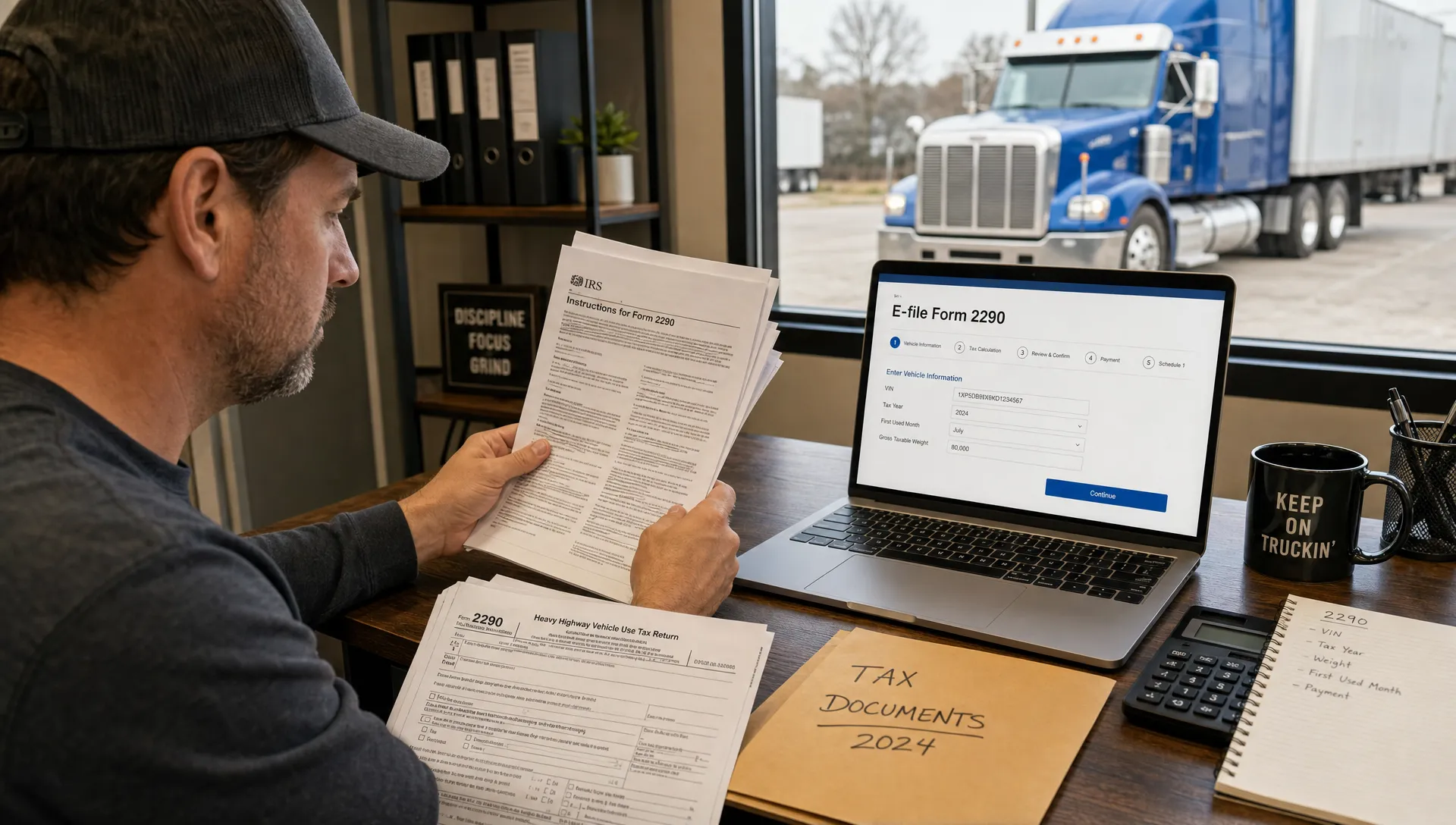
If you choose to efile form 2290, you generally enter your business information, add vehicle details, review the calculated tax, choose a payment method, and submit the return to the IRS electronically. After IRS acceptance, your stamped Schedule 1 is delivered electronically.
The biggest advantage is speed. Mailing the form can take weeks, especially during peak filing season. Online filing can provide your accepted proof much faster, which matters if your DMV registration or tag renewal is waiting on a schedule 1 form 2290.
How your 2290 login helps after submission
Your 2290 login can save time if you need to retrieve prior filings, access accepted Schedule 1 copies, or continue a return you started earlier. A 2290 online login also helps fleet owners manage repeat filings without rebuilding every record from scratch.
Keep your 2290 online login credentials secure and use the same business information that matches IRS records. If you switch devices, update staff access, or file for multiple companies, your 2290 login should be handled carefully to protect tax and vehicle data.
Simple Form 2290 is an IRS-authorized provider built for truckers and fleet owners who want a guided online filing process, fast Schedule 1 delivery, and support when questions come up.
IRS help, corrections, and refunds
If you need help from the agency, use the irs 2290 phone number listed in the latest official instructions rather than relying on an old blog post or forum thread. Because contact details can change, confirm the irs 2290 phone number directly in the IRS instructions before calling.
For mistakes, the right fix depends on the issue. A VIN correction is different from adding a vehicle, increasing taxable gross weight, or claiming a refund. If you overpaid HVUT, sold a vehicle, destroyed a vehicle, or the vehicle was stolen, you may need form 8849 to claim a refund or credit, depending on the situation.
For step-by-step help on IRS filing rules, vehicle categories, and Schedule 1 requirements, review these irs form 2290 instructions before you submit.
Frequently asked questions
How do I print my 2290 form? Download the official IRS PDF, open it on your computer, and print the return and Schedule 1 pages. If you plan to mail it, complete all required sections and verify the current mailing address in the IRS instructions.
Can I use a form 2290 printable and still file online? Yes. You can use a printed copy to gather and review information, then enter the same details through an IRS-authorized e-file provider for faster processing and electronic Schedule 1 delivery.
How much does the IRS 2290 cost? The IRS HVUT amount depends mainly on taxable gross weight and first used month. Many taxable vehicles range from $100 to $550 for a full tax period, but special categories and prorated months can change the amount.
How much is 2290 for 2026? For the 2026 tax period, use the current IRS tax table or online filing software to calculate the exact amount. The period runs from July 1, 2026 through June 30, 2027.
Does Form 2290 need to be filed every year? Yes, if you operate a taxable highway motor vehicle with a taxable gross weight of 55,000 pounds or more during the tax period. You must also file for new vehicles based on the month of first use.
Can I download and print tax forms online? Yes. You can download printable tax forms from IRS.gov, including Form 2290 and its instructions. For speed, you can also complete and submit the return online through an IRS-authorized provider.
Where can I find printable tax forms? The safest source is the IRS website, because it provides the official current forms and instructions. Always check the revision year and instructions before mailing a paper return.
File faster and get Schedule 1 sooner
Printing Form 2290 can help you understand the return, but mailing paper is rarely the fastest path when you need proof for registration. If you want guided filing, automated calculations, secure record access, and quick Schedule 1 delivery, file online with Simple Form 2290.
You can prepare your vehicle details, submit electronically, choose your payment option, and receive your stamped Schedule 1 after IRS acceptance without waiting weeks for mailed processing.