How to Use an IRS E File Schedule for Form 2290 Deadlines
An IRS e file schedule is not another tax form. It is the calendar you use to decide when Form 2290 must be filed, when the Heavy Vehicle Use Tax payment should be set up and when you need the stamped Schedule 1 back. For an owner-operator, that may mean one main due date a year. For a fleet, it can become a rolling checklist as trucks are added, sold or placed back on the road.
The value is simple: fewer last-minute filings, fewer VIN mistakes and less risk of missing a deadline that keeps your truck from getting registered. Form 2290 deadlines are based on when a taxable vehicle is first used on public highways during the tax period, so a good calendar starts with that date, not with the day you remember to file.
How an IRS e file schedule works for Form 2290
For this topic, schedule has two meanings that often get mixed together. The first is your filing schedule, meaning the calendar of deadlines. The second is Schedule 1, the IRS-stamped proof that your Heavy Vehicle Use Tax return was accepted. You need both, but they solve different problems.
Form 2290 covers the federal Heavy Highway Vehicle Use Tax, often called HVUT, for vehicles with a taxable gross weight of 55,000 pounds or more. The standard tax period runs from July 1 through June 30. If your truck is already in service at the start of the period, the main annual filing deadline usually falls at the end of August.
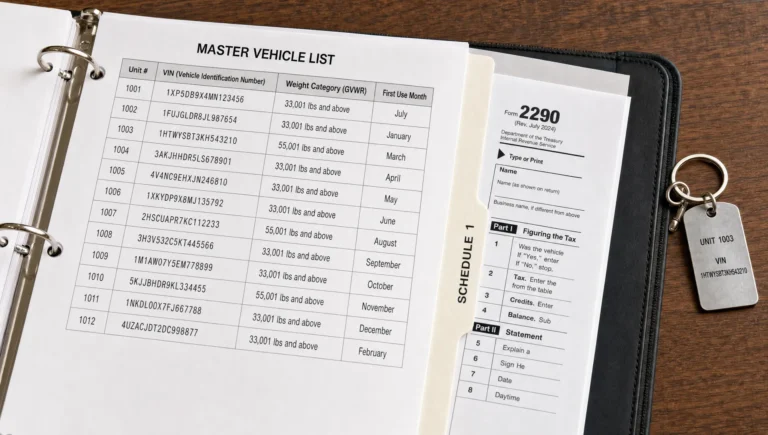
The IRS e file schedule you build for your business should answer three questions: which vehicles need to be filed, what first-used month applies to each VIN and when payment must be ready. Once those answers are in one place, e-filing becomes a routine job rather than a scramble.
The Form 2290 deadline rule in plain English
The Form 2290 deadline is tied to the month the vehicle is first used on public highways during the tax period. In general, you file by the last day of the month after that first-used month. If the deadline lands on a Saturday, Sunday or federal legal holiday, the due date moves to the next business day.
The annual July filing window
For trucks first used in July, Form 2290 is generally due by August 31. This is the big annual deadline most truckers think about because it covers vehicles that continue operating from the start of the HVUT tax year.
That rule is the backbone of your IRS e file schedule if you run the same truck year after year. Even if your state registration renewal happens later, the federal Form 2290 deadline still follows the IRS first-used month rule.
Trucks added later in the tax year
If you buy a truck, lease a truck or place a stored vehicle back on the road after July, the deadline shifts. A truck first used in October is not filed on the July deadline. It is due by the last day of November, unless that date is a weekend or holiday.
This is where fleets get tripped up. One carrier may have a July annual batch, two new VINs in September and another tractor entering service in January. A calendar that tracks first-used month by VIN prevents all of those trucks from being treated as if they share one deadline.
2026-2027 Form 2290 e-file deadline table
The 2026-2027 HVUT tax period runs from July 1, 2026 through June 30, 2027. Use the table below as a planning guide, then confirm unusual situations with the latest IRS Form 2290 information or your tax professional.
For the 2026-2027 tax period, an IRS e file schedule may look like this for vehicles first used in each month:
| Vehicle first used on public highways | Form 2290 filing deadline | Planning note |
|---|---|---|
| July 2026 | August 31, 2026 | Main annual deadline for continuing vehicles |
| August 2026 | September 30, 2026 | Good time to file before quarter-end paperwork piles up |
| September 2026 | November 2, 2026 | October 31 falls on a Saturday |
| October 2026 | November 30, 2026 | Applies to vehicles first used during October |
| November 2026 | December 31, 2026 | Do not leave it for year-end bookkeeping day |
| December 2026 | February 1, 2027 | January 31 falls on a Sunday |
| January 2027 | March 1, 2027 | February 28 falls on a Sunday |
| February 2027 | March 31, 2027 | Applies to February first use |
| March 2027 | April 30, 2027 | Applies to March first use |
| April 2027 | May 31, 2027 | Applies to April first use |
| May 2027 | June 30, 2027 | Near the end of the HVUT tax period |
| June 2027 | August 2, 2027 | July 31 falls on a Saturday |
If you file for 25 or more vehicles, the IRS requires electronic filing. E-filing is also common for single-truck operators because the stamped Schedule 1 is usually needed quickly for registration, tag renewal or compliance records.
Build your IRS e file schedule before the month ends
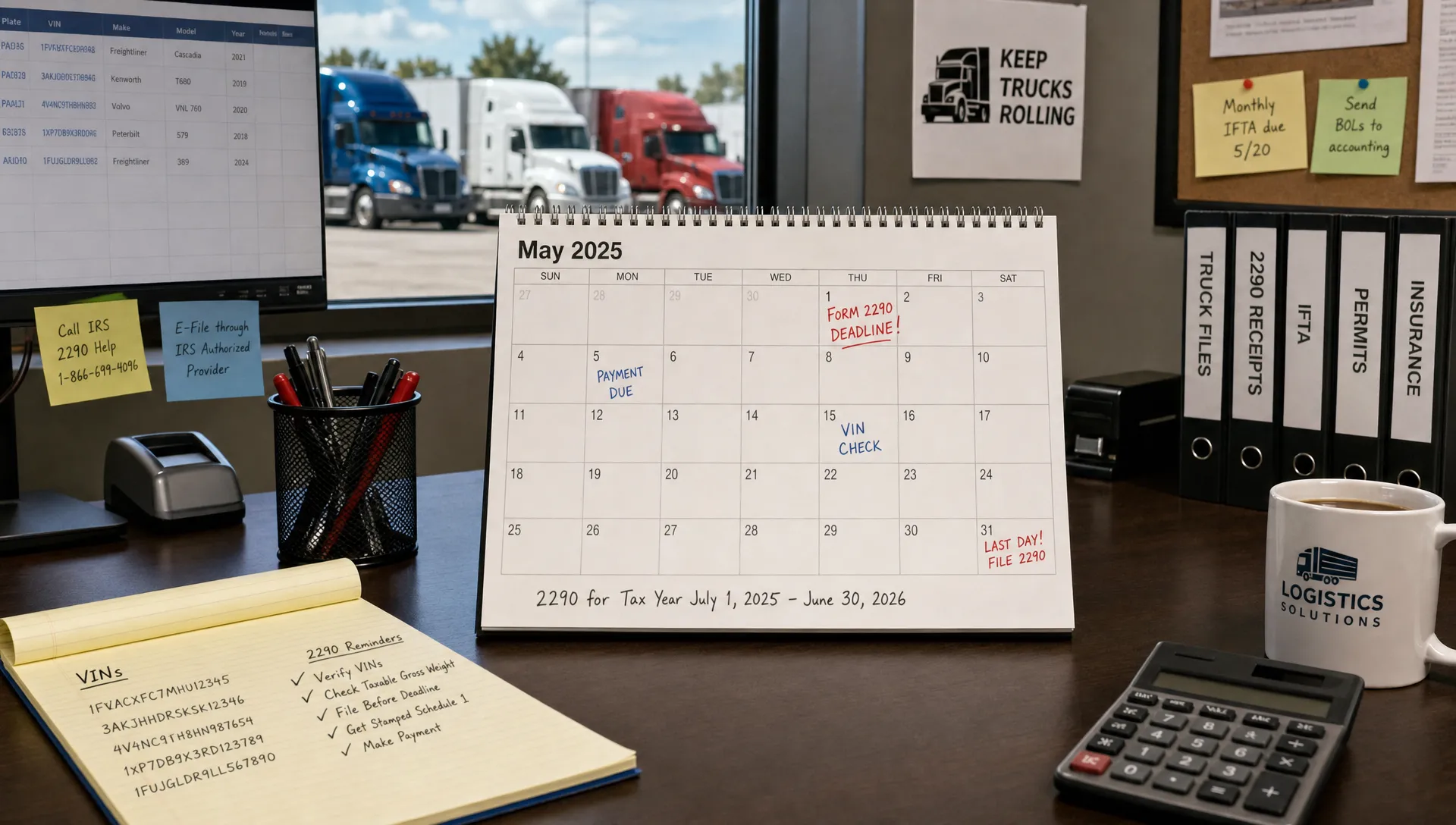
A good filing calendar does not need to be fancy. A spreadsheet, fleet dashboard or paper calendar can work as long as the information is accurate and someone owns the follow-up. The key is to update it when the truck starts running, not when the deadline is already close.
Start with the first-used month
Write down the first month each taxable vehicle operated on a public highway during the HVUT tax period. Do not use the purchase date by default. A truck bought in August but first used in September follows the September first-used deadline.
For suspended vehicles, track mileage expectations too. Vehicles expected to travel 5,000 miles or less during the tax period, or 7,500 miles or less for agricultural vehicles, may be reported as suspended. If the vehicle later exceeds the mileage limit, you may need to file and pay tax.
Keep EIN and VIN details ready
Form 2290 filing depends on clean business and vehicle information. Your legal business name and Employer Identification Number should match IRS records, and each VIN should be checked before submitting. One wrong character can delay acceptance or force a correction.
If your EIN is brand new, do not wait until the final hour. New business information may not validate in e-file systems immediately, and waiting until the deadline gives you no room to fix a mismatch.
Separate filing reminders from payment reminders
Filing Form 2290 and paying HVUT are closely connected, but they are not the same task. If you use EFTPS, card payment or another IRS payment method, your payment timing may need its own reminder. The filing deadline tells you when the return is due. Your payment process tells you when funds should be scheduled so the payment is not late.
When your filing calendar includes payment reminders, it should leave a few business days of breathing room. That is especially useful for fleets with internal approvals, bank limits or bookkeepers who process tax payments only on certain days. For more timing detail, Simple Form 2290 has a separate guide on when EFTPS payment is due for Form 2290.
What to do on filing day
On filing day, the goal is to move through the return without hunting for documents. Have the business details, vehicle records and payment choice ready before you start. That small habit saves more time than any shortcut inside the form.
Most Form 2290 e-file returns require:
- Business name and EIN
- Address and contact details
- VIN for each taxable vehicle
- Taxable gross weight category
- First-used month
- Suspended vehicle mileage status, if applicable
- Payment method for HVUT
The job of your IRS e file schedule is to make filing day boring. If the calendar already tells you which VINs are due and which month applies, the filing portal is just the place where you enter and submit the return. If you want a practical walkthrough, this guide explains how to e-file Form 2290 with Simple Form 2290.
After the IRS accepts the return, you receive a stamped Schedule 1. Keep that document with your truck and tax records because state DMVs, leasing companies and other parties may ask for proof of HVUT filing. If speed is your main concern, Simple Form 2290 also explains how online filing can help you get Schedule 1 in minutes after acceptance.
Mistakes that throw a good schedule off track
Most late Form 2290 filings are not caused by complicated tax law. They usually come from small misses: using the wrong first-used month, assuming registration dates control the filing deadline or waiting too long to check EIN and VIN details.
| Mistake | Why it causes trouble | Better habit |
|---|---|---|
| Using purchase date instead of first-used month | The IRS deadline is based on first use on public highways | Record the first public highway use for each VIN |
| Treating every truck like a July vehicle | Trucks added later may have different deadlines | Add a new calendar entry whenever a truck enters service |
| Waiting on payment setup | Bank or EFTPS timing can create late payment problems | Schedule payment reminders before the filing deadline |
| Ignoring VIN review | A wrong VIN can delay the Schedule 1 or require correction | Compare VINs against registration or title documents |
| Filing after the DMV asks for proof | Registration work can stall without stamped Schedule 1 | File before renewal paperwork becomes urgent |
Review your IRS e file schedule at least once a month if you manage multiple vehicles. For a single truck, check it when the new HVUT tax period opens, when you change equipment and before registration renewal season.
A simple monthly routine for truckers and fleets
Set one recurring calendar reminder near the middle of each month. Look at new equipment, sold equipment, stored vehicles returning to service and vehicles approaching mileage limits. Then update your Form 2290 deadline list while the details are still fresh.
For fleets, assign one person to own the schedule, even if several people provide information. Dispatch may know when the truck started running, accounting may handle payment and compliance may keep the Schedule 1. Without one owner, deadlines fall between departments.
Owner-operators can keep it even simpler. Save your EIN, VIN, taxable weight and prior Schedule 1 in one folder. When the annual July period opens or a new truck enters service, you already have the basics ready. A little organization in the cab or office beats trying to solve a tax deadline from a fuel stop parking lot.
Frequently Asked Questions
Is an IRS e file schedule the same as Schedule 1? No. The filing schedule is your deadline calendar. Schedule 1 is the IRS-stamped proof that your Form 2290 was accepted.
When is Form 2290 due for a truck first used in July? For vehicles first used in July, Form 2290 is generally due by August 31. If August 31 falls on a weekend or federal holiday, the deadline moves to the next business day.
Do I need to e-file Form 2290 if I have only one truck? The IRS requires e-filing when you report 25 or more vehicles, but one-truck operators can still e-file. Many do because the stamped Schedule 1 is usually delivered much faster than with paper filing.
What if I miss my Form 2290 deadline? File as soon as possible and pay any tax due. Penalties and interest can apply, and delays may affect your ability to show proof of filing for registration.
What information should I add to my filing calendar? Include each vehicle's VIN, taxable gross weight, first-used month, expected mileage status, filing deadline, payment reminder and the location of the stamped Schedule 1 after filing.
File Form 2290 with less last-minute stress
A deadline calendar is useful, but it still has to lead to a clean filing. Simple Form 2290 is an IRS-authorized e-file provider built for truckers and fleet owners who want a guided online process, fast Schedule 1 delivery, bulk filing support and help when a filing question comes up.
If your next Form 2290 due date is coming up, you can start at Simple Form 2290 and file online before the deadline turns into a problem.