What the IRS E File Database Means for Your Return
When you e-file a tax return, the result you care about is simple: did the IRS accept it, and can you use the proof you need? For truck owners and fleet managers filing Form 2290, that proof is the IRS-stamped Schedule 1. The “IRS e file database” is the behind-the-scenes system that makes that acceptance, rejection, and Schedule 1 delivery possible.
For Form 2290, understanding how the IRS e-file process works can help you avoid rejections, prevent registration delays, and keep better records for your trucks. It is especially important before the 2026-2027 Heavy Vehicle Use Tax season, when many carriers file beginning July 1 and need Schedule 1 for IRP or state registration.
What is the IRS e file database?
The IRS e file database is not a public website where you type in a VIN or EIN and see your return. In practical terms, it refers to the IRS electronic filing systems and records that receive, validate, acknowledge, and store electronically filed tax return information.
For businesses, the IRS supports e-filing for many return types through approved channels. The IRS explains its business e-file options on its e-file for business and self-employed taxpayers page. For truckers, Form 2290 is one of the most important excise tax filings because it reports and pays Heavy Vehicle Use Tax for taxable highway motor vehicles.
The IRS describes Form 2290 as the return used for heavy highway vehicles with a taxable gross weight of 55,000 pounds or more. When you e-file through an IRS-authorized Form 2290 provider, your return data is transmitted to the IRS, checked by IRS systems, and returned with an electronic acknowledgment.
That acknowledgment is what tells you whether your return was accepted or rejected. If accepted, the IRS-stamped Schedule 1 becomes available, often within minutes through an authorized e-file provider.
Two “IRS e file database” meanings truckers often confuse
People use the phrase “IRS e file database” in more than one way. That can create confusion when you are trying to confirm a Form 2290 filing.
The first meaning is the IRS’s internal e-file record system. This is the system that receives your submitted return and returns an acceptance or rejection message. For your actual Form 2290 status, this is the meaning that matters most.
The second meaning is an IRS-authorized provider list or e-file provider database. This helps taxpayers verify that a provider is authorized to submit returns electronically. This matters when choosing where to file, but it is not the same as checking whether your individual return has been accepted.
A simple way to remember the difference is this: provider authorization tells you whether the platform is allowed to transmit returns, while IRS acceptance tells you whether your specific return was successfully processed.
How your Form 2290 moves through the e-file system
Once you submit Form 2290 online, your return follows a structured process. The details happen in the background, but the basic flow is straightforward.
- You enter your business, EIN, vehicle, tax period, and payment information in an IRS-authorized e-file portal.
- The provider formats and transmits the return to the IRS electronically.
- IRS systems validate the return data against e-file rules and IRS records.
- The IRS sends back an acknowledgment showing accepted or rejected status.
- If accepted, your stamped Schedule 1 is generated and made available for download.
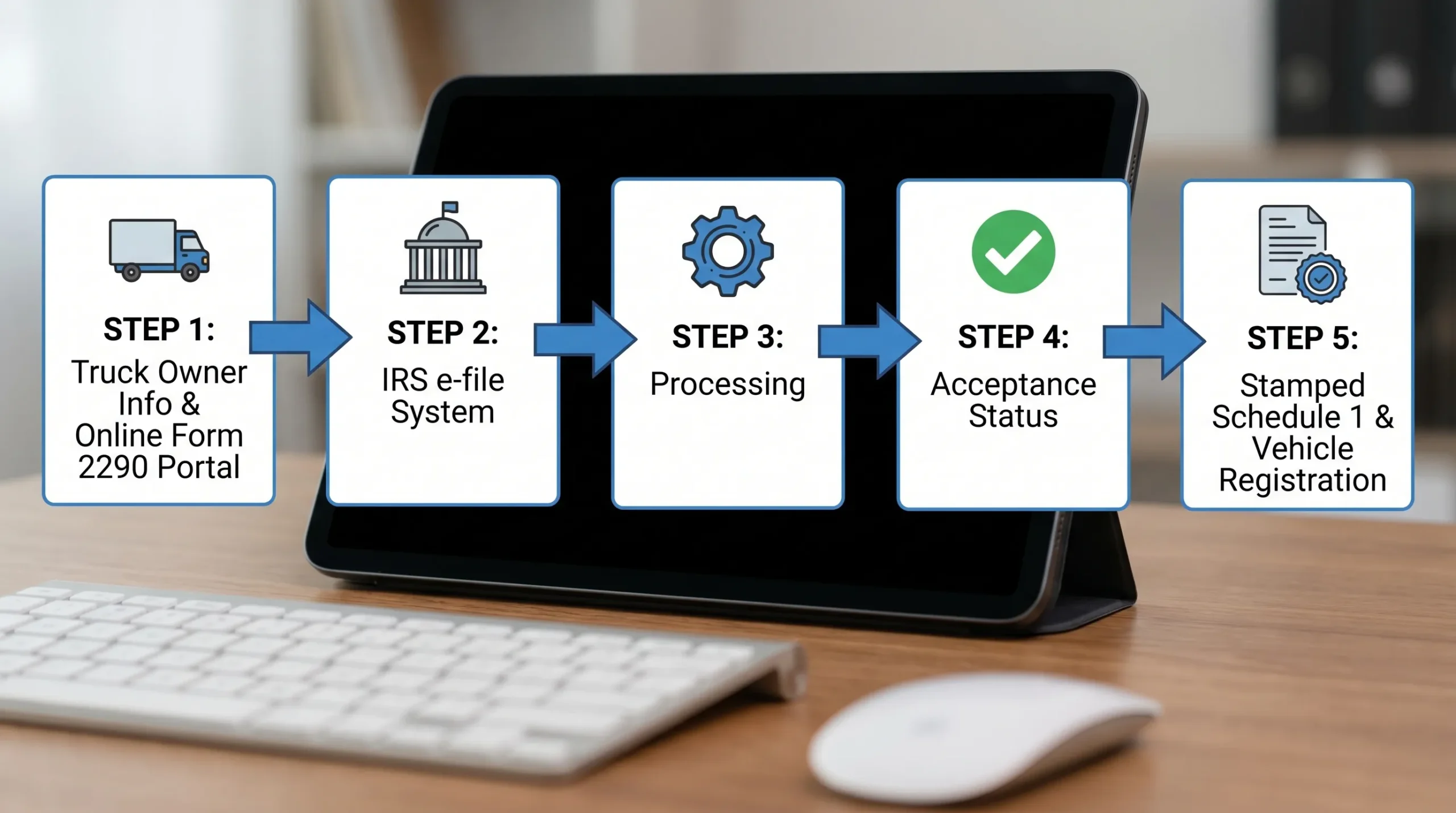
For Form 2290 filers, the most valuable part of this process is speed. Paper filing can take weeks, while e-filing can return Schedule 1 much faster when the return is accepted. That difference can matter if your truck registration, IRP renewal, or DMV visit is coming up soon.
What each e-file status means for your return
After submission, your provider dashboard may show a filing status. The exact wording can vary by platform, but the meaning is usually similar.
| Status | What it means | What you should do |
|---|---|---|
| Pending or transmitted | Your return has been sent and is waiting for IRS acknowledgment. | Wait for the IRS response and avoid submitting a duplicate return. |
| Accepted | The IRS e-file system accepted your Form 2290. | Download and save your stamped Schedule 1. |
| Rejected | The return did not pass IRS validation. | Review the rejection reason, correct the issue, and resubmit. |
| Duplicate or previously filed | IRS records indicate a return may already exist for the same taxpayer, tax period, or vehicle data. | Check prior filings before submitting again. |
| Payment issue | Your return may be accepted, but your HVUT payment still needs attention. | Confirm EFTPS, card, or withdrawal details and pay by the due date. |
A key point for truckers: e-file acceptance and payment settlement are related, but not always the same thing. Your Form 2290 may be accepted and your Schedule 1 may be available, but you are still responsible for making sure the HVUT payment is completed on time. This is especially important when using EFTPS, because payment scheduling is handled separately from the return transmission.
Why the IRS e-file database matters for Schedule 1
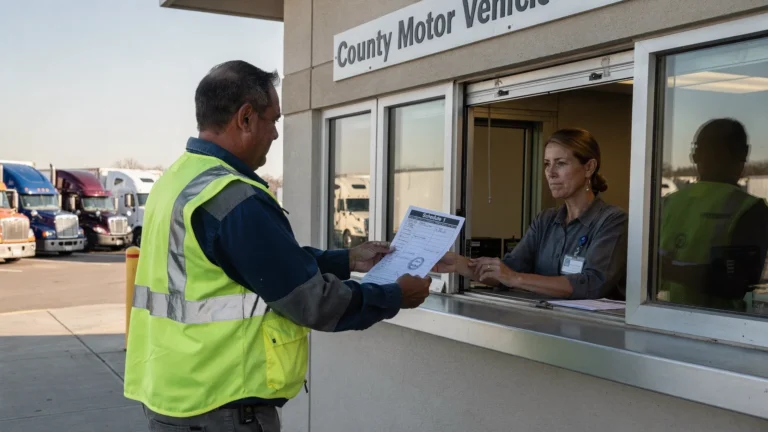
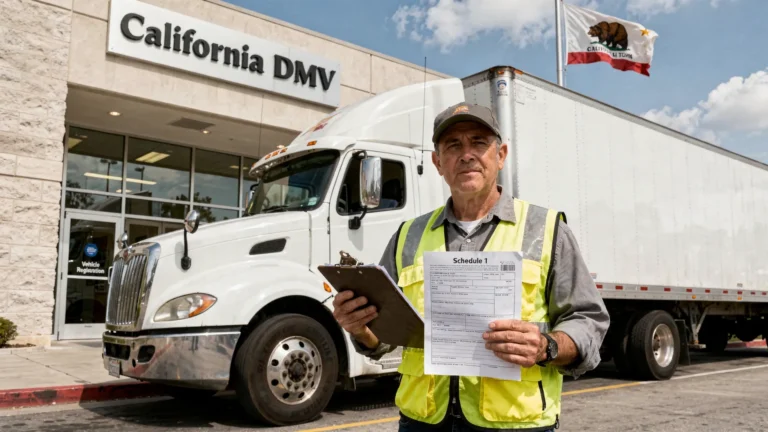
Schedule 1 is the document state DMVs and IRP offices commonly request as proof that your Heavy Vehicle Use Tax filing is complete. When the IRS accepts your Form 2290 electronically, the stamped Schedule 1 is created from that accepted IRS record.
That acceptance record matters because it helps confirm:
- The IRS received your Form 2290 electronically.
- The return passed IRS e-file validation.
- The tax period and taxpayer information were processed.
- The vehicle information submitted on Schedule 1 is now available in stamped form.
- You have proof to support registration or renewal.
If you use Simple Form 2290, you can e-file through an IRS-authorized platform and retrieve your stamped Schedule 1 after IRS acceptance. For many owner-operators and fleets, that is far more practical than waiting for mailed paperwork.
You can also read more about the process in our guide to getting Schedule 1 in minutes.
What the IRS e-file system checks before accepting Form 2290
The IRS e-file system is not just a digital mailbox. It performs validation checks before accepting a return. Some checks are technical, such as whether required fields are complete and formatted correctly. Others compare submitted information with IRS records.
For Form 2290, the most common acceptance issues involve identity and filing data. The system may reject a return if the EIN and business name do not match IRS records, if the tax period is incorrect, or if a duplicate filing appears to exist.
However, acceptance does not mean every business decision on the return is correct. For example, if you enter the wrong taxable gross weight category and the return passes technical validation, you may still need to file an amendment later. If you enter a VIN that is formatted properly but belongs to the wrong truck, you may need a VIN correction.
That is why e-filing should still be done carefully, even when the portal is easy to use.
| Common issue | Why it can affect e-file acceptance | How to reduce the risk |
|---|---|---|
| EIN and business name mismatch | IRS records must match the taxpayer identity on the return. | Use the legal name from your EIN confirmation or IRS notice. |
| Recently issued EIN | New EIN information may not be fully available in IRS e-file matching systems right away. | Apply for an EIN early before filing Form 2290. |
| Wrong tax year or first-used month | Form 2290 deadlines and tax amounts depend on the correct period. | Confirm the HVUT tax year and the month the vehicle first used public highways. |
| VIN typo | A wrong VIN can create Schedule 1 problems at registration. | Compare each VIN against the registration, title, or cab card before filing. |
| Duplicate filing | IRS records may already contain an accepted return for the same filing scenario. | Check prior filings and provider history before submitting again. |
| Incorrect weight category | Tax due may be wrong even if the return is accepted. | Confirm taxable gross weight, including trailer and maximum customary load. |
For a deeper look at identity numbers, see our guide on whether TIN is the same as EIN. If you are trying to prevent avoidable rejects, our article on common HVUT Form 2290 filing mistakes is also useful.
What accepted does and does not mean
An accepted e-filed Form 2290 means the IRS received and processed your return through its e-file system. For most truckers, that is the green light to download Schedule 1 and proceed with registration requirements.
Accepted does not mean the IRS has audited the return. It also does not mean the IRS has verified your VIN against state DMV databases, confirmed your truck’s actual weight at a scale, or guaranteed that your payment cannot fail later. It means the return passed IRS e-file processing and has been recorded as accepted.
This distinction matters for compliance. If you later discover that a VIN was entered incorrectly, that a suspended vehicle exceeded the mileage limit, or that a taxable gross weight increased, you may need a correction or amendment. The e-file database acceptance is important proof, but it does not remove your responsibility to keep accurate records.
What rejected means and how to fix it
A rejected return is not the same as a late return if you correct and resubmit it promptly before the deadline. Rejection means the IRS e-file system found something that prevented acceptance.
The best response is to read the rejection message carefully. Do not guess and resubmit the same information repeatedly. Common fixes include correcting the legal business name, waiting for a new EIN to become active in IRS systems, fixing a tax year selection, or correcting duplicate filing confusion.
If you file through Simple Form 2290, your dashboard helps you track status and retrieve documents. Professional customer support is also available, including English and Spanish support, which can be helpful when a rejection message is unclear.
If you want a practical walkthrough of status tracking, see our guide on how to check 2290 filing status.
How this affects fleets filing many vehicles
The IRS requires e-filing when reporting 25 or more vehicles on Form 2290. Even when you have fewer vehicles, e-filing is usually the faster and cleaner option.
For fleets, the IRS e-file database matters because small data issues can multiply. A single owner-operator may only need to verify one VIN. A fleet manager may need to confirm hundreds of VINs, taxable weight categories, suspended vehicle status, and first-used months.
This is where a guided online system and fleet management tools can reduce friction. Simple Form 2290 supports bulk vehicle filings, data retrieval, and a fleet management dashboard, which can help keep recurring annual filings more organized. Instead of rebuilding the same vehicle list from scratch, fleets can use stored records and review them before the next tax period.
Good fleet filing habits include keeping one clean master vehicle list, assigning one person to approve final data, and saving accepted Schedule 1 copies in a central location. The IRS e-file database creates the acceptance record, but your internal records are what help you respond quickly during registration, audits, vehicle sales, or amendments.
Is the IRS e-file database public?
No. Truckers, brokers, customers, and state offices cannot simply search a public IRS e-file database to confirm your Form 2290. Your proof is the IRS-stamped Schedule 1.
That is why saving Schedule 1 matters. If you lose it, your e-file provider account is usually the fastest place to retrieve another copy. If you mailed a paper return, retrieval may take longer because you do not have the same provider dashboard or electronic document history.
State registration offices generally ask for a copy of Schedule 1 because it is portable proof. They do not need access to the IRS’s internal filing systems when you can provide the stamped document.
Paper filing vs. e-filing and what changes in the database
If you mail Form 2290, your return is processed differently. It does not move through your provider’s e-file workflow, and you will not receive the same near-real-time electronic acknowledgment. You may still end up with IRS records once the paper return is processed, but you do not get the same immediate visibility.
That creates practical problems. If your paper return is delayed, you may not know whether it is sitting in a mailroom, waiting for processing, or being reviewed. If a mistake is found, correcting it can take more time. If you need Schedule 1 for a registration deadline, waiting weeks can become expensive.
E-filing gives you a faster answer. It tells you whether the return was accepted or rejected, and it lets you act quickly if something needs correction.
Before you submit: a quick data checklist
Before sending your Form 2290 into the IRS e-file system, take a few minutes to verify the data that most often causes delays.
- Confirm your EIN, not your SSN, is used for Form 2290.
- Match the business name exactly to IRS records.
- Check the correct HVUT tax year.
- Select the right first-used month for each vehicle.
- Verify every VIN character against official vehicle documents.
- Confirm taxable gross weight and logging status.
- Review suspended vehicle mileage expectations before choosing Category W.
- Choose and complete your payment method by the deadline.
This short review can save hours or days later. For time-sensitive registrations, it can also be the difference between receiving Schedule 1 in minutes and being stuck with a rejection.
How Simple Form 2290 helps connect your return to IRS acceptance
An IRS-authorized e-file provider does not decide whether your return is accepted. The IRS does. But the provider plays an important role in preparing, transmitting, tracking, and retrieving your filing.
Simple Form 2290 is built for truckers, owner-operators, and fleet managers who need a straightforward way to e-file HVUT returns. The platform offers a step-by-step guided process, instant Schedule 1 delivery after IRS acceptance, bulk vehicle filings, data security and retrieval, affordable flat pricing, dedicated customer support, bilingual support in English and Spanish, and fleet management tools.
That combination matters because Form 2290 is not just a tax form. It is tied to operations. If you do not have Schedule 1 when your registration office asks for it, your truck can be delayed even if the tax amount itself is not complicated.
Frequently Asked Questions
Is the IRS e file database the same as my provider dashboard? No. Your provider dashboard shows information received from IRS e-file acknowledgments and stores your filing records, but it is not the IRS’s internal database. It is your practical access point for status, Schedule 1 downloads, and filing history.
Can I search the IRS e-file database for my Form 2290? Generally, no. There is no public search tool where truckers can look up a Form 2290 by VIN or EIN. Use your e-file provider dashboard, your stamped Schedule 1, or IRS support channels when needed.
Does accepted status mean my HVUT payment is complete? Not always. Accepted means the IRS accepted the return electronically. You must still make sure your payment method, such as EFTPS, card payment, or direct debit, is completed by the deadline.
Why did the IRS reject my e-filed Form 2290? Common reasons include EIN and business name mismatches, recently issued EINs, duplicate filings, wrong tax year, or data formatting problems. Read the rejection message, correct the issue, and resubmit as soon as possible.
Will e-filing help me get Schedule 1 faster? Yes. E-filing through an IRS-authorized provider is the fastest way for most truckers to receive an IRS-stamped Schedule 1 after acceptance. Paper filing can take weeks, especially during busy filing periods.
File Form 2290 with confidence
The IRS e file database matters because it determines whether your electronic return is accepted, rejected, and ready for Schedule 1 delivery. But you do not need to manage that process manually.
With Simple Form 2290, you can file through an IRS-authorized online portal, follow a guided process, submit single or bulk vehicle returns, and retrieve your stamped Schedule 1 after IRS acceptance. If you want a faster, simpler way to stay compliant and keep your trucks moving, start your Form 2290 filing online today.