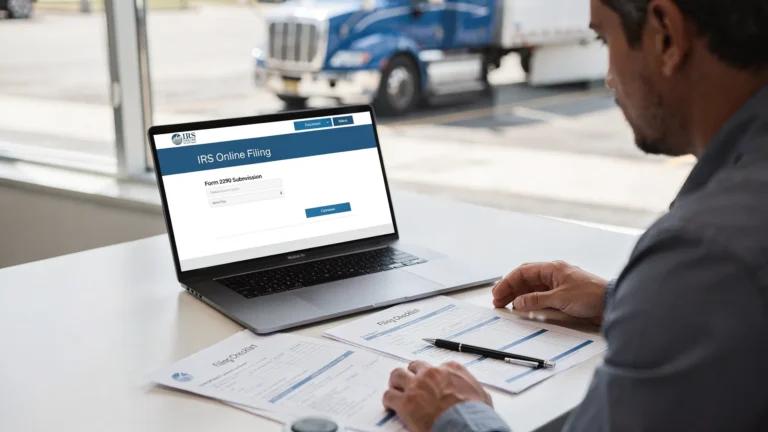
Where to Find www IRS Tax Forms Safely Online
Searching for “www IRS tax forms” can bring up the right answer, but it can also lead you through ads, outdated PDFs, copycat websites, and pages that look official but are not. The safest place to start is simple: use the official IRS website at IRS.gov, then choose an IRS-authorized e-file provider when you need to submit a return electronically.
For truckers and fleet owners, this matters even more. Form 2290 includes business information, EIN details, VINs, taxable weight categories, and payment information. A wrong form, unsafe website, or unofficial filing path can delay your IRS-stamped Schedule 1, which can also hold up DMV or IRP registration.
This guide explains where to find IRS tax forms safely online, how to spot risky sites, and when Form 2290 filers should use IRS.gov versus an authorized 2290 e-file provider.
The safest official source for IRS tax forms
The official IRS website is IRS.gov. If you need blank federal tax forms, instructions, publications, or prior-year versions, the safest starting point is the IRS Forms, Instructions and Publications page.
From there, you can search by form number, topic, or keyword. For example, if you need Heavy Vehicle Use Tax forms, search for “2290” or go directly to the IRS About Form 2290 page. That page is where the IRS provides official information about Form 2290, Schedule 1, instructions, and related updates.
A few safety basics apply every time you download an IRS form:
- Make sure the website address ends in
irs.gov, not a similar-looking.com,.net, or misspelled domain. - Look for
https://in the address bar before downloading files or entering information. - Do not pay a website just to download a blank IRS form. IRS forms and instructions are free from IRS.gov.
- Check the tax year or revision date before using a form, especially for annual or period-specific filings.
- Avoid opening IRS form attachments from unsolicited emails or text messages.
Blank tax forms are public. A legitimate website should not ask for your EIN, Social Security number, credit card, or banking information just to let you download a basic IRS PDF.
IRS.gov vs. an IRS-authorized e-file provider
Finding a form and filing a form are not always the same thing. IRS.gov is the official source for forms and instructions, but many business tax forms, including Form 2290, can also be filed through IRS-authorized e-file providers.
For truckers, the difference is important. Downloading a printable Form 2290 from IRS.gov gives you the paperwork, but you still need to complete it, submit it, pay any HVUT due, and receive your stamped Schedule 1. If you need Schedule 1 quickly for registration, paper filing is usually not the fastest route.
| Safe source | Best for | Important note |
|---|---|---|
| IRS.gov Forms, Instructions and Publications | Downloading blank IRS forms and instructions | Forms are free, but downloading is not the same as filing |
| IRS About Form 2290 page | Checking official Form 2290 rules and instructions | Use the current tax period and correct revision |
| IRS e-file information pages | Confirming e-file options and rules | The IRS lists guidance for electronic filing |
| IRS-authorized 2290 e-file provider | Filing Form 2290 online and receiving Schedule 1 faster | Use a trusted provider with secure filing and support |
| Your e-file provider account | Retrieving accepted returns and stamped Schedule 1 copies | Protect your login and store documents securely |
If you only need to review a form or print a copy, IRS.gov is the right place to start. If you need to file Form 2290 and get Schedule 1 for a heavy vehicle registration, an authorized e-file provider is often the more practical option.
Where to find Form 2290 safely online
Form 2290 is the Heavy Highway Vehicle Use Tax return used for taxable heavy vehicles with a taxable gross weight of 55,000 pounds or more. Truck owners and fleet operators file it to report and pay HVUT, claim suspension for low-mileage vehicles when applicable, and obtain a stamped Schedule 1.
You can safely find Form 2290 in two main ways.
First, use IRS.gov if you want the official printable form and instructions. This is useful if you are reviewing the form, preparing records, or choosing to mail a paper return. You can also read our guide on how to download and use a printable 2290 form if you want a practical walkthrough.
Second, use an IRS-authorized e-file provider if you are ready to file online. The IRS explains Form 2290 electronic filing through its e-file Form 2290 resources. For many truckers, e-filing is faster because the stamped Schedule 1 is delivered electronically after IRS acceptance, often within minutes.
This is especially helpful when you need proof of HVUT filing for DMV or IRP registration. If you are filing for multiple vehicles, e-filing can also reduce manual entry, support bulk vehicle filings, and help avoid common errors that delay acceptance.
How to tell if an IRS tax form website is legitimate
A scam website does not always look suspicious at first glance. Some use IRS-style colors, official-looking language, or phrases like “government tax forms” to build trust. Others may rank in search results for terms like “www IRS tax forms” even though they are not official IRS pages.
Use these checks before downloading forms or entering information.
Check the domain carefully
The official IRS domain is irs.gov. A page like www.irs.gov/forms-instructions is official. A domain that merely includes the letters “irs” is not necessarily connected to the IRS.
Be cautious with lookalike domains, extra words, misspellings, or strange endings. If a site claims to be the IRS but does not use the .gov domain, treat it as unofficial.
Separate free forms from paid filing services
It is normal for an authorized e-file provider to charge a service fee for preparing and transmitting a return. It is not normal to charge you simply to access a blank IRS form that is available free from IRS.gov.
For Form 2290, a provider’s value should come from secure e-filing, guided preparation, error checks, fast Schedule 1 delivery after IRS acceptance, support, and document retrieval, not from locking free IRS PDFs behind a paywall.
Avoid unsolicited links and attachments
The IRS warns taxpayers about scams and phishing attempts through email, text, phone calls, and social media. You can review IRS updates on tax scams and consumer alerts to stay informed.
Do not open an “IRS form” attachment from an unexpected message. Instead, go directly to IRS.gov or log in to your trusted e-file provider account.
Look for secure filing practices
If you are entering business, vehicle, or payment information, make sure the site uses secure pages and provides a clear filing process. A safe tax filing experience should not feel rushed, confusing, or secretive.
For Form 2290, you should know what you are submitting, what tax period you are filing for, which payment method you selected, and where your Schedule 1 will be delivered after IRS acceptance.
Red flags when searching for IRS tax forms online
Some unsafe websites are easy to avoid once you know the warning signs.
| Red flag | Safer action |
|---|---|
The site looks official but the domain does not end in .gov |
Go directly to IRS.gov for blank forms |
| A download page asks for sensitive information before showing a public form | Leave the page and use IRS.gov |
| The form has no revision date or appears outdated | Search the form number on IRS.gov and verify the current version |
| You receive an email saying “click here to update your IRS form” | Do not click. Visit IRS.gov or your provider account directly |
| A website promises guaranteed IRS acceptance without reviewing your data | Use a legitimate filing process and verify all information |
| The site has no clear support, privacy, or security information | Choose a trusted provider with transparent support options |
A safe online filing process should reduce errors, not hide what is happening.
What truckers should prepare before filing Form 2290 online
Once you find the right form or choose a safe e-file provider, preparation is the next step. Many Form 2290 rejections happen because of simple data mismatches, especially with EINs, business names, VINs, first-used month, and taxable weight.
Before filing, gather the following information:
- Employer Identification Number, also called EIN
- Legal business name exactly as recognized by the IRS
- Business address and contact details
- Vehicle Identification Number for each truck
- Taxable gross weight category
- First Used Month for the tax period
- Logging, suspended, or regular vehicle status, if applicable
- Preferred IRS tax payment method
If you recently applied for a new EIN, remember that it may take time before IRS systems recognize it for e-filing. If you still need one, see our guide on how to apply for an EIN online for Form 2290 filing.
For the 2026-2027 HVUT period, make sure you are filing for the correct tax year and using the right First Used Month. If you are unsure when your return is due, review the current Form 2290 due dates before submitting.
When a printable IRS form is enough, and when e-filing is better
A printable IRS form can be useful if you want to study the form, prepare offline, keep a paper checklist, or mail a return in limited situations. For some very small operations, this may feel familiar.
However, paper filing has drawbacks. It can take significantly longer to receive a stamped Schedule 1, and mailed forms are more exposed to delays from incomplete entries, wrong addresses, missing payment vouchers, or seasonal IRS processing volume.
E-filing is usually better when you need speed, accuracy, or document access. For Form 2290, e-filing through an IRS-authorized provider can help you:
- Complete the return through a guided process
- Reduce common entry mistakes before submission
- File multiple vehicles more efficiently
- Receive an IRS-stamped Schedule 1 after acceptance
- Retrieve prior filings from your account when needed
- Get support if the return is rejected or needs correction
If your priority is getting Schedule 1 quickly for registration, see how to file Form 2290 online and get Schedule 1 in minutes.
Protecting your tax forms after download or filing
Safety does not end once you download a form or receive Schedule 1. Your tax documents can contain sensitive business and vehicle information, so storage matters.
Save completed forms and stamped Schedule 1 copies in a secure folder, not just in an email inbox. Use clear file names that include the tax period, vehicle unit number if applicable, and filing date. For fleets, keep a consistent naming system so documents are easy to retrieve during renewals, audits, or registration checks.
Avoid sending EINs, VIN lists, or stamped Schedule 1 copies over unsecured channels when possible. If you work with dispatchers, office staff, or compliance managers, limit access to people who actually need the documents.
A secure e-file provider account can also make retrieval easier. Simple Form 2290 offers data security and retrieval features, which can help truckers and fleet owners access accepted filings without digging through old email chains.
Frequently Asked Questions
What is the official website for IRS tax forms? The official website for IRS tax forms is IRS.gov. You can use the IRS Forms, Instructions and Publications page to search for federal forms by number, title, or topic.
Is www.irs.gov safe to use? Yes, www.irs.gov is the official IRS website. Always check that the address is spelled correctly and ends in .gov before downloading forms or following tax instructions.
Can I download Form 2290 from IRS.gov? Yes. The IRS provides Form 2290 and its instructions online. However, downloading the form is not the same as filing it. You must submit the return and receive a stamped Schedule 1 for proof of filing.
Should I use an IRS-authorized e-file provider for Form 2290? If you need Schedule 1 quickly, are filing multiple vehicles, or want guided online filing, an IRS-authorized Form 2290 e-file provider is usually the better choice. It helps reduce errors and speeds up delivery after IRS acceptance.
Are IRS tax forms free online? Yes. Blank IRS forms and instructions are free on IRS.gov. A provider may charge a service fee for preparing and electronically filing a return, but you should not have to pay just to download a blank public IRS form.
How do I know if an IRS tax form email is fake? Be cautious with unexpected emails, texts, or attachments claiming to be from the IRS. Instead of clicking links, go directly to IRS.gov or your trusted provider account. The IRS provides scam alerts and phishing reporting guidance on its website.
File Form 2290 safely with Simple Form 2290
Finding the right IRS tax form is the first step. Filing it correctly is what gets you the proof you need.
Simple Form 2290 is an IRS-authorized online platform built for truckers and fleet owners who need fast, secure, affordable Form 2290 e-filing. You can use a step-by-step guided process, file single or bulk vehicle returns, receive your stamped Schedule 1 after IRS acceptance, and get professional support when you need help.
If you are ready to file instead of just download forms, start with a trusted provider and protect your business information from the beginning.