IRS Login for Business: Setup, Access, and Common Errors
When someone searches “IRS login for business”, they are usually trying to do one of three things:
- Access an IRS portal to view business tax information (if available for their entity type)
- Make or confirm payments (often via EFTPS)
- Fix a login problem, like identity verification, multi-factor authentication (MFA), or access denied
The tricky part is that the IRS does not have one universal “business login.” Different IRS systems handle different tasks, and some require identity verification through ID.me.
This guide breaks down which IRS login you actually need, how to set it up, how to access common business actions, and how to resolve the most common errors.
Which “IRS login for business” do you need?
Most IRS online services fall into a few buckets. Use this table to identify the right starting point.
| What you’re trying to do | Most common IRS system | Who it’s for | Notes |
|---|---|---|---|
| View certain tax details online (availability varies) | IRS Business Tax Account | Some business entity types | Access depends on eligibility and IRS rollout. Start on IRS.gov. |
| View your personal IRS info (even if you own a business) | IRS Online Account | Individuals | Tied to an SSN/ITIN, not an EIN. Often used by owners and responsible parties. |
| Make federal tax payments and view payment history | EFTPS | Businesses and individuals | Separate enrollment process, not the same as ID.me. |
| Use professional tools (transcripts, TIN matching, etc.) | IRS e-Services | Tax professionals | Requires registration and is not intended for most owner-operators. |
| File Heavy Vehicle Use Tax (HVUT) Form 2290 online | IRS-approved 2290 e-file provider | Truckers, fleets | Typically does not require an IRS portal login to file. |
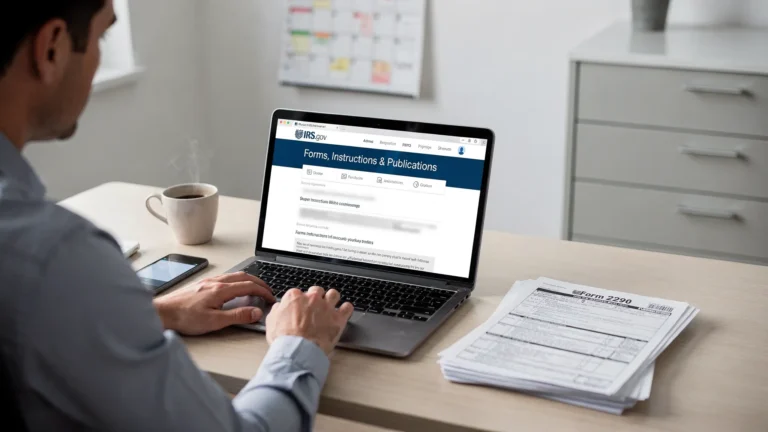
Official IRS starting point for many online services is your IRS account page: Your Online Account.
What you’ll need before you set up access
Whether you’re setting up an IRS online account for yourself or trying to access business-related functions, having the right information ready prevents verification failures and lockouts.
Here’s what to gather first:
- Legal name exactly as used on IRS records
- EIN (for business-related tasks) and your SSN/ITIN (for identity verification)
- Business address on file with the IRS (and personal address as applicable)
- A working email address and phone number
- Your device for MFA (phone or authenticator app)
- Identity documents if you must complete ID verification (requirements are shown during the process)
If you recently applied for an EIN, note that new EINs can take time to fully populate across IRS systems. If you run into “information does not match,” waiting and trying again later is sometimes the correct fix.
How IRS sign-in typically works (ID.me basics)
Many IRS experiences route you through ID.me for sign-in and identity verification. The IRS explains its secure access approach here: IRS Secure Access.
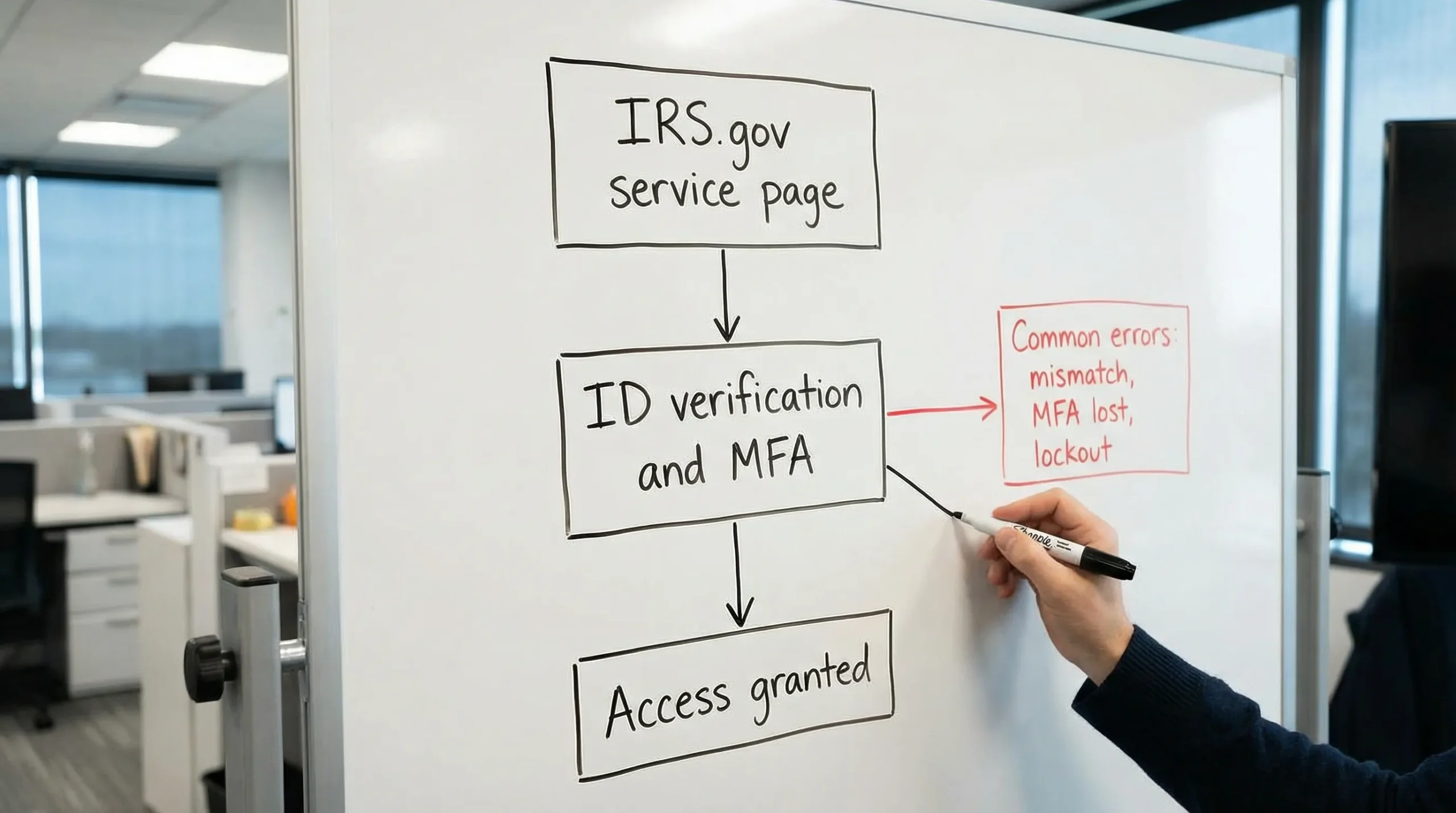
In practical terms, you should expect a flow like this:
- Start from the relevant IRS.gov page (avoid searching for random login pages)
- Choose Sign in
- Sign in with ID.me, or create an ID.me account
- Complete identity verification if prompted
- Set up or confirm MFA
- Return to the IRS service you were trying to access
Setup tips that prevent problems later
- Use the same email and phone consistently (switching them often triggers extra verification).
- Save your recovery codes (if offered) or set multiple MFA methods.
- If your phone number recently changed, update it in your identity provider settings before you urgently need access.
How to access common business tasks after you log in
1) Viewing business tax information online
The IRS has been expanding online tools for businesses over time, including a Business Tax Account experience for eligible entities.
Because eligibility can vary by entity type and can change as the IRS expands access, the safest approach is:
- Start at the official IRS business account page (if available): Business Tax Account
- Sign in using the method required on that page
- If you do not see your business features, look for messaging about eligibility or alternate methods
If online access is not available for your business or for the specific action you need, the IRS will typically direct you to use mail, phone, or a tax professional.
2) Paying business taxes online (EFTPS)
For many businesses, the most important “IRS login” is actually EFTPS.
Key points:
- EFTPS has its own enrollment and credentials
- Payments need to be scheduled with enough time for processing (especially near deadlines)
Start here: EFTPS for businesses.
If you are paying something time-sensitive (like HVUT for a newly placed-in-service truck), build a buffer. The biggest real-world issue is not the payment itself, it is leaving it too late and then scrambling when processing time or cutoffs get in the way.
3) Getting transcripts or IRS records
People often assume “business transcript login” exists the same way individual transcript access does. In reality:
- Individuals often use the IRS Online Account experience for personal transcripts
- Businesses commonly request transcripts through other IRS processes, or through a tax professional with access to appropriate tools
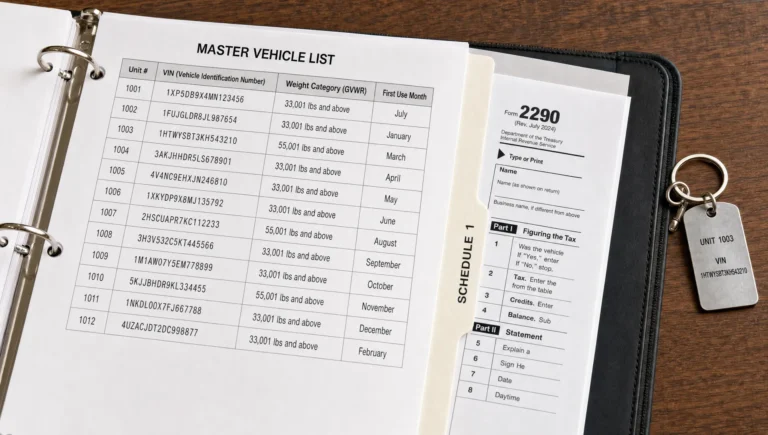
If your goal is compliance and recordkeeping for trucking operations, a better approach is to maintain clean internal copies of filed returns and stamped schedules (for example, your HVUT Schedule 1) so you are not relying on last-minute transcript retrieval.
4) Filing Form 2290 (HVUT): you usually do not need an IRS portal login
This is where many trucking businesses get tripped up.
You generally do not log into an IRS business portal to file Form 2290 online. Form 2290 e-filing is typically done through an IRS-authorized e-file provider.
If your goal is to file HVUT and get your stamped Schedule 1 quickly for registration or IRP, an IRS-authorized provider is usually the most direct route. For example, Simple Form 2290 offers an online filing portal built specifically for Form 2290 workflows (owner-operators and fleets).
You can learn more or start a filing here: SimpleForm2290.com.
For IRS background on the tax itself, see: About Form 2290 (IRS).
Common IRS login errors (and how to fix them)
Login failures usually come down to identity verification, MFA, record mismatches, or browser/device issues.
Quick troubleshooting table
| Problem you see | Likely cause | What to do next |
|---|---|---|
| “Information doesn’t match” or you cannot confirm identity | Name/address formatting mismatch, new EIN, outdated IRS records | Re-check exact legal name and address, try again later if records are new, or follow the alternate verification option offered. |
| MFA codes not arriving | Carrier filtering, wrong number, blocked short codes, time sync issue | Confirm phone number, try authenticator app method, check spam filters, ensure device time is correct. |
| “Access denied” or “not authorized” for a business feature | Your entity type or role is not eligible, or you are signed into the wrong profile | Verify you are on the correct IRS service, confirm eligibility messaging, consider contacting the IRS or using a tax pro. |
| Account locked or too many attempts | Repeated sign-in failures | Wait the required time, then reset credentials using the official recovery flow. Avoid repeated guesses. |
| Page loops, blank screens, or session timeouts | Browser cache, extensions, cookies blocked | Try an incognito/private window, allow cookies, disable extensions, or switch browsers. |
| You can log in but cannot find the tool you need | You are in the wrong IRS system | Go back to IRS.gov and start from the specific service page (EFTPS vs Online Account vs Business Tax Account). |
The most common trucking-business scenario
For truck owners and fleets, a frequent pattern looks like this:
- You are trying to file HVUT quickly
- You search “IRS login for business”
- You end up in the wrong IRS portal
- You lose time dealing with identity verification, only to realize the portal does not file Form 2290
If you need Schedule 1 for registration, skip the detour and use an IRS-authorized Form 2290 e-file provider instead.
Security tips for IRS business access (important)
Because IRS logins are a high-value target for phishing, basic security habits matter.
- Always start from IRS.gov (type it in, do not trust random ads)
- Avoid logging in from public Wi‑Fi, or use a trusted hotspot
- Never share MFA codes
- Use a password manager and unique passwords
- For fleets, limit access to tax accounts to a small number of trusted staff
If you think you clicked a suspicious link or entered information on a fake page, change passwords immediately and follow IRS identity protection guidance.
When to contact the IRS vs when to contact your provider
Contact the IRS when:
- You cannot complete identity verification using the available options
- You need account access help for an IRS portal (Online Account, Business Tax Account)
- You suspect tax account fraud or unauthorized access
Contact your 2290 e-file provider when:
- Your Form 2290 e-file was rejected and you need help correcting data
- You need to retrieve a previously filed Schedule 1
- You need a VIN correction, weight amendment, or to re-file after a rejection
If you filed Form 2290 through an e-file platform, the IRS generally will not have the same visibility into your submission workflow as your provider does.
Frequently Asked Questions
Is there one IRS login for business taxes? No. Different IRS systems handle different tasks. Many use ID.me for sign-in, but EFTPS has separate enrollment and credentials.
Do I need an IRS business account to file Form 2290 online? Usually no. Form 2290 is typically e-filed through an IRS-authorized provider, and you receive the stamped Schedule 1 after IRS acceptance.
Why does the IRS say my information does not match during verification? Common reasons include a mismatch in legal name/address formatting, recently updated records, or using information that is not exactly what the IRS has on file.
I’m not receiving MFA codes. What should I do? Try an alternate MFA method if offered (authenticator app), confirm your phone number is correct, and check whether your device time is set correctly.
Can my dispatcher or office staff log in for me? Many IRS systems are tied to an individual’s identity verification. For business tasks, you may need proper authorization processes rather than sharing logins (which creates security and compliance risks).
What’s the fastest way to get my Schedule 1 for registration or IRP? In most cases, e-filing Form 2290 with an IRS-authorized provider is the fastest path, especially if you avoid common rejection causes like EIN/name mismatches and VIN typos.
File Form 2290 without IRS login headaches
If your real goal behind “IRS login for business” is to file HVUT and get your stamped Schedule 1 fast, you do not need to wrestle with the wrong IRS portal.
Simple Form 2290 is an IRS-authorized e-file provider built for truckers and fleet owners, with a guided filing process, bulk vehicle filings, secure document retrieval, and bilingual support.
Get started here: E-file Form 2290 with Simple Form 2290.