Tax Efile: How E-Filing Works and When It’s Worth It
Most people hear “tax efile” and think it simply means “submit a tax form online.” In reality, e-filing is a specific workflow where your return is transmitted electronically in an IRS-approved format, validated, and then acknowledged by the IRS as Accepted or Rejected.
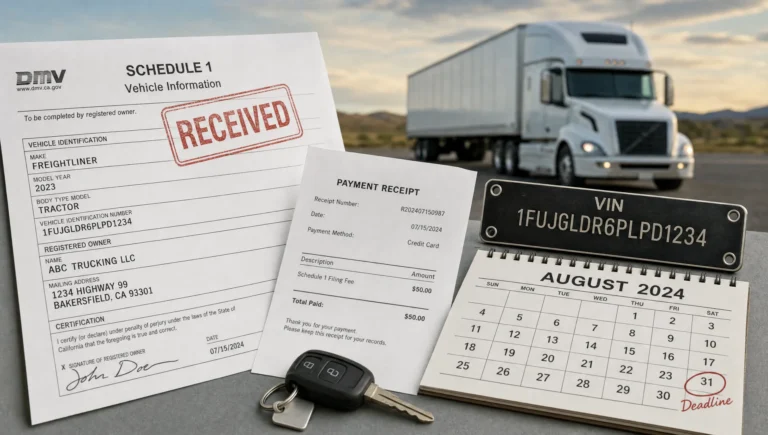
For truck owners and fleet managers, that difference matters because some tax filings (like IRS Form 2290 for Heavy Vehicle Use Tax) are tied directly to operations. If you need an IRS-stamped Schedule 1 to register a vehicle, transfer plates, or renew IRP, waiting weeks for paper processing can cost far more than the filing fee.
What “tax efile” actually means (and what it doesn’t)
Tax efile typically refers to electronic filing through an IRS-authorized e-file channel. Depending on the form, you might e-file through:
- A tax professional
- IRS-authorized software
- An IRS-authorized e-file provider (common for specialty forms like Form 2290)
What it does not mean is simply emailing a PDF or uploading a scanned form. IRS e-file requires a structured electronic return (not just an image) so the IRS can validate key fields and send back an electronic acknowledgement.
If you want a plain-language IRS overview, start with the IRS page on what IRS e-file is.
How e-filing works, step by step
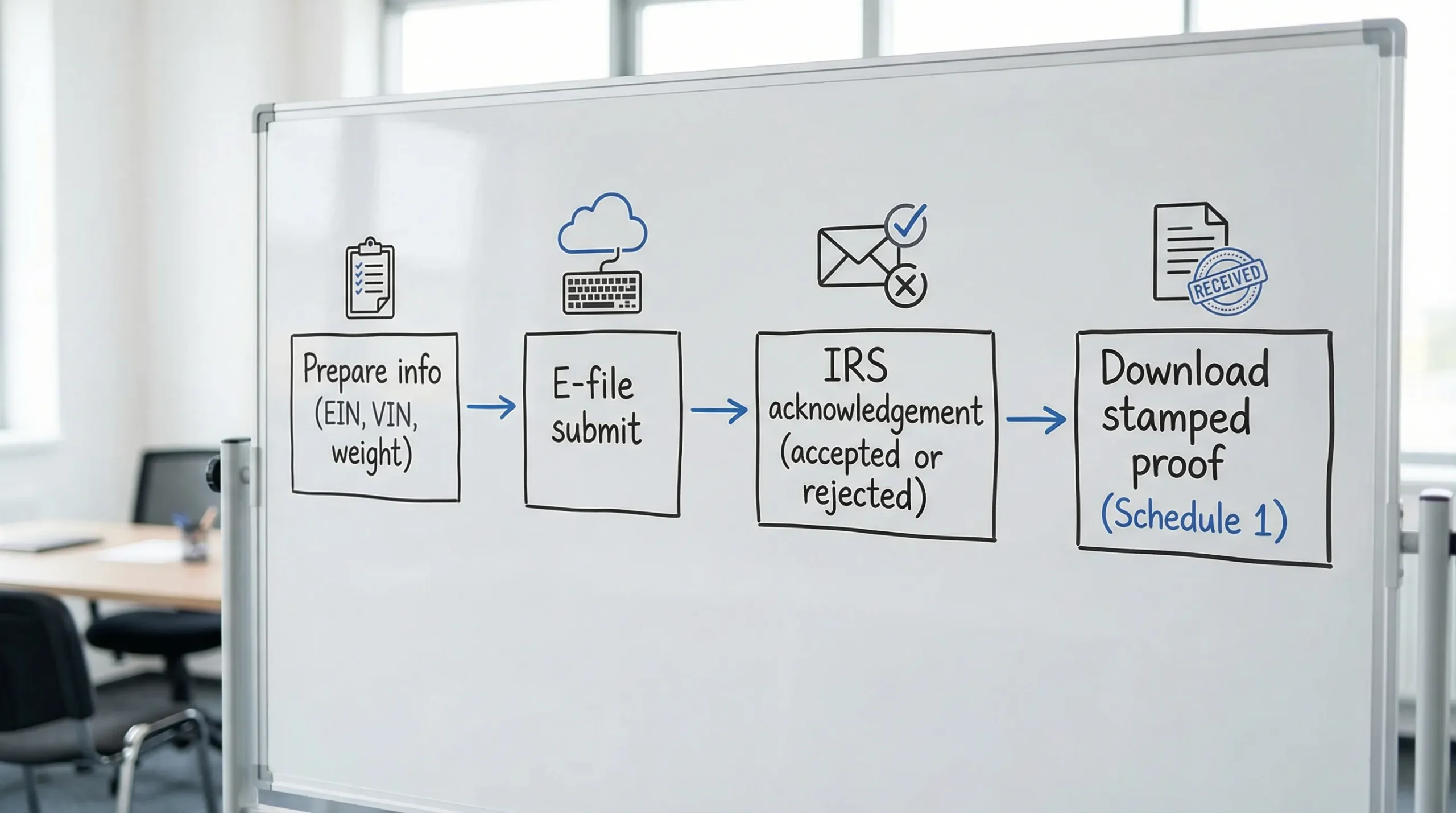
Even though the screens look different from provider to provider, most tax e-file submissions follow the same life cycle.
1) You enter data, then the system validates it
E-filing platforms generally prompt you for required fields and perform basic checks before submission. The goal is to catch preventable issues early, such as missing required information or obvious formatting mistakes.
For trucking-related filings like Form 2290, this usually includes validating items such as:
- EIN and legal business name
- VIN(s)
- Tax period and first used month (FUM)
- Taxable gross weight category
2) The return is transmitted electronically to the IRS
Once you approve the return for submission, it is sent through the IRS e-file system. This is where e-filing differs most from paper filing because the return is processed as data, not as a document sitting in a mail queue.
3) The IRS sends an acknowledgement (Accepted or Rejected)
After transmission, the IRS responds with an acknowledgement. Timing depends on the form and volume, but e-file acknowledgements are typically much faster than mail.
Here’s what common acknowledgement statuses mean in practice:
| Status | What it usually means | What you should do next |
|---|---|---|
| Accepted | The IRS received and accepted the return as filed | Save your proof of filing (and any stamped proof, if applicable) |
| Rejected | The IRS could not accept the return due to an error | Correct the issue and resubmit (often the same day) |
| Pending | The submission is in process | Wait and monitor, avoid duplicate filing |
4) Payment is made, scheduled, or matched (depending on the tax type)
E-filing does not always mean the tax is paid instantly. For many filings, you can:
- Pay by direct debit (bank draft)
- Pay via EFTPS (common for businesses)
- Pay by card (often through a separate IRS payment processor)
For HVUT Form 2290 specifically, it is common to e-file first, then ensure your chosen payment method is completed correctly and on time.
5) You store and retrieve documents when you need them
A major practical benefit of e-filing is record retrieval. In trucking, you may need proof of filing months later for registration, audits, or vehicle changes. E-file platforms often make it easier to re-download documents than paper-based recordkeeping.

E-file vs paper: the differences that actually affect your business
Paper filing still exists for many IRS forms, but it carries trade-offs that hit trucking businesses harder than most industries because your compliance often ties directly to moving a truck.
Here is a practical comparison:
| Factor | E-file | Paper file |
|---|---|---|
| Time to IRS acknowledgement | Usually much faster | Slower, depends on mail delivery and IRS processing queues |
| Error handling | Rejections come back quickly, you can correct and resubmit | Errors may take weeks to surface, fixes often require mailing again |
| Proof of filing | Electronic acknowledgement, and for some forms, stamped proof | Proof often depends on IRS processing, plus your mailing receipt |
| Recordkeeping | Digital storage and retrieval is easier | You manage physical copies and mailing documentation |
| Best for | Deadlines, proof needs (Schedule 1), multi-vehicle workflows | Very simple situations where time is not critical |
The IRS itself notes that mailed returns can take significantly longer to process, and for certain trucking workflows that delay is the whole problem.
When e-filing is worth it (most common real-world scenarios)
E-filing tends to be “worth it” when the cost of delay or the cost of a mistake is higher than the filing fee.
You need proof fast (common with Form 2290 Schedule 1)
If you are filing HVUT, the IRS-stamped Schedule 1 is often required for:
- IRP registration and renewal
- Adding a vehicle, transferring registration, or getting plates
- DMV transactions that require HVUT proof
If you are close to a registration deadline, e-filing is usually the most reliable path to get proof quickly.
You are filing close to the deadline
When you paper file near a due date, you take on multiple risks at once:
- Mail delays
- IRS intake delays
- More time before you learn about errors
With e-filing, you typically know much faster whether the IRS accepted your return.
If you file Form 2290 annually or on a first-used-month basis, it helps to keep the due-date rules handy. (For HVUT specifically, see Form 2290 due dates.)
You are filing for multiple vehicles (or managing a fleet)
The bigger your fleet, the more filing becomes a workflow problem, not just a tax problem. E-filing is often worth it when you need:
- Bulk vehicle filings
- Repeatable data entry
- Centralized retrieval for documents by VIN
You want fewer “avoidable” rejections
Many IRS rejections are preventable, but only if you learn about them quickly enough to fix them without derailing operations.
Common examples in trucking include:
- EIN and business name mismatch
- VIN typo
- Wrong tax period or first-used month
- Duplicate filing
With e-filing, the feedback loop is usually much shorter, which is the main operational advantage.
You may need an amendment later
Trucking changes mid-year. Weight increases, status changes, VIN corrections, suspended vehicles that exceed mileage limits, and vehicle additions can all trigger updates.
If you anticipate changes, e-filing often makes the amendment process easier to manage because your prior filings are already in the system.
When paper filing can still make sense
E-filing is not always the best fit. Paper filing may be reasonable when:
- You are filing far ahead of a deadline and can tolerate long processing
- Your situation is simple and you are comfortable managing certified mail, copies, and tracking
- You have a specific need to mail payment by check or money order for your process
If you do paper file Form 2290, make sure you use the correct IRS mailing address based on whether payment is included. (Here is a reference guide: IRS mailing address for Form 2290.)
What to look for in an e-file provider
Not all platforms are the same, and “online filing” is not the same as an IRS-authorized e-file submission.
A good e-file provider typically offers:
- IRS authorization for the form you are filing
- A guided process that reduces data-entry mistakes
- Clear turnaround expectations for acknowledgements and proof documents
- Strong customer support (especially if you file close to deadlines)
- Secure document retrieval (so you can re-download what you filed)
For trucking businesses, bilingual support can also be a meaningful advantage for teams that operate in English and Spanish.
A trucking-specific example: e-filing Form 2290 (HVUT)
Form 2290 is one of the clearest cases where tax efile can directly reduce operational friction.
Why Form 2290 is different from many other tax filings
- It is tied to a vehicle, not just a business entity.
- It is tied to a tax year (July to June) and a first-used month rule.
- It often requires proof (Schedule 1) to complete registration and IRP tasks.
The IRS also requires e-filing in certain situations. For example, the IRS states that you generally must e-file Form 2290 if you are reporting 25 or more vehicles for the period (see the IRS Form 2290 instructions and associated guidance).
What the e-file flow usually looks like for HVUT
- Enter business information (EIN and legal name)
- Enter vehicle information (VIN, weight category, first-used month, logging/suspended status if applicable)
- Review tax calculation
- Choose a payment method
- Submit and wait for IRS acknowledgement
- Download the IRS-stamped Schedule 1 after acceptance
If your goal is speed (for plates or IRP), you will also want to minimize rejections. A good operational habit is to validate EIN and VIN details before you hit submit.
How to reduce e-file problems (and avoid the “rejected at the worst time” scenario)
Rejections are not rare in high-volume periods. The key is to prevent the avoidable ones.
Match EIN and legal business name exactly
For business filings, IRS systems often validate the “name control” tied to the EIN. Even small differences (extra punctuation, spacing, DBA vs legal name) can matter.
If you are new to HVUT filing or you recently formed a business, it may help to confirm your EIN details first. Simple Form 2290 also provides an EIN-related guide: how to apply for an EIN online for Form 2290 filing.
Treat VIN entry like a safety-critical task
VIN typos are a top cause of rejected HVUT filings and registration delays. Before submitting:
- Compare the VIN you entered against the vehicle title, registration, or VIN plate
- Watch for transposed characters (common with similar-looking letters and numbers)
If you do get rejected, use a process that lets you correct and resubmit quickly. (For Simple Form 2290 users, see free re-filing for rejected returns.)
Avoid duplicates, especially if multiple people file
In fleets, duplicates happen when:
- One person submits, another person submits again because they did not see confirmation
- A “pending” status is mistaken for failure
Set a single point of accountability for submission, and always verify status before re-filing. This guide can help: how to check 2290 filing status.
If you’re filing HVUT, e-filing is often the practical choice
Tax efile is not just about convenience. In trucking, it is often about controlling risk:
- Risk of missing a deadline
- Risk of not having proof for registration
- Risk of errors that only surface weeks later
If you want a streamlined way to e-file Form 2290, Simple Form 2290 is an IRS-authorized platform designed for truckers and fleet owners, with a guided filing process, bulk vehicle filings, instant Schedule 1 delivery after IRS acceptance, bilingual support (English/Spanish), and secure data retrieval.
You can start here: Simple Form 2290 e-file portal.