What Does the DMV Stand For? A Complete Guide for Form 2290 Filers and Truck Owners
The DMV stands for Department of Motor Vehicles, the state government agency responsible for vehicle registration, driver licensing, and title transfers across the United States. Every truck owner, owner-operator, and fleet manager interacts with the DMV at some point, whether it is to register a new vehicle, renew plates, or update title information.
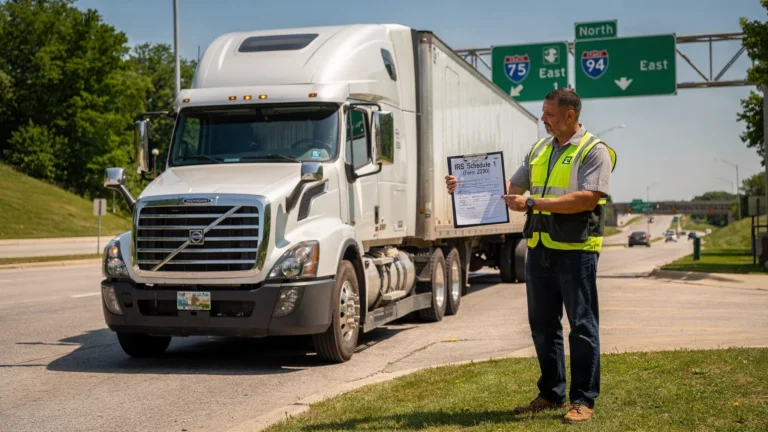
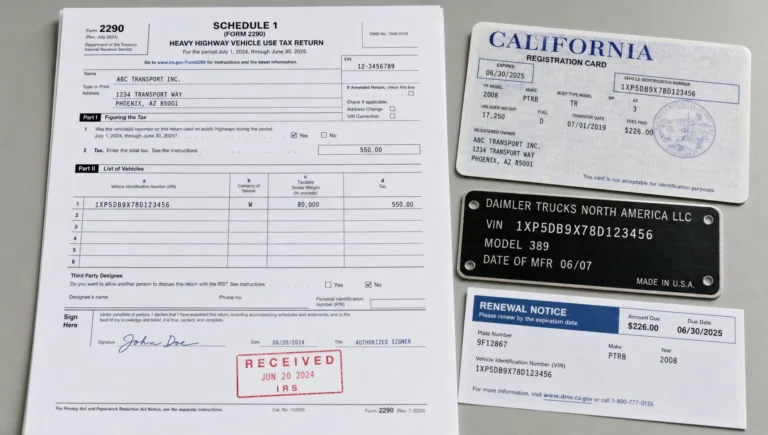
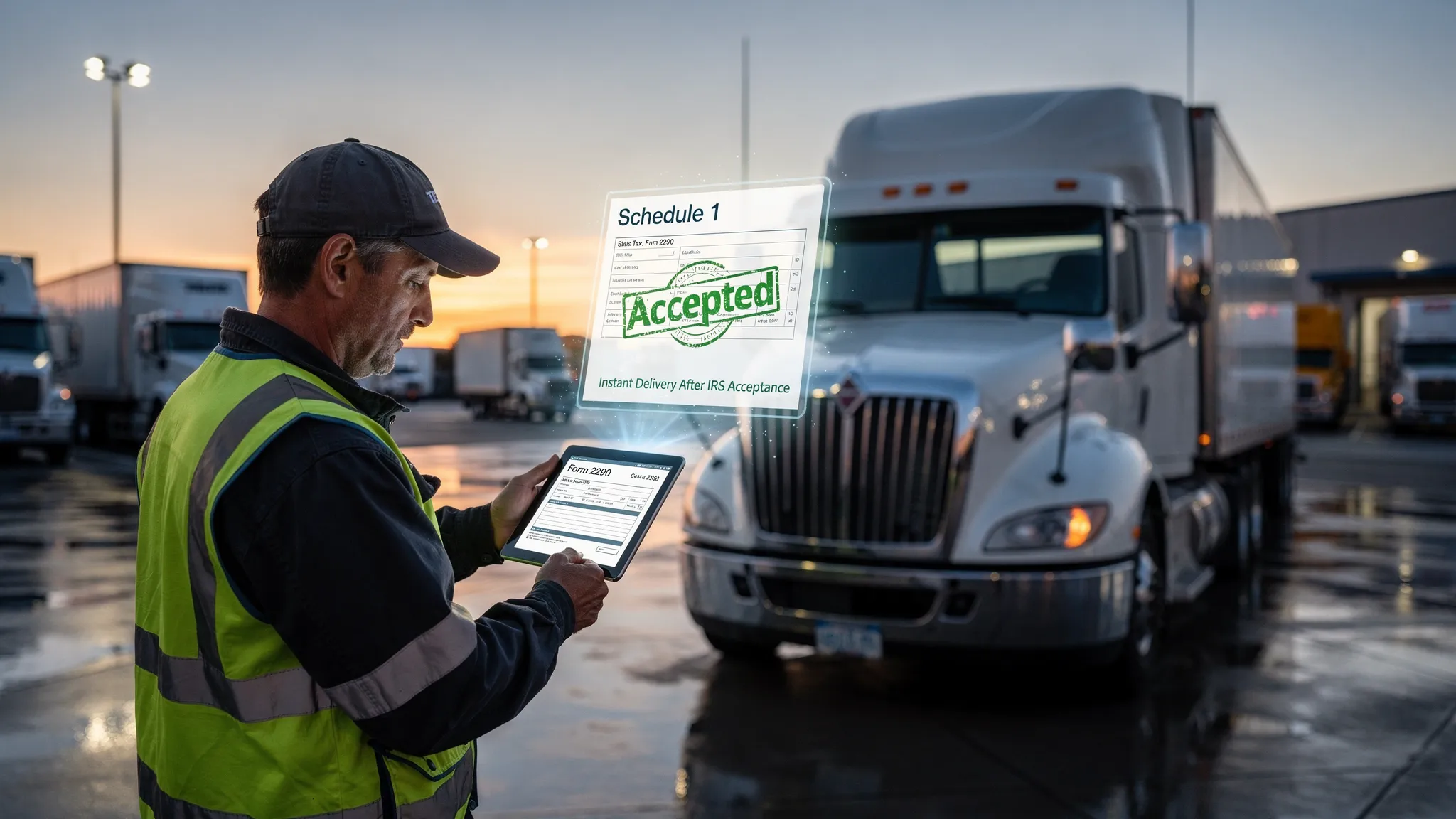
But for heavy vehicle operators, understanding what does the DMV stand for goes well beyond the basics of registration. The DMV is directly connected to your Form 2290 compliance because most states require a stamped Schedule 1 (your proof of HVUT payment) before they will process your commercial vehicle registration or renewal. This guide explains how the DMV works, what it requires from truck owners, and how filing Form 2290 through Simple Form 2290 keeps your DMV registration on track without delays.
What Does the DMV Stand For? The Full Picture
What does the DMV stand for at the federal level? Technically, it does not exist as a federal agency. The DMV is a state-level institution, which means its name, structure, and specific functions vary depending on where you live and operate.
Here is how the DMV equivalent is named across key trucking states:
| State | Agency Name |
|---|---|
| California | Department of Motor Vehicles (DMV) |
| Texas | Texas Department of Motor Vehicles (TxDMV) |
| Florida | Florida Department of Highway Safety and Motor Vehicles (FLHSMV) |
| Ohio | Ohio Bureau of Motor Vehicles (BMV) |
| Michigan | Michigan Secretary of State (SOS) |
| Illinois | Illinois Secretary of State |
| New York | New York Department of Motor Vehicles (DMV) |
Regardless of what each state calls it, the function is the same: the DMV (or its equivalent) is where your vehicle gets its legal identity through registration, title, and plates. For commercial truck operators, this is where your Form 2290 Schedule 1 becomes essential.
What Is the DMV Area and Why It Matters for Truckers
When people ask what is DMV area, they are usually referring to the Washington D.C. metro region (District of Columbia, Maryland, and Virginia). However, in the trucking world, "DMV area" takes on a different meaning: it refers to the jurisdiction where your vehicle is based and where your registration, title, and IRP credentials are managed.
Your base state DMV is the starting point for your entire compliance chain as a commercial vehicle operator. Here is why it matters:
-
Your DMV registration ties directly to your vehicle identification number (VIN), which must match what is reported on your Form 2290
-
Your registration renewal deadline is often synchronized with your IRP registration cycle
-
Most state DMV offices will not process commercial vehicle registration without a valid, stamped Form 2290 Schedule 1 as proof that your Heavy Vehicle Use Tax (HVUT) has been paid
In short, the DMV is the gatekeeper for your truck's legal operation on public roads, and Form 2290 compliance is what gets you through that gate.
DMV Registration Renewal for Truck Owners: What You Need
DMV registration renewal for commercial vehicles is more document-intensive than a standard passenger car renewal. Depending on your state, a typical commercial vehicle registration renewal requires:
| Document | Purpose |
|---|---|
| Stamped Form 2290 Schedule 1 | Proof of HVUT payment to the IRS |
| IRP apportioned registration | For interstate vehicles operating across state lines |
| Current vehicle insurance | State-mandated liability coverage |
| VIN verification | Confirms vehicle identity |
| Payment of state registration fees | Varies by weight and jurisdiction |
The stamped Schedule 1 is the most critical item on that list for heavy vehicle operators. Without it, your DMV registration renewal stalls, your plates expire, and your truck cannot legally operate.
DMV registration renewal online is now available in most states, making the process faster than ever, but the underlying document requirement does not change. Whether you renew in person, by mail, or through your state's DMV renewal registration online portal, you will still need that Schedule 1 in hand.
State by State: DMV Registration Renewal for Heavy Vehicles
DMV registration renewal timelines and requirements vary by state, which creates compliance challenges for multi-state operators. Here is a quick reference for major trucking states:
| State | DMV Registration Renewal Method | Schedule 1 Required? |
|---|---|---|
| Texas (DMV registration renewal Texas) | Online, mail, or in person via TxDMV | Yes |
| California (DMV California registration renewal) | Online via DMV.ca.gov or in person | Yes |
| Florida | Online via FLHSMV portal or county tax collector | Yes |
| Ohio | Online via Ohio BMV or in person | Yes |
| Michigan | Online via Michigan SOS or in person | Yes |
| Illinois | Online or in person via Secretary of State | Yes |
Every state in the table requires a valid Form 2290 Schedule 1 for heavy vehicle registration renewal. This is not optional, and it is not a state-by-state quirk. It is a consistent federal compliance requirement flowing from IRS Form 2290 into the state DMV system.
Trend to note: As of 2024, over 70% of DMV registration renewals in major states are completed online, according to state DOT data. This shift to digital renewal makes having your Schedule 1 ready in PDF format more important than ever. SimpleForm2290 delivers your stamped Schedule 1 digitally in minutes, ready to upload or attach to any online DMV renewal form.
The Compliance Chain: Form 2290 to DMV Registration
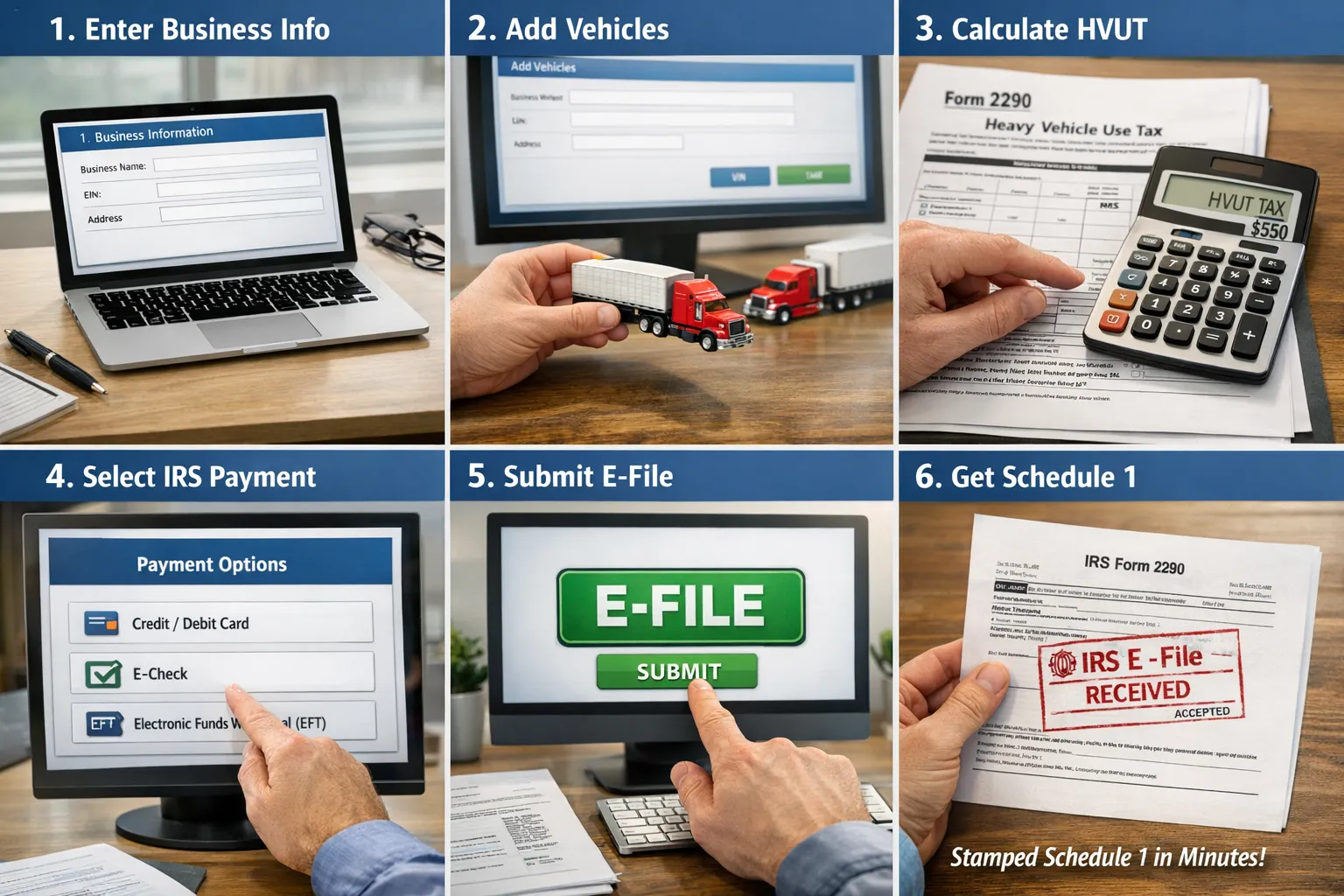
Understanding what does the DMV stand for is one thing. Understanding how it connects to your Form 2290 is what keeps your truck legally on the road. Here is the full compliance flow for heavy vehicle operators:
Step 1: File Form 2290 File your annual HVUT return with the IRS by the deadline. For most operators, this is August 31 for vehicles first used in July. Use an IRS-authorized e-file provider like Simple Form 2290 to file electronically and receive your stamped Schedule 1 in minutes.
Step 2: Receive Stamped Schedule 1 The IRS stamps your Schedule 1 as confirmation that your HVUT has been paid. This document is your proof of compliance and the key to everything that follows.
Step 3: Complete IRP Registration If you operate interstate, submit your stamped Schedule 1 as part of your Form 2290 and IRP registration process. IRP apportions your registration fees across the states you operate in.
Step 4: Renew DMV Registration Present your Schedule 1 to your state DMV (or complete your DMV registration renewal online) to get your commercial plates renewed and your truck back on the road legally.
Every step depends on the one before it. A late or missing Form 2290 filing breaks the entire chain at step one, cascading into IRP delays and DMV registration problems.
How Simple Form 2290 Eliminates DMV Registration Delays
The single most common reason commercial truck operators miss their DMV registration renewal deadline is a delayed or incorrect Form 2290 filing. Here is what goes wrong most often:
Wrong EIN: Form 2290 requires an Employer Identification Number, not a Social Security Number. Even sole proprietors with one truck must use an EIN. A mismatched or newly issued EIN (which takes two weeks to activate in IRS systems) will reject your return and delay your Schedule 1.
Incorrect VIN: The vehicle identification number on your Form 2290 must match your title and registration exactly. A single digit error means the IRS issues your Schedule 1 with a mismatched VIN, which most state DMV offices will reject.
Wrong taxable gross weight: Your taxable gross weight category determines your HVUT rate. Errors here trigger IRS notices and delay Schedule 1 issuance, pushing back your DMV renewal.
Missing the filing window: Form 2290 is due the last day of the month following the month your vehicle was first used on a public highway. Missing this window means penalties and a gap in your Schedule 1 coverage that blocks DMV renewal.
Simple Form 2290 catches all of these errors before your return is submitted. Built-in validation checks your EIN, VIN, and gross weight entries against IRS requirements before filing. The result is a clean return, a fast Schedule 1, and no surprises at the DMV counter or during your online renewal.
For fleet managers handling multiple vehicles, bulk and fleet filing through Simple Form 2290 lets you process all your trucks in a single submission, so every vehicle in your fleet has its Schedule 1 ready when DMV registration renewal season arrives.
HVUT Tax Rates That Affect Your Total Compliance Cost
Knowing what does the DMV stand for helps, but knowing what your HVUT liability is before you file helps even more. Here is the IRS tax rate structure for Form 2290:
| Taxable Gross Weight | Annual HVUT |
|---|---|
| 55,000 lbs to 75,000 lbs | $100 plus $22 per 1,000 lbs over 55,000 |
| Over 75,000 lbs | $550 (maximum rate) |
| Suspended vehicles (under 5,000 miles annually) | $0 (filing still required) |
Getting your weight category right is not just a tax issue. It is a DMV issue. Your Schedule 1 reflects your declared gross weight, and that weight must align with what your state DMV has on file for your vehicle. A discrepancy between your Schedule 1 weight and your DMV registration weight can delay renewal and trigger a compliance review.
Frequently Asked Questions
What does the DMV stand for and is it a federal agency?
DMV stands for Department of Motor Vehicles. It is a state-level agency, not a federal one. Every state administers its own version, though some states use different names such as Bureau of Motor Vehicles (BMV), Secretary of State (SOS), or Department of Highway Safety and Motor Vehicles. For truck owners, the DMV is where vehicle registration, title, and plate renewals are processed.
What does the DMV stand for in terms of Form 2290 requirements?
For heavy vehicle operators, the DMV is the agency that requires your stamped Form 2290 Schedule 1 as a condition of commercial vehicle registration or renewal. This proof of HVUT payment, issued by the IRS after you file Form 2290, must be presented before your DMV registration is processed, regardless of which state you are in.
Can I complete DMV registration renewal online for my commercial truck?
Yes. Most states now offer DMV registration renewal online for commercial vehicles. However, you still need to provide your stamped Form 2290 Schedule 1 as part of the process. Simple Form 2290 delivers your Schedule 1 in PDF format within minutes of filing, making it easy to upload directly to your state's online DMV renewal portal.
What does the DMV stand for in states that use different names?
The function is the same even when the name differs. In Texas, it is the TxDMV. In Michigan, it is the Secretary of State. In Ohio, it is the Bureau of Motor Vehicles. In Florida, it is the Department of Highway Safety and Motor Vehicles. All of these agencies require a valid, stamped Form 2290 Schedule 1 for heavy vehicle registration renewal, regardless of what the agency is called in that state.
What happens if my Form 2290 Schedule 1 is late and my DMV registration expires?
An expired DMV registration means your truck is not legally authorized to operate on public roads. If your Schedule 1 is delayed because of a late or rejected Form 2290 filing, you cannot renew your registration, which directly affects your ability to run loads and generate revenue. Filing Form 2290 early through Simple Form 2290 eliminates this risk by getting your Schedule 1 back in minutes rather than waiting weeks for a paper return to be processed.
Final Thoughts
Understanding what does the DMV stand for is the starting point, but the real insight for truck owners is recognizing how tightly your DMV registration is tied to your Form 2290 compliance. The DMV controls your truck's legal operating status. Form 2290 controls access to the stamped Schedule 1 that unlocks that status every year.
Simple Form 2290 is the fastest, most reliable way to get that Schedule 1 into your hands before your DMV deadline. As an IRS-authorized e-file provider, Simple Form 2290 handles the complexity of HVUT filing so your registration never lapses, your truck stays legal, and your business keeps moving.
File your Form 2290 today at Simple Form 2290 and get your stamped Schedule 1 in minutes.