
What Is Name Control in Form 2290? Avoid IRS Rejections & Get Schedule 1 Approved Faster
IRS Form 2290 rejections are frustrating for one simple reason: no acceptance means no stamped Schedule 1, and that can delay registration, IRP renewals, or putting a truck on the road. One of the most common (and easiest to prevent) rejection triggers is a mismatch between your EIN, legal business name, and “name control.”
This guide explains what name control is in Form 2290, where to find it, and how to enter your information correctly so the IRS can accept your return faster.
What is “name control” in Form 2290?
Name control is an IRS identifier tied to your Employer Identification Number (EIN) and the legal name associated with that EIN in IRS records. The IRS uses name control as a quick way to confirm that the EIN you entered belongs to the business name you entered.
When you e-file Form 2290, the IRS checks your business details electronically. If the name control the IRS has on file for your EIN does not match what your return indicates, the return can be rejected, which delays your Schedule 1.
In plain terms:
- Your EIN is not enough by itself.
- The IRS also expects the business name to match what they have on file for that EIN.
- Name control is part of how that “match” is verified.
Why name control matters for getting Schedule 1 quickly
Schedule 1 is issued only after the IRS accepts your Form 2290. If your return is rejected due to a business-name mismatch, you must correct the information and resubmit before you can receive your stamped Schedule 1.
If you are filing near a deadline (or trying to renew tags), even a small delay can create real operational problems.
If you want a quick refresher on what Schedule 1 is and why it’s required, see: Schedule 1 Form 2290: What You Need to Know.
Where to find your IRS name control
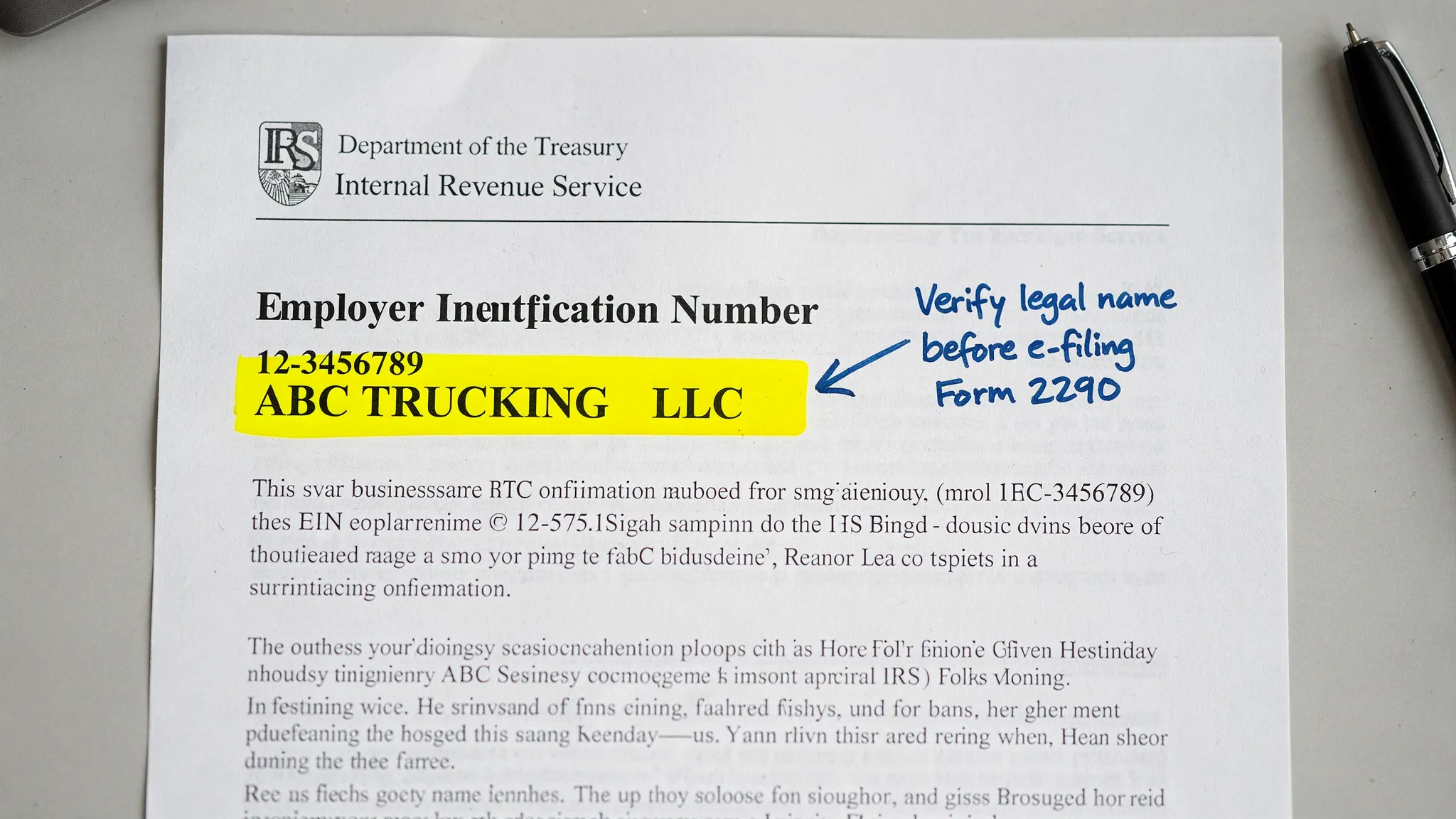
For most trucking businesses, the most reliable place to confirm the IRS business name tied to your EIN is your IRS EIN confirmation letter.
Common documents that can help include:
- CP 575 (EIN Confirmation Letter), issued when the IRS assigns your EIN
- 147C letter (EIN Verification Letter), which you can request from the IRS if you can’t find CP 575
If you are brand new and still need an EIN to file Form 2290, start here: How to Apply for an EIN Online for Form 2290 Filing.
How the IRS generally creates name control (and why you should not guess)
Many filers hear that name control is “the first four letters of the business name.” That description is often close, but it is not safe to rely on a DIY formula because:
- The IRS may handle punctuation, spacing, abbreviations, and entity words (like LLC or Inc.) in ways that are not obvious.
- Your “DBA” name may not be what the IRS has associated with the EIN.
- Small differences (like “&” vs “AND”) can matter in electronic matching.
Best practice: Don’t try to reverse-engineer name control. Instead, use the exact legal name tied to your EIN as shown in IRS documents.
Common name control mistakes that cause Form 2290 rejections
Here are the issues that most often lead to a mismatch:
Using a DBA or trade name instead of the legal EIN name
If your truck says “RoadRunner Transport” on the door, but your EIN is registered under “John Smith Trucking LLC,” you generally need to file under the legal IRS name for the EIN, not the branding.
Typos and “close enough” spelling
Extra spaces, missing letters, swapped words, or inconsistent punctuation can trigger mismatches during IRS validation.
Entering the owner’s name when the EIN belongs to the company (or vice versa)
This happens a lot with owner-operators who formed an LLC, or who changed business structure over time.
Using a brand-new EIN too soon
Sometimes the EIN is valid, but the IRS’s systems have not fully updated across all e-file validations yet. If your EIN was issued very recently, you may need to wait before e-filing.
Business name changed, but IRS records were not updated
If your company name changed and the IRS record for the EIN still shows the prior legal name, your e-file submission can fail until records align.
A practical “name control” check before you submit Form 2290
Use this checklist right before transmitting your return:
- Confirm the EIN is correct (no transposed digits).
- Confirm the legal business name matches what the IRS has on file (check CP 575 or 147C).
- Avoid substituting your DBA name in place of the legal name.
- Make sure your e-file entry matches the IRS document formatting as closely as the system allows.
- If your EIN was newly issued, confirm you have waited long enough for IRS validation systems to recognize it.
What to do if Form 2290 gets rejected for name control
A rejection is fixable, but the fastest fix is a disciplined one.
1) Read the rejection message carefully
Your e-file provider will typically show whether the rejection points to business information (EIN/name mismatch) versus vehicle data (like VIN issues).
If you need help interpreting “Accepted,” “Rejected,” and “Pending,” see: How to Check 2290 Filing Status.
2) Compare what you filed to CP 575 (or request a 147C)
If you are unsure what name the IRS has tied to your EIN, do not keep guessing and resubmitting. Verify it using IRS documentation.
3) Fix the business name entry and resubmit
Once the legal name and EIN match IRS records, resubmitting is usually straightforward.
4) If you must call the IRS, use official contacts
For official IRS contact options related to Form 2290 and excise questions, you can reference: IRS Customer Support Phone Numbers.
How to avoid name control issues when you e-file (especially for fleets)
Name control problems are especially costly for fleets because a rejection can hold up multiple vehicles when you need Schedule 1 quickly.
A few operational habits help:
- Keep a shared, secure copy of your CP 575 or 147C available to whoever files HVUT.
- Standardize how the business name is stored in your internal systems (dispatch, accounting, registrations).
- File early when possible so you have time to correct a rejection without impacting operations.
If you are also planning around the annual deadline and first-used month rules, this resource can help: Form 2290 Due Dates.
Filing Form 2290 online with fewer errors
An IRS-authorized e-file provider can reduce avoidable mistakes by guiding you through the business identity fields, validating entries before transmission, and helping you fix rejections quickly.
Simple Form 2290 is an IRS-authorized e-file provider that supports owner-operators and fleets with a guided filing process, bulk filings, and customer support (including bilingual English and Spanish support). If your goal is to avoid preventable rejections and get Schedule 1 fast, file here: SimpleForm2290.com.
Frequently Asked Questions
What is name control on Form 2290? Name control is an IRS identifier linked to your EIN and legal business name. The IRS uses it to verify that the EIN and business name on your Form 2290 match IRS records.
Where do I find my name control for EIN verification? The most reliable way is to reference your IRS EIN confirmation letter (CP 575) or request an EIN verification letter (147C) from the IRS.
Can I file Form 2290 using my DBA name? You generally should file using the legal business name associated with your EIN in IRS records. Using only a DBA or trade name can cause IRS e-file mismatches.
Why was my Form 2290 rejected even though my EIN is correct? A correct EIN can still be rejected if the legal business name on the return does not match what the IRS has on file for that EIN, or if the EIN is newly issued and not fully recognized in validation systems yet.
How can I get Schedule 1 faster after a rejection? Correct the business name and EIN to match IRS records, then resubmit promptly through your e-file provider. Once accepted, the IRS issues the stamped Schedule 1.
File Form 2290 with fewer rejections and get Schedule 1 faster
If you are trying to avoid IRS rejections related to name control, the best approach is to file with the exact legal EIN name and use a streamlined e-file process that catches errors early.
E-file your HVUT with Simple Form 2290 to submit securely, track acceptance, and receive your stamped Schedule 1 as soon as the IRS approves your return.