Tax IRS Login: Secure Sign-In Tips and Recovery Steps
Getting to the right tax IRS login page can feel surprisingly stressful, especially when you are trying to pay a tax bill, pull a transcript, or confirm compliance on a deadline. It is also a common point where scams happen, because criminals know people search “IRS login” and click quickly.
This guide breaks down the main IRS-related sign-ins, how to log in safely, and exactly what to do if you forget your password, lose access to multi-factor authentication (MFA), or get locked out.

First, know which “IRS login” you actually need
A lot of login issues happen because people end up on the wrong portal. “IRS login” can refer to several different systems that are separate from each other.
| Login type | What it’s used for | Official starting point | Identity verification commonly required |
|---|---|---|---|
| IRS Online Account (individual) | View balance, notices, payment history, transcripts, and some tax info | IRS Online Account | Typically ID.me and MFA |
| EFTPS | Make federal tax payments (commonly used by businesses) | EFTPS (via IRS) | EFTPS enrollment and PIN, plus authentication |
| IRS payment processors (card payments) | Pay certain taxes by debit/credit card using an IRS-approved processor | Pay by card (IRS) | Varies by processor |
| Your e-file provider portal (not an IRS login) | Prepare and transmit returns through an IRS-authorized provider, then receive IRS acknowledgments | Provider website | Provider account login (separate from IRS) |
Important for truckers filing Form 2290
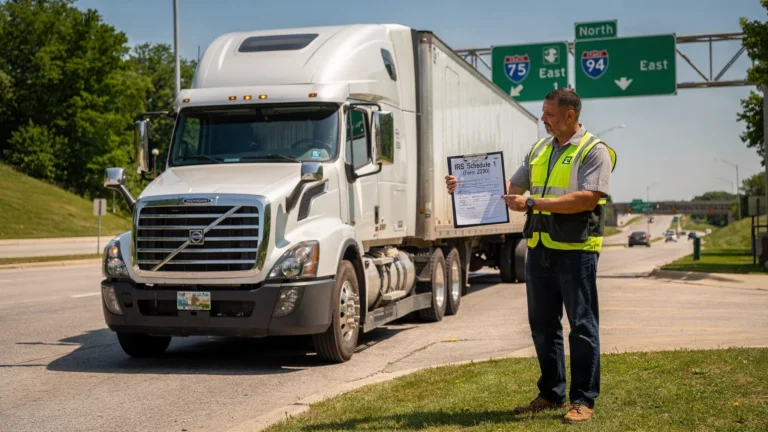
If you are e-filing IRS Form 2290 (HVUT), you usually do not need to sign in to an IRS Online Account to submit the return. Instead, you file through an IRS-authorized e-file provider, and the IRS sends an electronic acceptance or rejection to that provider. After acceptance, you receive your stamped Schedule 1, which you need for registration and IRP-related tasks.
If you use Simple Form 2290, your sign-in is for the Simple Form 2290 portal, not for IRS.gov. Keep that distinction in mind when troubleshooting.
Secure sign-in checklist (before you type any credentials)
A secure login is mostly about preventing the two most common problems: phishing and account takeover.
Confirm you are on an official IRS page
- Start from IRS pages that end in IRS.gov (not a lookalike domain).
- If you used a search engine, slow down and verify the domain before clicking.
- Avoid logging in from links inside unsolicited emails or texts.
The IRS maintains scam and phishing guidance here: Report phishing and online scams.
Use strong MFA, and treat it like your ignition key
Where available, enable multi-factor authentication (MFA) and keep your MFA method current.
- Prefer an authenticator app or passkey if offered.
- If you change phone numbers, update MFA settings immediately.
- Do not share one-time codes with anyone. Real support agents will not ask for your code.
Avoid public Wi‑Fi for account access (or lock it down)
If you are at a truck stop, diner, or warehouse, assume the network is not private.
- Use your cellular connection or a trusted hotspot when possible.
- If you must use public Wi‑Fi, avoid saving passwords in the browser and log out when finished.
Keep your login separate from your filing records
For HVUT filers, your EIN, VIN list, and stamped Schedule 1 are high-value information.
- Store PDFs in a secure folder with a backup.
- Use unique passwords for IRS-related accounts and for your e-file provider.
Tax IRS login: safe sign-in steps for IRS Online Account
If you need the IRS Online Account (for example, to review a notice, verify a balance, or access transcripts), start at the IRS page and follow the official flow.
Step 1: Navigate from IRS.gov, not a bookmark you have not checked
Use the official IRS entry: Sign in to your IRS Online Account.
Tip: If you use bookmarks, update them once a year and delete duplicates. Outdated bookmarks can lead you to dead pages, which increases the chance of clicking a scam “helper” link.
Step 2: Complete identity verification carefully
The IRS uses “Secure Access” identity proofing for certain tools, commonly through ID.me. Follow the IRS explanation here: Secure Access: How to register.
Best practices during verification:
- Make sure your name and address match what the IRS expects (and what is on your documents).
- Use clear photos and good lighting if you are uploading an ID.
- Do not rush video selfie steps, failed attempts can slow you down.
Step 3: Log out and close the browser on shared devices
This matters if you ever use a dispatcher’s office computer, a shared device at home, or a public workstation.
Account recovery: what to do when you cannot access your IRS login
Login problems usually fall into a few buckets. Use the path that matches your situation.
Recovery map: common IRS login problems and the right fix
| What you see | Likely cause | Best next step |
|---|---|---|
| “Username/password not recognized” | Typo, wrong account, or password manager saved an old password | Use the official “forgot password” flow on the same portal, then update your password manager |
| MFA code never arrives | Phone number changed, poor signal, SMS delays | Try an alternate MFA method if available, then update MFA settings after login |
| Locked out after attempts | Too many failed sign-ins | Wait the stated lockout period, then reset password from the official page |
| Verification fails repeatedly | Document mismatch, blurry images, or identity proofing issue | Re-check documents and follow the IRS Secure Access guidance, then use the provider’s recovery steps (often ID.me) |
| You suspect a scam or unauthorized access | Phishing, malware, credential reuse | Change passwords immediately, review account activity if available, and follow IRS scam reporting guidance |
Step-by-step: password reset and access restoration (safe method)
These steps work for most tax-related login systems, including IRS Online Account and many payment portals.
1) Reset from the portal, not from email links
- Go directly to the official portal page.
- Select the “Forgot password” or “Need help signing in” option.
- Complete the prompts and create a new password.
Security tip: After you reset, also change the password anywhere else you reused it. Credential reuse is one of the biggest drivers of account takeover.
2) Update MFA right away
Once you are back in, go to security settings and confirm:
- Your current phone number is correct.
- Backup methods are set (if offered).
- You can actually generate codes while you have good reception.
3) If you lost your phone, treat it like a stolen wallet
If your phone is lost or stolen:
- Contact your mobile carrier to secure your number (SIM swap protection helps).
- Change the password on your email account first, because email resets are the master key for many logins.
- Then recover your IRS-related logins.
Avoiding phishing traps tied to “IRS login” searches
Scammers often imitate:
- IRS Online Account login pages
- “Tax transcript” login pages
- EFTPS pages
- “Form 2290 filing” portals that are not IRS-authorized
High-signal red flags:
- The message creates urgency (“final notice”, “lawsuit”, “warrant”).
- It asks for your full SSN, PIN, or one-time MFA code.
- The link domain is not IRS.gov, or is a misspelling.
- You are asked to pay in gift cards, crypto, or wire transfers.
If you received a suspicious message, use the IRS reporting page: Report phishing.
EFTPS login tips (for payments) without getting locked out
EFTPS is commonly used to make federal tax payments. It is separate from IRS Online Account.
Start here: EFTPS information (IRS).
Practical tips to reduce login friction:
- Keep enrollment details stored securely (not on a sticky note in the truck).
- If you use a password manager, confirm it is saving the correct EFTPS site entry.
- Avoid repeated guessing. Too many attempts can trigger lockouts.
If you are paying HVUT and you are unsure which payment method applies to your filing, follow the instructions inside your filing workflow and the IRS guidance for your payment type. For card payments, the IRS lists approved processors here: Pay by debit or credit card.
“Do I need an IRS login to file Form 2290?” (common confusion)
For most owner-operators and fleets, Form 2290 e-filing happens through an IRS-authorized provider, and your main goal is to receive an IRS-accepted Schedule 1 quickly for registration.
So if your real problem is “I cannot get my Schedule 1” or “I cannot access my 2290 filing account,” the fix is usually not an IRS.gov login reset. It is one of these:
- You are trying to sign in on IRS.gov instead of your e-file provider portal.
- You are using the wrong email address for your provider account.
- Your return is pending or rejected, so Schedule 1 is not available yet.
If you filed Form 2290 through Simple Form 2290, use the provider portal login and any built-in retrieval tools available there, or contact customer support for account-access help. (Do not share MFA codes or full payment credentials over unsolicited calls or texts.)
A “secure login” routine you can reuse every tax season
Truckers and fleet admins often handle compliance tasks on tight timelines. A repeatable routine helps.
- Use a single trusted browser profile for tax and compliance logins.
- Keep your device updated (browser and operating system).
- Store EIN confirmation and stamped Schedule 1 PDFs in a secure location with a backup.
- Schedule a quick “credential check” before peak season so MFA and passwords are current.
When to stop troubleshooting and get help
Stop and get official help if:
- You suspect identity theft or your IRS account shows activity you do not recognize.
- You cannot pass identity verification after multiple careful attempts.
- You are facing a deadline (for example, registration renewal) and you need an accepted filing confirmation.
Use official IRS help pages from IRS.gov whenever possible. For Form 2290 filing workflow issues (entry errors, VIN corrections, amendments, Schedule 1 delivery after acceptance), contact your IRS-authorized e-file provider.
File Form 2290 online without IRS.gov login confusion
If your main goal is HVUT compliance, the simplest path is often to e-file Form 2290 through an IRS-authorized provider and get your Schedule 1 after IRS acceptance.
Simple Form 2290 offers an online, guided Form 2290 e-filing process for truckers and fleets, with features like bulk vehicle filing, secure data retrieval, and bilingual support (English/Spanish). You can start here: Simple Form 2290.