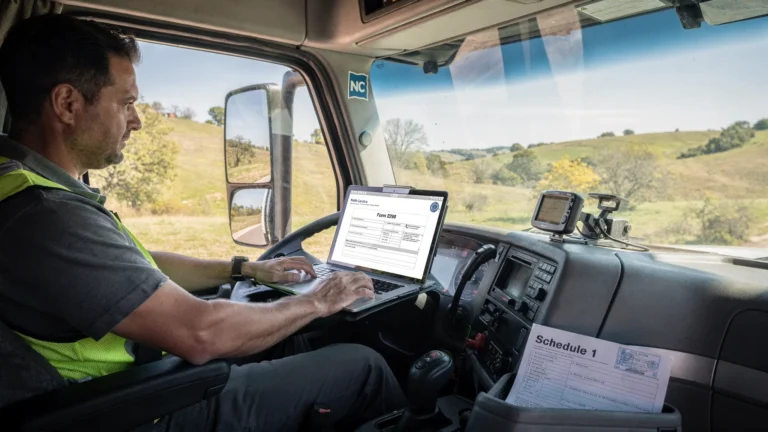
Tax Docs Checklist: What to Gather Before Filing
Filing Form 2290 goes quickly when you have the right tax docs in front of you. When you do not, it is easy to hit common delays like an IRS rejection for a mismatched EIN name, a VIN typo, or selecting the wrong first-used month. The result is usually the same, you lose time and you may be stuck waiting to get a stamped Schedule 1 for registration.
This checklist is built for owner-operators and fleets who want to gather everything needed before starting an HVUT (Heavy Vehicle Use Tax) filing, especially if you plan to e-file and want your Schedule 1 as soon as the IRS accepts the return.
Quick refresher: what you are preparing to file
IRS Form 2290 is used to report and pay Heavy Vehicle Use Tax (HVUT) for certain highway motor vehicles with a taxable gross weight of 55,000 pounds or more. After a successful filing, the IRS provides a watermarked (stamped) Schedule 1, which is commonly required for IRP registration, tag renewals, and other compliance tasks.
If you want the official IRS overview and current-year form links, start with the IRS Form 2290 page: IRS Form 2290, Heavy Highway Vehicle Use Tax Return.
If you are unsure about filing timing, the key rule is tied to the vehicle’s First Used Month (FUM) (the month the vehicle first operated on public highways during the tax period). The standard HVUT tax year runs July 1 through June 30, and most July vehicles are due by the end of August. (For a month-by-month schedule, see Form 2290 due dates.)
Tax docs checklist (the essentials)
Most Form 2290 delays happen because a filer is missing one of the “identity + vehicle + timing + payment” items below. Gather these first.
1) EIN and IRS-registered business name
You must file Form 2290 using an Employer Identification Number (EIN), not an SSN or ITIN.
Have these ready:
- EIN
- Business legal name exactly as the IRS has it on record
- Business address
Why this matters: An EIN and name mismatch is a common reason returns get rejected.
If you still need an EIN, you can apply through the IRS. This guide also explains the Form 2290 requirement: How to apply for an EIN online for Form 2290 filing.
2) Your contact info and signer details
Form 2290 requires basic contact details, and someone must sign the return (or be authorized to sign). Before you begin, confirm:
- Best email address for receiving your stamped Schedule 1
- Phone number
- Who will sign (owner, corporate officer, partner, authorized member)
If you file for a company with multiple locations, verify you are using the correct legal address, not only the dispatch yard address.
3) Vehicle Identification Numbers (VINs) for each vehicle you are reporting
You will need a VIN for every taxable, suspended, or otherwise reportable vehicle.
Where to find VINs:
- Vehicle registration
n- Cab card (IRP) - Title
- The vehicle itself (VIN plate)
Tip: Copy and paste VINs carefully if you are working from a fleet spreadsheet, and double-check characters that look similar.
If a VIN was filed incorrectly, you generally need a VIN correction filing to fix it. (Here is a walkthrough focused on that scenario: How to do a VIN correction for free.)
4) Taxable gross weight (and whether it is a logging vehicle)
HVUT is determined largely by weight category, so you need the taxable gross weight for each vehicle, plus whether it qualifies as a logging vehicle.
Where to find weight information:
- Registration documents (registered gross weight)
- IRP paperwork
- Fleet specs (for company-managed units)
If you want a practical explanation of weight categories and how they affect tax, see: Learn Form 2290 vehicle categories to avoid overpayment.
5) First Used Month (FUM) for each vehicle
For each vehicle reported, know the month it first operated on public highways during the tax period. This matters because:
- It determines your filing deadline
- It determines whether tax is prorated
Common examples:
- You already operated the truck in July, the FUM is July.
- You bought a truck in November and first used it on the road in November, the FUM is November.
If you want help with the deadline logic, review: When is Form 2290 due? A complete guide.
6) Your prior stamped Schedule 1 (recommended)
This is not always required to file, but it is extremely useful to have nearby, especially for:
- Confirming previously filed VINs
- Confirming the EIN and name format that the IRS accepted last time
- Handling registration questions
If you are new to what Schedule 1 is and why it matters, this overview helps: Schedule 1 Form 2290: what you need to know.
7) Your payment plan and payment details
Know how you plan to pay HVUT. The IRS generally allows options such as electronic funds withdrawal (EFW), EFTPS, check, or money order (depending on how you file and what you choose).
Prepare the relevant details:
- If paying by bank withdrawal, the routing number and account number
- If paying via EFTPS, your EFTPS enrollment and login
- If paying by check or money order, confirm mailing logistics and keep proof of mailing
The IRS also outlines payment methods in Form 2290 instructions and related guidance. You can start from the IRS page above and follow links to instructions for the current year.

One-table summary: what to gather and where it usually comes from
Use this as a quick “did I miss anything?” scan before you sit down to file.
| Tax docs / info | What it is used for on Form 2290 | Where you typically find it | Common issue to avoid |
|---|---|---|---|
| EIN + legal business name | IRS identity match | IRS EIN confirmation letter (CP 575), prior returns, IRS account records | Name not matching IRS record for the EIN |
| Business address | Taxpayer record and correspondence | EIN paperwork, prior Schedule 1 | Using a yard address when the IRS has a different legal address |
| VIN(s) | Identifies each vehicle on Schedule 1 | Registration, title, cab card, VIN plate | Typos and transposed characters |
| Taxable gross weight | Determines HVUT category | Registration/IRP paperwork | Selecting the wrong weight category |
| First Used Month (FUM) | Determines deadline and proration | Dispatch records, purchase and in-service notes | Filing with the wrong month (causes tax and deadline errors) |
| Logging status (if applicable) | Applies logging tax treatment | State registration classification, company records | Claiming logging status without meeting requirements |
| Prior stamped Schedule 1 | Verification and continuity | Email records, e-file account | Relying on a blurry scan that hides VIN characters |
| Payment method details | Completes the return and avoids payment delays | Bank account info, EFTPS login, checkbook | Entering wrong bank details or forgetting to complete payment |
Extra tax docs for common special situations
Many filers can submit Form 2290 with only the essentials above. If any of the cases below apply, gather a bit more documentation up front so you are not scrambling after you start.
Suspended vehicles (low mileage)
If you are reporting a vehicle as suspended (commonly because it is expected to run below the mileage limit during the period), keep records that support that status.
Helpful documentation:
- Odometer readings and mileage logs
- Trip sheets or dispatch reports
- Any internal fleet reports used to track annual miles
If you later exceed the mileage limit, you generally must file an amendment and pay the tax. For context, see: How to file Form 2290 for suspended vehicles.
You sold, destroyed, or lost the vehicle (credit or refund scenarios)
If you are pursuing a credit or refund scenario, documentation is what makes your claim smoother.
Gather, as applicable:
- Bill of sale or transfer paperwork
- Insurance claim documents (for destroyed/stolen)
- Police report (if stolen)
- Prior proof of payment (stamped Schedule 1)
The IRS often routes refund/credit claims through Form 8849 with Schedule 6, depending on the situation. This overview covers the idea and what is commonly needed: Form 2290 refund.
Weight increase during the year
If a vehicle’s taxable gross weight increases and moves into a higher category, you may need an amendment and will want a clear “before and after.”
Gather:
- Updated registration showing the new gross weight
- The effective month the increase began
Reference guide: How to update Form 2290 for an increase in gross weight.
Fleet prep: make bulk filing faster and cleaner
If you manage multiple vehicles, the most valuable “tax doc” is often a clean vehicle list. Before filing, consider consolidating your fleet data into one consistent sheet so you are not jumping between registration PDFs, driver texts, and old emails.
A practical approach is to create a single fleet list that includes VIN, weight category, logging status (if applicable), and first-used month, then validate it against registrations or cab cards.
To reduce rejected returns and rework, do a quick hygiene pass:
- Use a consistent VIN format (no extra spaces)
- Confirm every VIN is 17 characters
- Keep weight categories consistent with registration paperwork
- Flag any vehicle that is newly purchased, sold, or expected to be suspended
If you need to estimate or verify HVUT amounts while you prep, this guide can help you understand the factors that drive the calculation: How to calculate HVUT tax for Form 2290.
Final pre-filing check (60 seconds that can save you hours)
Right before you submit, pause and verify the handful of items that most often trigger IRS rejections.
- EIN is correct and the business name matches IRS records
- VINs are correct, especially the last 6 characters
- First Used Month is correct for each vehicle
- Weight category is correct for each vehicle
- Email address is correct so you receive your stamped Schedule 1 without delay
If you do get a rejection, it is usually fixable. This guide explains common status messages and what to do next: How to check 2290 filing status.
Filing online once your tax docs are ready
Once you have everything gathered, e-filing is typically the fastest way to get a stamped Schedule 1 back because the return is transmitted electronically and validated.
Simple Form 2290 is an IRS-authorized e-file provider that supports a guided online process, bulk filings for fleets, secure data storage, and bilingual (English/Spanish) support. If you want to see the filing flow end to end, start here: How to efile Form 2290 with Simple Form 2290.
For many truckers, the simplest win is this: organize the tax docs first, then file in one sitting. It reduces mistakes, speeds acceptance, and helps you get your Schedule 1 when you need it for registration.