Simple Tax login
Simple Form 2290 Tax Login
Access your Simple Form 2290 account to e-file IRS Form 2290, manage Heavy Vehicle Use Tax filings, download your stamped Schedule 1, and track IRS acceptance in one secure place. If you searched for simpletax login, truck tax login, form 2290 login, or 2290 efile login, this guide explains how to use the SimpleForm2290 login so you can file quickly and stay compliant.
What the SimpleForm2290 login is and why you need it
Your SimpleForm2290 login connects you to an IRS-authorized portal for electronic filing of the Heavy Vehicle Use Tax. With a single secure account, you can prepare and submit returns for one truck or an entire fleet, store vehicle details and filings for future use, and retrieve stamped Schedule 1 copies when needed. The account-based workflow also helps you avoid re-entering information every year, which saves time and reduces errors.
How to access the SimpleForm2290 login portal
Existing users can sign in with their email and password to start or continue a filing.
- Go to the homepage of our IRS Authorized 2290 Efile Provider.
- Select the Login option at the top of the page.
- Enter the email and password for your account, then select Sign in.
- If you do not remember your password, use the password reset link on the login page to receive a secure reset email.
Your SimpleForm account works as your hvut 2290 login and 2290 efile login for all current and prior year filings in the portal.
How to register for a SimpleForm2290 account
New to e-filing Form 2290 online, or filing for a new company or fleet, create an account first.
- Open Form 2290 Online Registration.
- Enter your business legal name, EIN, contact details, and account email.
- Create a secure password and review the terms.
- Complete registration, then sign in to begin your return.
Note, the IRS requires an EIN for Form 2290 e-file. If you recently applied for an EIN, the IRS may take time to activate it for e-filing. The simple tax login register process helps you set up your profile so you can move straight to filing once your EIN is ready.
What you can do after logging in
File Form 2290 online
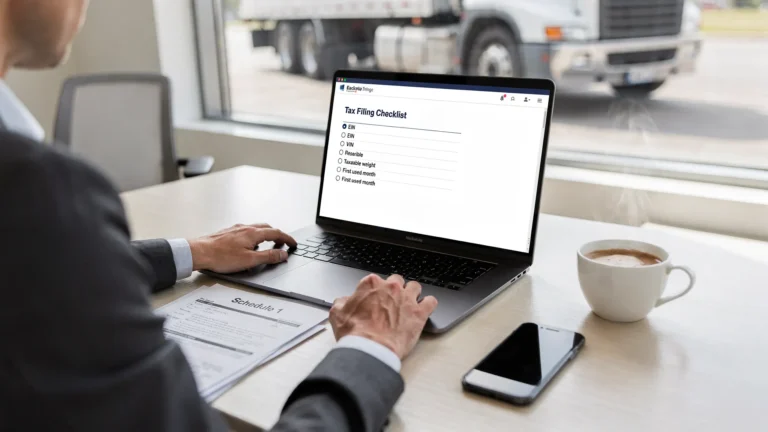
Start a new return from your dashboard and the guided workflow will prompt you for each required item, including VINs, taxable gross weight, first used month, and logging use status. You can file now using E-File Form 2290 Online.
Manage HVUT filings
Add, edit, and organize vehicles year over year. Fleet owners can use bulk vehicle filings and a centralized dashboard to prepare multiple returns for different first used months. If you need to correct a VIN or report a weight increase or mileage suspension change, use Amendments, Corrections & Specialized Filings.
Download Schedule 1
After IRS acceptance, your stamped Schedule 1 is available in your account for download, and a copy is emailed to you. Keep this document for registration and compliance needs.
Track filing status and IRS acceptance
Your dashboard shows filing status in real time, from transmitted to accepted or rejected. If the IRS rejects a return, you can correct the issue, then retransmit within the portal.
Why use SimpleForm2290 for IRS Form 2290 e-filing
- IRS-authorized provider, trusted for compliant e-file of the Heavy Vehicle Use Tax.
- Secure account access and data protection, with document storage and retrieval when you need prior Schedule 1 copies.
- Easy online filing portal with a step-by-step guided process that reduces errors and speeds up submissions.
- Instant Schedule 1 delivery in minutes after IRS acceptance, available in your account and by email.
- Bulk vehicle filings and a fleet management dashboard designed for owner operators and large fleets.
- Professional customer support, bilingual in English and Spanish, ready to help at key steps.
- Straightforward pricing and a clear workflow, tailored to truck owners and fleet managers.
If you are looking for a simpleform2290 login, hvut filing login, or even a simple tax returns login for HVUT, your Simple Form 2290 account provides the secure access point you need from year to year.
FAQs
How do I log in to SimpleForm2290? Go to the IRS Authorized 2290 Efile Provider homepage and select Login. Enter your email and password to access your dashboard and start or continue a filing.
What if I forgot my SimpleForm2290 login password? Use the password reset link on the login page to request a secure reset email. Create a new password and sign in to resume your return.
Do I need an account to file Form 2290 online? Yes, an account is required to e-file, save your progress, and retrieve your stamped Schedule 1 later. You can create one at Form 2290 Online Registration.
Is the SimpleForm2290 login secure? Yes, Simple Form 2290 is an IRS-authorized e-file provider. The portal uses secure sign in and safeguards your information during transmission and storage.
Can I manage multiple vehicles from one login? Yes, you can manage one or many vehicles in the same account, including bulk vehicle filings and a fleet dashboard for organized HVUT returns.
How do I access my Schedule 1 after logging in? Once the IRS accepts your return, your stamped Schedule 1 appears in your account for download and is also sent to your email. You can access prior year Schedule 1s from your dashboard at any time.
Call to action
Sign in now with your SimpleForm2290 login to start or finish your HVUT 2290 filing. New to the portal, create your account in minutes at Form 2290 Online Registration, then file using E-File Form 2290 Online and get your Schedule 1 after IRS acceptance. If you arrived here searching for simpletax login, irs 2290 login, or truck tax login, you are in the right place to file securely with an authorized provider.