
IRS Texas: How Truckers Handle HVUT and Registration Fast
If you operate a heavy truck in Texas, “HVUT compliance” is not just an IRS task, it is often the last thing standing between you and getting plates, renewing registration, or completing an IRP transaction. The good news is that handling IRS Form 2290 (Heavy Vehicle Use Tax) quickly is mostly about knowing what Texas offices look for, and avoiding the common filing mistakes that trigger IRS rejections.
This guide breaks down how truckers in IRS Texas situations typically handle HVUT and registration fast, with a practical workflow you can follow whether you are renewing, adding a vehicle, or trying to fix a last-minute problem.
What “IRS Texas” really means for HVUT and registration
The IRS is federal, but the “Texas” part shows up when you try to complete state processes that depend on IRS proof.
For most heavy highway vehicles (generally 55,000 lbs taxable gross weight and above), the IRS requires Form 2290 and payment (or a suspension filing, when applicable). After the IRS accepts your return, you receive Schedule 1 (the IRS-stamped proof of filing). Texas county tax offices and IRP/registration transactions commonly require that stamped Schedule 1 to move forward.
If your Schedule 1 is delayed, incorrect, or missing key details (VIN, EIN, name mismatch), your registration timeline can stall.
The document Texas offices usually want: IRS-stamped Schedule 1
Schedule 1 is the key deliverable. It is the document that shows:
- Your business name and EIN
- Your vehicle VIN(s)
- The tax period
- An IRS electronic “stamp” or watermark indicating acceptance
If you e-file Form 2290 through an IRS-authorized provider, the IRS-stamped Schedule 1 is typically available soon after IRS acceptance (often within minutes, depending on IRS processing).
For background on what Schedule 1 is and why it matters, see: Schedule 1 Form 2290: What You Need to Know.

Fast-track checklist (what to gather before you file)
Most “same-day” HVUT wins come from preparation, not luck. Before you start Form 2290, have this ready:
- EIN (not an SSN). If you just applied for an EIN, the IRS may need time before it works for e-filing.
- Business name and address exactly as the IRS has it for that EIN.
- VIN(s) (double-check every character).
- Taxable gross weight for each vehicle (the IRS category is based on weight).
- First Used Month (FUM) for the vehicle in the HVUT tax year (important for new or newly-in-service trucks).
- Your payment method (EFTPS, Direct Debit, or other IRS-approved option).
If you need help getting an EIN, this walkthrough may help: How to Apply for an EIN Online for Form 2290 Filing.
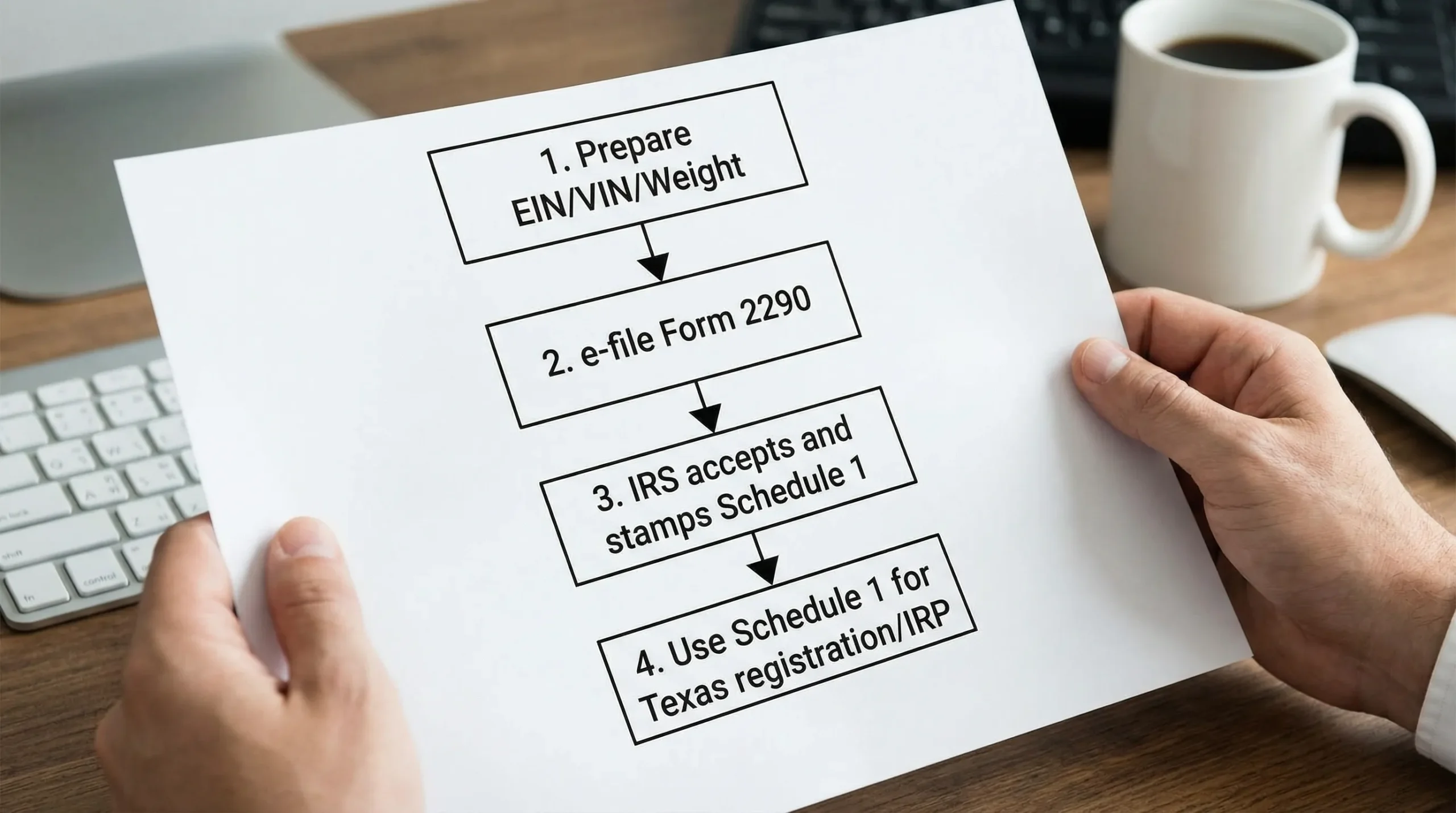
The fastest workflow Texas truckers use to handle HVUT and registration
Below is the practical sequence that minimizes delays.
1) File Form 2290 online (instead of mailing paper forms)
Paper filing can take weeks, especially during peak HVUT season, and mistakes are harder to correct. E-filing is the standard approach for speed because it:
- Runs basic error checks before submission
- Returns an IRS acknowledgement faster
- Makes it easier to download and re-download Schedule 1 when you need it
If you are filing for 25 or more vehicles, IRS rules generally require e-filing.
2) Make sure your name and EIN match IRS records
One of the most common causes of rejection is a mismatch between:
- The EIN you entered, and
- The legal business name the IRS has on file for that EIN
Tip: avoid adding punctuation, abbreviations, or “DBA” text unless it is actually part of the IRS name line for the EIN.
3) Get IRS acceptance, then download your stamped Schedule 1
Once accepted, download and save:
- IRS-stamped Schedule 1 (digital PDF)
- Filing confirmation/acknowledgement
Keep a copy for registrations, IRP files, and audits.
If you are unsure where you stand, use this guide: How to Check 2290 Filing Status.
4) Use Schedule 1 to finish Texas registration or IRP steps
Texas processes vary depending on whether you are handling:
- Local registration through your county tax assessor-collector office
- IRP (apportioned) registration for interstate operations
In both cases, having the correct IRS-stamped Schedule 1 is the piece that prevents “come back later” delays.
For IRP context (and why HVUT proof is a recurring requirement), see: What Is IRP Registration and Why Do Truckers Need It?.
Common Texas scenarios and the quickest HVUT move for each
| Texas trucking situation | What Texas typically needs from the IRS | Fastest HVUT move | What you should walk away with |
|---|---|---|---|
| Annual renewal (same truck, same fleet) | Current tax year proof | E-file early, verify EIN/name match | Stamped Schedule 1 ready for renewal |
| New truck placed in service mid-year | Correct First Used Month and tax prorating | File right after first use month begins | Stamped Schedule 1 for that vehicle |
| Used truck purchase (VIN must match title paperwork) | VIN must match exactly | Enter VIN carefully, correct immediately if wrong | Accepted return and Schedule 1 with correct VIN |
| Suspended/low-mileage vehicle | Suspension reporting still required | File as suspended (Category W, if applicable) | Schedule 1 showing suspension filing |
| Weight increase (moved into higher weight category) | Updated proof for the vehicle | File a taxable gross weight amendment | New Schedule 1 reflecting the change |
If you need to file a weight increase, review: Taxable Weight Amendments.
The biggest mistakes that slow down Texas registration
Texas offices are not “rejecting” you for fun, they are reacting to missing or inconsistent proof. These are the issues that most often create delays:
VIN errors (including O vs 0)
A single wrong character can make your Schedule 1 unusable for registration. If you discover an error after filing, you typically need a VIN correction.
If you need a quick walkthrough, see: How to do VIN Correction.
Wrong First Used Month
For newly purchased trucks or trucks newly put on the road, the First Used Month drives your deadline and prorated tax. Choosing the wrong month can lead to incorrect tax and follow-up headaches.
Wrong taxable gross weight category
Understating weight can create compliance risk. Overstating weight can lead to overpayment. Either way, fixing it later takes time.
Waiting until the deadline week
The annual HVUT deadline is typically August 31 (or the next business day if it falls on a weekend/holiday). But many Texas registration needs happen year-round (new purchases, IRP changes, replacements). Waiting until you are already at the counter is how “simple” turns into a multi-day problem.
To plan ahead, see: 2290 Due Dates.
For more pitfalls to avoid, see: Form 2290 Mistakes to Avoid While Filing Online.
If you need Schedule 1 fast: what actually speeds it up
There is no magic trick after the fact. Speed comes from getting accepted on the first try.
Here is the simplest “fast Schedule 1” formula:
- Use an IRS-authorized e-file provider
- Enter EIN and business name exactly as IRS records show
- Verify VINs carefully
- Confirm weight category
- Pay with an IRS-accepted payment method
This dedicated guide goes deeper: Step-by-step Guide to Getting your 2290 Schedule 1 Fast.
When you should call the IRS (and what to have ready)
If your return is stuck, rejected repeatedly, or you suspect a payment issue, the IRS Form 2290 Excise Tax Help Desk can be a practical next step.
Before you call, have:
- EIN and legal business name
- VIN(s)
- Tax period and first used month
- Any acknowledgement or submission IDs from your filing
You can also reference this resource for official numbers and call prep: IRS Customer Support Phone Numbers.
For official IRS information about Form 2290, you can also see the IRS overview: IRS Form 2290 page.
E-filing vs mailing Form 2290 (why e-file is usually the Texas-friendly move)
Mailing can still work, but it is rarely the fastest path when you are trying to complete Texas registration.
| Filing method | Best for | Typical drawback when you are in a hurry |
|---|---|---|
| E-file through an IRS-authorized provider | Time-sensitive Schedule 1 needs, VIN corrections, fleets, repeat filings | You must enter details accurately to avoid rejections |
| Paper mail to the IRS | Edge cases where e-filing is not possible | Slower turnaround, harder to track, corrections take longer |
If you are considering mailing, make sure you use the correct IRS address based on whether you include payment. This page summarizes it: IRS Mailing Address for Form 2290.
Frequently Asked Questions
Do Texas truckers have to file HVUT every year? Yes, if you operate a taxable heavy highway vehicle (generally 55,000 lbs and above) on public highways during the tax period, you typically file Form 2290 annually, and also when a vehicle is first used mid-year.
What does Texas need as proof of HVUT payment? In most cases, Texas registration and IRP transactions rely on the IRS-stamped Schedule 1 from Form 2290. Requirements can vary by transaction, so bring your vehicle paperwork and the stamped Schedule 1.
How fast can I get Schedule 1 after e-filing? Many e-filed returns produce a stamped Schedule 1 soon after IRS acceptance (often within minutes), but timing can vary depending on IRS processing and whether your return is rejected and needs correction.
What if my Form 2290 gets rejected? Check the rejection message, correct the issue (often EIN/name mismatch, VIN error, or duplicate filing), and resubmit. Your e-file dashboard is typically the quickest place to see status and take action.
Can I register in Texas if my VIN is wrong on Schedule 1? Usually no. You generally need to file a VIN correction so your Schedule 1 matches your registration/title documents.
File Form 2290 online and get your Schedule 1 without the Texas registration headache
If your goal is simple, get compliant, get Schedule 1, and keep your truck moving, e-filing through an IRS-authorized provider is the most direct path.
Simple Form 2290 helps owner-operators and fleets e-file HVUT with a guided process, bulk vehicle options, secure record retrieval, and bilingual (English/Spanish) support.
Get started here: File Form 2290 online with Simple Form 2290