IRS Sign In Issues: Fix Login Problems Fast
If you are trying to access an IRS online service and keep hitting errors, you are not alone. “IRS sign in” problems are common during peak seasons, after password changes, or when multi-factor authentication (MFA) fails. The good news is most login issues can be fixed in a few minutes with the right troubleshooting steps.
Below is a fast, practical guide to help you get back into your account (and avoid wasting time when you need to pay taxes, view notices, or handle truck paperwork).
What “IRS sign in” usually refers to (and why it matters)
People search “IRS sign in” for a few different portals, and the fixes can vary depending on where you are trying to log in:
- IRS Online Account (individual): Used to view balance, notices, payment history, and some tax records. The IRS uses ID.me for identity sign-in and verification.
- IRS e-Services (tax professionals): A separate login system primarily for tax pros.
- EFTPS: The Electronic Federal Tax Payment System, used for certain federal tax payments.
For truckers and fleet owners, sign-in issues often pop up when you are trying to:
- Confirm or make a payment
- Pull IRS account details related to business taxes
- Resolve a notice quickly before a registration deadline
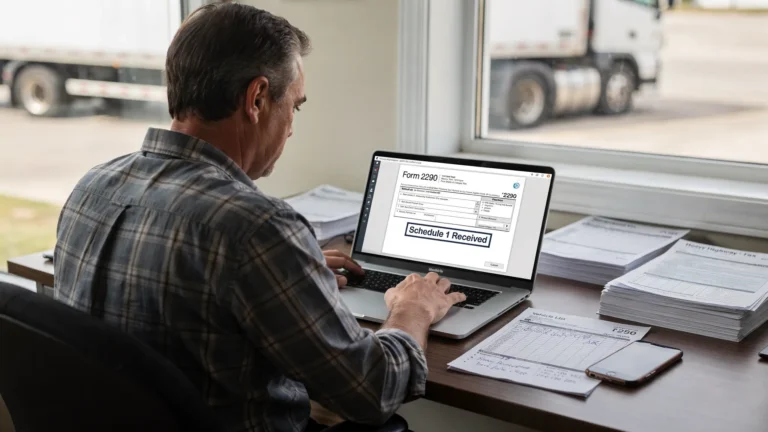
If your immediate goal is Form 2290 (HVUT) filing, keep in mind that you typically do not need to sign into an IRS online account to e-file Form 2290 through an IRS-authorized provider.
Quick triage: 60-second checks before you troubleshoot deeper
Before you reset passwords or call support, run through these quick checks:
- Confirm you are on the correct site: Start from the official IRS page at IRS.gov and navigate from there. Avoid signing in from links in emails or texts.
- Try a different browser: Chrome, Edge, Firefox, or Safari. Sometimes one browser has a cached issue.
- Disable VPN or strict firewall temporarily: VPNs and corporate networks can break authentication redirects.
- Try a private or incognito window: This bypasses stale cookies.
- Confirm your device clock is correct: MFA codes can fail if your phone time is off.

The most common IRS sign-in issues (and how to fix them fast)
1) Wrong username, email, or password (even when you are sure it is correct)
This is still the most common cause.
What to do:
- Use the exact email you originally registered with. Many people have multiple business and personal emails.
- If you use a password manager, copy and paste to avoid invisible typos (extra spaces are common).
- If you recently changed your password, try the previous password once (some systems lag for a short period), then proceed to reset.
If you need to reset credentials, always do it from the official IRS entry point: Your Online Account.
2) Stuck in a loop (sign in, redirect, then back to sign in)
A redirect loop usually points to cookies, pop-ups, or blocked scripts.
Fixes that work most often:
- Clear cookies and cache for IRS.gov and ID.me (or use incognito/private mode).
- Allow cookies (at least temporarily) and enable JavaScript.
- Turn off ad blockers for the session.
- Allow pop-ups for IRS.gov and ID.me.
3) MFA code not arriving (text, call, or authenticator problems)
MFA failures happen when:
- Your phone number changed
- You are traveling with limited service
- Your carrier blocks short codes
- You switched from SMS to an authenticator app (or vice versa)
Try this:
- Select a different method (authenticator app instead of SMS, if available).
- Check “Do Not Disturb” and spam-blocking settings.
- If you recently ported your number, wait and try again later.
If your IRS Online Account uses ID.me sign-in, ID.me’s help pages are usually the right place to resolve MFA or device changes: ID.me Help Center.
4) Account locked or “too many attempts”
Repeated attempts can trigger a temporary lock.
What to do:
- Stop trying for a bit. Wait and try again later.
- Do not keep resetting passwords repeatedly, it can extend the lock behavior.
- If you must regain access urgently, use the official recovery flow on the IRS Online Account page.
5) Identity verification fails (ID.me verification issue)
If you cannot pass identity verification, you may see errors related to document upload, selfie verification, or data mismatches.
Common fixes:
- Make sure your name and address match your official documents.
- Use high-quality photos in good lighting (no glare on the ID).
- If your legal name recently changed, look for ID.me’s update guidance.
When verification is the blocker, it is typically an ID.me issue more than an IRS issue, so start with ID.me Help Center.
6) IRS site maintenance or temporary outage
Sometimes the issue is simply that the system is down or being updated.
Signs it is an outage:
- You can reach the page but sign in fails repeatedly across multiple devices
- You see generic “service unavailable” errors
- Others in your office cannot sign in either
What to do:
- Wait and try again later.
- Try early morning or non-peak hours.
(For high-impact actions, always begin from IRS.gov so you are seeing the latest official status and correct entry points.)
7) You are on the wrong portal
This happens a lot with business owners. IRS Online Account, e-Services, and EFTPS are different systems.
If you are trying to make a federal tax payment, confirm you are using the correct payment system page from IRS.gov’s payments section: IRS Payments.
IRS sign-in error cheat sheet
Use this table to jump straight to the likely fix.
| What you see | Most likely cause | Fastest fix |
|---|---|---|
| “Incorrect username or password” | Wrong email used, typo, outdated saved password | Confirm email, paste from password manager, then reset password from official page |
| Sign-in redirect loop | Cookie/cache or blocker issue | Incognito window, clear cookies, disable ad blocker, allow pop-ups |
| MFA code never arrives | Carrier blocking, phone changed, poor service | Switch MFA method, check spam/blocks, use authenticator app if available |
| “Access denied” or blank page | VPN, firewall, browser extension | Disable VPN, try another network, try another browser |
| “Account locked” | Too many attempts | Wait, then use account recovery flow |
| Verification fails | ID upload/selfie mismatch, data mismatch | Re-try with better images, ensure document details match, follow ID.me guidance |
Protect yourself: avoid fake “IRS sign in” pages
Login problems often lead people to Google quick fixes, and scammers take advantage of that.
Basic safety rules:
- Only sign in from pages you reached through IRS.gov.
- Be suspicious of ads that look like official IRS sign-in links.
- Do not share IRS credentials or MFA codes with anyone.
If you received a suspicious email or text claiming to be from the IRS, the IRS maintains guidance on scams and phishing on IRS.gov (start at the official site and search “phishing”).
If you still cannot sign in: who to contact (and what to gather first)
Before you call or open a support ticket, have these ready:
- The exact error message (screenshot if possible)
- The email/username used to register
- The phone number associated with MFA (if applicable)
- Browser and device details (Chrome on Windows, Safari on iPhone, etc.)
- Whether you are using a VPN or company network
If your issue is tied to Form 2290 or other excise tax questions, you may also find it faster to use specialized IRS contact paths. Here is a helpful resource with official numbers and tips on what to prepare before calling: IRS customer support phone numbers.
Filing Form 2290? You can usually skip IRS account login entirely
A common pain point for truckers is getting stuck on “IRS sign in” when the real goal is simply to file HVUT and get Schedule 1 for registration.
For Form 2290, the smoother path is typically:
- Use an IRS-authorized e-file provider
- Enter your business details, EIN, VIN, taxable gross weight, and first-used month
- Submit electronically and download the IRS-stamped Schedule 1 after acceptance
If you need a refresher on what information is required (and what mistakes cause rejections), these guides can help:

Frequently Asked Questions
Why is the IRS sign in not working today? It is often caused by browser cookies/cache, blocked pop-ups, VPN/firewall interference, MFA delivery problems, or temporary maintenance. Try incognito mode, a different browser, and disabling VPN first.
Do I need an IRS Online Account to file Form 2290? Usually, no. Form 2290 is commonly filed through an IRS-authorized e-file provider, and you receive the stamped Schedule 1 after IRS acceptance without needing to log into an IRS Online Account.
What if I changed my phone number and cannot receive IRS MFA codes? Use the account recovery steps offered on the sign-in page and check ID.me support guidance if your IRS login uses ID.me. In many cases you can switch MFA methods or update your device during recovery.
Why does the IRS site keep refreshing and sending me back to the login page? This is typically a cookie/cache or blocker issue. Clear cookies, disable ad blockers, allow pop-ups, or use a private browsing window.
Is it safe to click “IRS sign in” links from emails or texts? No. Start from IRS.gov directly. Scammers often create lookalike pages and send links that appear official.
File Form 2290 online and get Schedule 1 fast
If your IRS sign-in issue is slowing down your HVUT filing, you can avoid the bottleneck by using an IRS-authorized e-file provider built for truckers and fleets. Simple Form 2290 offers an easy online filing portal, bulk vehicle filings for fleets, bilingual support (English/Spanish), and quick access to your IRS-stamped Schedule 1 after acceptance.
File here: Simple Form 2290