IRS Account Online: What You Can Do Inside
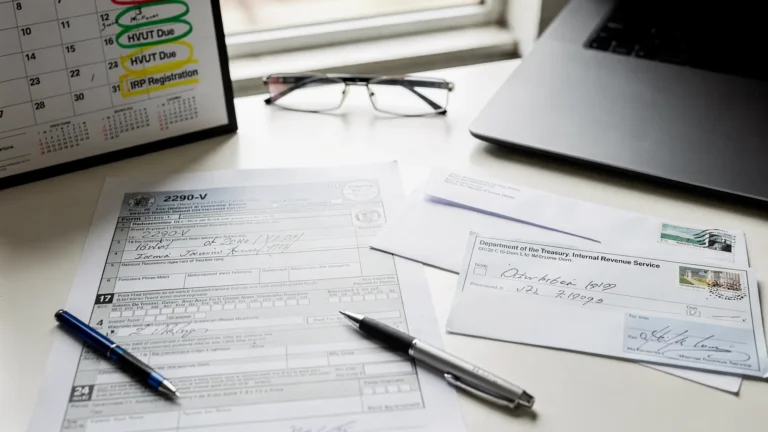
Most truck owners think of the IRS only when it is time to file Form 2290 and get a stamped Schedule 1 for tag renewals. But an IRS account online can be useful year-round, especially when you want to confirm payments, review tax records, or resolve an unexpected balance notice quickly.
This guide explains what an IRS online account is, the main tools available inside it, and how it fits into a real-world HVUT workflow for owner-operators and fleets.
What “IRS account online” means (and which one you need)
The IRS has more than one online account experience, and what you can do depends on whether you are logging in as an individual or managing a business.
- IRS Online Account (individual): Generally for individuals to view their tax information, notices, payment history, and balances. The IRS currently uses ID.me for identity verification.
- IRS Business Tax Account: A separate experience intended for some business tax functions, with features and availability that can vary over time. You can start at the IRS hub for business tax accounts.
If you file HVUT using an EIN for a trucking business (including many owner-operators), you might interact with both, depending on how your tax profile is set up and what you are trying to check.
| Task | IRS Online Account (Individual) | IRS Business Tax Account |
|---|---|---|
| View payment history and balance information | Often yes | Sometimes, depending on what the IRS has enabled for your entity |
| See IRS notices and letters online | Often yes | Feature availability can vary |
| Get tax records, transcripts | Yes (individual tax records) | Some options may exist, but vary |
| File Form 2290 (HVUT) | No | No |
| Get a stamped Schedule 1 | No | No |
What you can do inside an IRS Online Account (individual)
The IRS Online Account is mainly a visibility and self-service portal. It is not an e-filing tool for specialty forms like HVUT, but it can help you confirm where you stand with the IRS.
Check your balance and payment activity
Inside your account, you can typically review:
- Account balance (if any)
- Payment history and some recent activity
- Payment options if you need to pay a tax bill
For truck owners, this is useful when you want to confirm a payment posted correctly, or when you receive an IRS letter and want to validate what the IRS is showing on your side before taking the next step.
For official information on what is available, start at the IRS overview: Your Online Account.
View notices and letters online
Many taxpayers can view certain IRS notices and letters digitally from within their online account. That can help you avoid delays caused by mail delivery, and it can reduce confusion when you have multiple letters in motion.
If you receive a notice related to tax periods, payments, or penalties, it can be helpful to compare:
- What the letter claims
- What your payment method shows (EFTPS, bank records)
- What the IRS online account shows
Access tax records and transcripts
The IRS provides online access to tax records and transcripts for many taxpayers. This is useful when you need historical information or want to reconcile what you filed versus what was processed.
The IRS portal for transcripts is here: Get Transcript.
Important note for HVUT filers: Form 2290 Schedule 1 is not the same thing as an IRS transcript. Schedule 1 is the proof of HVUT filing and payment that state DMVs and IRP offices typically request for registration.
Manage sign-in and identity verification requirements
The IRS uses an identity verification flow (commonly via ID.me) to protect taxpayer information. In practice, that means you may need:
- A valid email address and phone number
- Government-issued photo ID
- Additional verification steps depending on your situation
If you are setting up access for the first time, begin from the IRS page that routes you correctly: IRS online account sign-in.
What you can do inside an IRS Business Tax Account
The IRS Business Tax Account is designed for business entities, but the IRS continues to expand and adjust what is available. If you operate under an EIN (common for trucking businesses), this is the logical place to check for business-facing tax account options.
In general, a business tax account may help you:
- View certain business tax information the IRS has made available online
- Review account details across tax periods (when enabled)
- Access limited self-service functions depending on the entity type and IRS rollout status
Because features evolve, it is best to rely on the IRS’s current description here: Business Tax Account.
Practical takeaway: do not assume the IRS business account will show you everything you need for HVUT operations, especially if your main operational need is getting a stamped Schedule 1 quickly.
What you cannot do in an IRS account online (common misconceptions)
For truckers and fleet managers, these are the most important limitations to understand.
You cannot e-file Form 2290 inside your IRS online account
Even if you can see balances, notices, or payment history, the IRS online account is not the tool used to e-file Form 2290. For HVUT, you typically file either:
- By mailing paper forms (slowest), or
- Through an IRS-authorized e-file provider (fastest for most filers)
The IRS maintains general Form 2290 information here: About Form 2290.
You cannot download a stamped Schedule 1 from the IRS account portal
A stamped Schedule 1 (IRS accepted Schedule 1) is the document many DMVs and IRP offices want as proof of HVUT filing. That document is typically delivered after an accepted filing, often via your e-file provider.
If your immediate goal is “I need my Schedule 1 for registration,” an IRS account online is usually not the fastest path.
You cannot use the IRS account portal to fix common 2290 filing errors
Issues like VIN corrections, taxable gross weight changes, or suspended vehicle status updates are handled through the proper amendment process for Form 2290, not inside the IRS online account interface.
How truckers can use an IRS account online in a smarter 2290 workflow
Think of the IRS account online as a visibility tool, and your e-file provider as the action tool for HVUT.
Here is a practical way to combine them.
Before filing: reduce surprises
If you have had IRS issues in the past (payment reversals, penalties, identity problems), logging into your IRS account before peak HVUT season can help you:
- Confirm you can access your account and pass identity verification
- Spot any obvious balance issues that might trigger letters later
- Make sure your contact information is current in the places you control (email, phone, business records)
After filing: document everything you may need for compliance
After you file Form 2290, the operational goal is usually simple: store proof and be ready for registration or audits.
A good compliance set typically includes:
- IRS-stamped Schedule 1 (the key DMV/IRP document)
- Your filing confirmation or submission receipt from the e-file provider
- Your payment confirmation (EFTPS confirmation number, bank record, or other proof)
If you pay via the Electronic Federal Tax Payment System, the official site is EFTPS. Your IRS account online may still be helpful for confirming the IRS posted activity, but your EFTPS confirmation and accepted Schedule 1 are often what you will rely on day-to-day.
When something looks wrong: validate, then act
If you receive an IRS notice or you see a balance that does not match your records:
- Check the IRS account portal for the posted status and the notice details.
- Compare against your payment proof (EFTPS or bank records).
- Compare against your accepted 2290 filing documentation.
This “triangulation” prevents you from wasting time guessing whether the issue is payment-related, filing-related, or simply a timing delay.

Getting access: what to prepare (and what can slow you down)
Access issues are common, especially if you only try to log in once per year.
Typical setup requirements
When creating or recovering access, expect to provide:
- Email address and phone number
- Identity verification steps (which may include photo ID)
- Multi-factor authentication at sign-in
Start from the IRS entry point to avoid lookalike sites and scams: Your Online Account.
If you cannot get in
If the online verification process fails, the IRS provides alternate pathways for some services, including requesting certain records through official channels. The best next step depends on what you are trying to accomplish (records vs payments vs resolving a notice), so it is usually better to go through the IRS hub pages rather than random third-party instructions.
Security tips for fleets (especially if multiple people handle compliance)
If you manage multiple vehicles and multiple staff members touch tax compliance, treat IRS access like a banking credential.
- Use strong, unique passwords and multi-factor authentication.
- Avoid sharing logins across employees.
- Keep a clear internal process for storing Schedule 1 copies and payment confirmations.
- Separate duties when possible (one person submits, another verifies acceptance and stores documents).
This is not just best practice, it also reduces delays when someone is out sick or leaves the company.
Where Simple Form 2290 fits (and where it does not)
An IRS account online can help you see information, but it generally does not help you file Form 2290 or obtain a stamped Schedule 1 quickly.
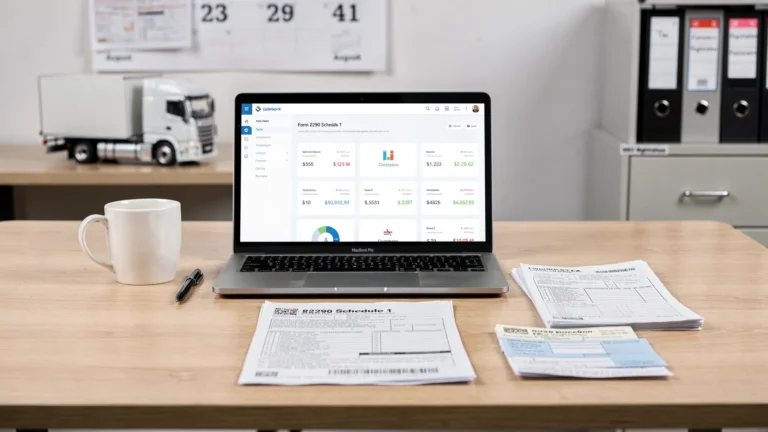
If your main goal is HVUT compliance and fast proof for registration, an IRS-authorized e-file provider like Simple Form 2290 is built for that workflow: preparing and submitting Form 2290 electronically, handling bulk vehicle filings, and delivering the stamped Schedule 1 after IRS acceptance.
If you want to move directly into filing (especially during peak season), you can review the filing process here: Form 2290 online, Schedule 1 in minutes. For planning ahead, keep deadlines in view here: 2290 due dates.
The simplest way to think about it is this: use your IRS account online for visibility and verification, and use your 2290 e-file portal for execution and documentation.