File Form 2290 in New Jersey
New Jersey owner-operators and fleet managers run into Form 2290 for one simple reason: you cannot keep trucks moving (or get them registered) without proof of Heavy Vehicle Use Tax (HVUT) compliance. Whether you are renewing apportioned plates through IRP, registering a newly purchased tractor, or adding a vehicle to your fleet mid-year, the IRS-stamped Schedule 1 is typically the document that keeps the process from stalling.
This guide covers what it means to file Form 2290 in New Jersey, what you need before you start, how deadlines work, and when paper filing (IRS forms by mail) may slow you down.
Why Form 2290 matters for New Jersey trucking
IRS Form 2290 is the Heavy Highway Vehicle Use Tax return for heavy vehicles that operate on public highways with a taxable gross weight of 55,000 pounds or more.
In practice, New Jersey truckers usually need the stamped Schedule 1 for:
- Vehicle registration and renewals (including apportioned registration under IRP)
- Adding a truck to your fleet after a purchase, lease, or transfer
- Compliance documentation when you are asked to show proof of HVUT payment
If your Schedule 1 is delayed, your registration work can be delayed too. That is why most carriers prefer e-filing when time matters.
For an IRS overview of the form and HVUT program, see the IRS page on Form 2290.
Deadlines for filing Form 2290 (HVUT) in New Jersey
Deadlines are federal (IRS), so they are the same in New Jersey as in every other state. What trips people up is that Form 2290 deadlines are not always a single annual date for every vehicle.
Here are the rules that matter most:
- HVUT tax year: July 1 through June 30.
- Standard annual filing for vehicles first used in July: generally due by August 31.
- First-Used Month (FUM) rule: if a vehicle is first used on public highways in a later month (for example, you put a newly purchased truck on the road in February), your Form 2290 is due by the last day of the following month.
- Weekend and holiday rule: if a due date falls on a weekend or legal holiday, the deadline shifts to the next business day.
If you want a month-by-month reference, use this due date resource: Form 2290 due dates.
What you need before you file (quick NJ-ready checklist)
Having the right information ready is the difference between getting your Schedule 1 quickly and dealing with rejections.
Here is a practical checklist you can use before you start your Form 2290 filing.
| What you need | Why it matters | Common mistake to avoid |
|---|---|---|
| EIN (Employer Identification Number) | IRS requires an EIN for Form 2290 (SSNs are not accepted) | Using a brand-new EIN too soon if the IRS has not activated it in their e-file system |
| Legal business name and address | Must match IRS records | Typos or mismatched business name formatting |
| VIN for each vehicle | Schedule 1 is VIN-specific | One wrong character causes rejection or later correction |
| Taxable gross weight category | Determines the tax amount | Picking the wrong weight category and overpaying or underpaying |
| First Used Month (FUM) | Determines your filing month and proration | Selecting the wrong month (especially for newly acquired vehicles) |
| Vehicle type status (taxable, suspended, logging, agricultural) | Changes tax or reporting requirements | Marking a vehicle as suspended without understanding mileage limits |
| Payment method plan | IRS payment option must be selected correctly | Submitting without a clear payment method (especially for last-minute filings) |
If you still need an EIN (or need to confirm you are using the right one), this guide can help: How to apply for an EIN online for Form 2290 filing.
The fastest way to file Form 2290 in New Jersey: e-file and get Schedule 1
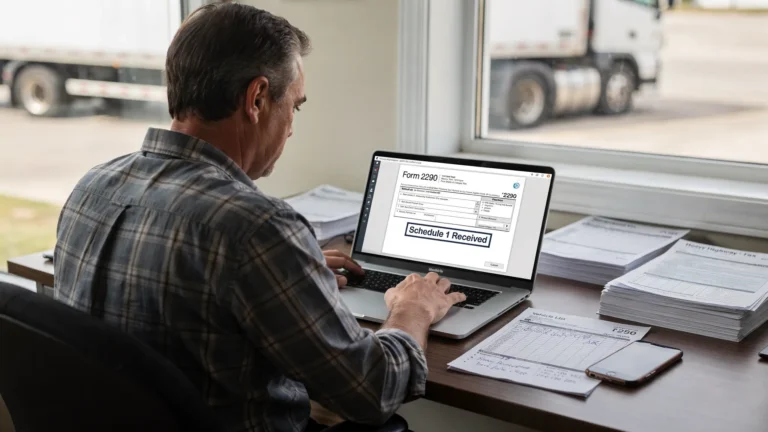
If you are trying to register a truck, renew plates, or avoid penalties, e-filing is usually the most efficient route because you can receive the IRS-stamped Schedule 1 shortly after the IRS accepts the return.
As an IRS-authorized e-file provider, Simple Form 2290 is designed to make the process straightforward for both owner-operators and fleets, including bulk vehicle filing and bilingual (English/Spanish) support.
A typical e-file flow looks like this:
1) Enter your business and tax period details
You will provide your legal business name, address, EIN, and select the tax year period you are filing for.
2) Add vehicle information (VIN, weight, and use type)
This is where most issues happen. Carefully verify VINs and confirm the correct taxable gross weight category.
3) Choose your First Used Month (FUM)
Your FUM drives whether you owe a full-year amount or a prorated amount (for vehicles first used later in the tax year).
4) Review, select an IRS payment option, then submit
The IRS allows multiple ways to pay HVUT depending on your situation (for example EFTPS, credit/debit card, or other accepted methods). For payment method details straight from the IRS, see Pay your taxes by debit or credit card and EFTPS.
5) Download your IRS-stamped Schedule 1 after acceptance
Once accepted, you can download and save the watermarked Schedule 1 for registration and your records.
If you want a walkthrough of the e-file process end-to-end, see: How to e-file Form 2290 with Simple Form 2290.

Filing by mail from New Jersey: when IRS forms by mail make sense (and when they do not)
Some taxpayers still choose paper filing, especially if they are comfortable with manual forms or do not need Schedule 1 quickly. If you file IRS forms by mail, plan for longer processing times and build in extra time during peak HVUT season.
Paper filing may be reasonable if:
- You are filing well ahead of registration needs
- You are not in a hurry for a stamped Schedule 1
- You prefer to mail a check or money order with the return
Paper filing is usually a bad fit if:
- You need Schedule 1 quickly for New Jersey registration or IRP work
- You expect VIN or weight-entry errors and want built-in checks
- You are filing for a fleet (and remember, IRS rules generally require e-filing when reporting 25 or more vehicles)
Mailing addresses depend on whether you include payment and other factors, so it is important to use the correct address for your situation. For the current breakdown and tips (certified mail, tracking, and what to expect), use this reference: IRS mailing address for Form 2290.
Common New Jersey filing situations (and what to do)
New Jersey operations often create a few predictable Form 2290 scenarios. Here is how to think about them.
You bought a truck and need to register it
If the vehicle is newly put into service on public highways, the filing is tied to the month you first use it. File for that FUM so you can obtain Schedule 1 for registration paperwork.
You are renewing IRP plates and need proof of HVUT payment
You will typically need a stamped Schedule 1 that shows the VIN and the correct tax period. E-filing is the most common approach when renewals are time-sensitive.
You have low-mileage (suspended) vehicles
Vehicles that are expected to stay under the mileage limit for the tax year may be reportable as suspended (Category W) depending on your facts. Even when no tax is due, you generally still file to report the vehicle.
For a deeper explanation, see: How to file Form 2290 for suspended vehicles.
When you may need a Form 2290 amendment
A lot of “problems” are not really problems, they are normal changes that require an amendment. In New Jersey fleets, the most common triggers are:
Taxable gross weight increased
If you increase the taxable gross weight of a vehicle into a higher category, you may owe additional tax for the remaining months in the tax year.
- Reference: Taxable weight amendments
- Also helpful: How to update Form 2290 for an increase in gross weight
VIN correction
A single wrong character in the VIN can cause registration delays and compliance headaches. If you already filed and the VIN is wrong, you typically need a VIN correction amendment.
- Reference: How to do VIN correction
Suspended vehicle exceeded mileage
If a vehicle you reported as suspended ends up exceeding the mileage limit, you generally need to amend and pay the tax due for that vehicle.
- Reference: Form 2290 amendments
If your return is rejected or you cannot find Schedule 1
When you are e-filing, do not guess what happened. Check status first, then fix only what the rejection indicates.
Typical rejection causes include:
- EIN mismatch or EIN not yet recognized by IRS e-file systems
- VIN format issues
- Duplicate filing for the same VIN and tax period
- Business name mismatch
Use this guide to understand statuses like Accepted, Rejected, and Pending: How to check 2290 filing status.
If you filed on paper and are waiting on Schedule 1, delays are common, especially in peak filing season. That is one reason many New Jersey carriers move to e-file for time-sensitive registrations.
Practical recordkeeping for New Jersey fleets
Good records prevent repeat work during renewals and help during audits or compliance checks.
At minimum, keep:
- A copy of the filed Form 2290
- The IRS-stamped Schedule 1 (watermarked)
- Proof of payment method used
- Mileage records if you report suspended vehicles
If you manage multiple units, bulk filing and centralized retrieval can reduce missed VINs, mismatched weights, and last-minute scrambles.
File Form 2290 in New Jersey without slowing down registration
If you are operating heavy vehicles in New Jersey, Form 2290 filing is not just a tax task, it is a registration and operations task. The most reliable way to avoid delays is to file accurately, file on time based on your First Used Month, and secure your stamped Schedule 1 as soon as possible.
When you are ready, you can file online through Simple Form 2290 at SimpleForm2290.com to e-file quickly, get your Schedule 1 after IRS acceptance, and access support if you run into VIN, weight, or amendment questions.