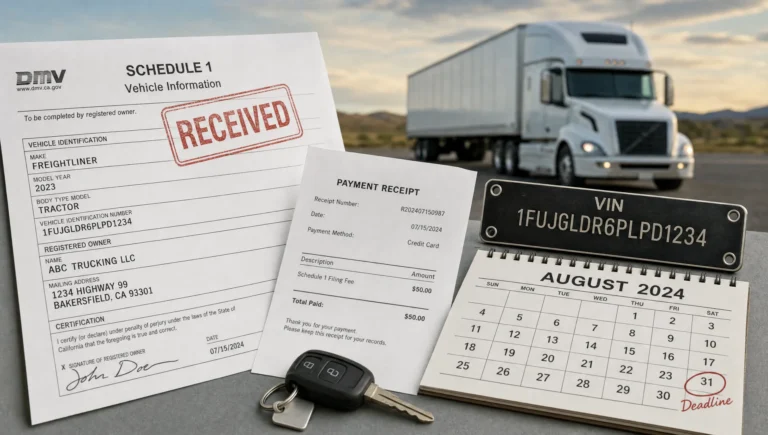
IRS Online Submission Tips to Avoid Filing Delays
An IRS online submission should save time, not create a waiting game. For truck owners and fleet managers, the stakes are especially high because a delayed Form 2290 filing can hold up the IRS-stamped Schedule 1 needed for registration, IRP renewal, or proof of Heavy Vehicle Use Tax compliance.
The good news is that most filing delays are preventable. They usually come from small data mismatches, VIN typos, new EIN issues, wrong First Used Month selections, or last-minute payment planning. Use the tips below to make your Form 2290 online submission cleaner, faster, and less likely to be rejected.
IRS online submission delays usually start before you click submit
Online filing is much faster than mailing a paper return, but it still depends on accurate data. The IRS e-file system validates taxpayer identity details, vehicle information, tax period selections, and return type. If something does not match IRS records or appears inconsistent, the return may be rejected or require correction before you can get the Schedule 1 you need.
For Form 2290, the IRS uses the return to report Heavy Highway Vehicle Use Tax for vehicles with a taxable gross weight of 55,000 pounds or more, and to report suspended vehicles when applicable. The IRS Form 2290 instructions also state that taxpayers reporting 25 or more vehicles must e-file, which makes clean online submission especially important for fleets.
A delay-resistant filing has four things working together: matching business information, accurate vehicle data, the correct tax period and First Used Month, and a payment method that is planned before the deadline.
Quick pre-submission checklist for Form 2290
Before you file, run through this checklist. It is faster to correct these items before submission than to fix a rejected return under deadline pressure.
| Item to verify | Why it causes delays | How to prevent the issue |
|---|---|---|
| EIN | Form 2290 requires an EIN, not an SSN | Copy the EIN directly from IRS records or your EIN confirmation |
| Legal business name | Name and EIN mismatches are common rejection triggers | Use the legal name registered with the IRS, not only a DBA or trade name |
| New EIN timing | Recently issued EINs may not be recognized immediately by IRS e-file systems | Apply early and allow time before e-filing whenever possible |
| VIN | A typo can lead to rejection or a Schedule 1 that your DMV may not accept | Compare the VIN with title, registration, and vehicle records |
| First Used Month | This drives the filing due date and prorated tax | Use the first month the vehicle was used on public highways during the tax period |
| Taxable gross weight | Wrong weight category can cause underpayment, overpayment, or amendments | Confirm unloaded weight, trailer weight, and maximum customary load |
| Tax year | Filing for the wrong HVUT tax period can create registration problems | Confirm the tax period before submitting, especially during June and July |
| Payment details | Payment errors can lead to IRS notices, penalties, or interest | Choose your payment method early and keep confirmation records |
1. Match your EIN and legal business name exactly
One of the easiest ways to delay an IRS online submission is to enter a business name that does not match the EIN on IRS records. This often happens when a trucking company uses a DBA, changes entity structure, or copies a shortened name from insurance or registration documents.
For Form 2290, use your Employer Identification Number. Do not use a Social Security Number. If you are not sure what the IRS has on file, check your EIN confirmation letter, IRS notice, or business tax records. If you recently applied for an EIN, remember that it may take time before the EIN is available for e-filing validation.
If you still need an EIN, apply directly through the IRS EIN online application. You can also review this practical guide on how to apply for an EIN online for Form 2290 filing before you start.
2. Treat VIN entry as compliance data, not a clerical task
VIN mistakes are small, but the consequences can be frustrating. A single incorrect character can create a mismatch between your IRS-stamped Schedule 1 and your DMV or IRP records. Even if the IRS accepts the return, the Schedule 1 may not help you complete registration if the VIN does not match the vehicle record.
Use a reliable source, such as the title, registration, cab card, purchase document, or verified fleet master list. For most modern vehicles, the VIN is 17 characters. Enter it without spaces or extra punctuation, and compare the last six characters carefully because those are often used in quick DMV checks.
For fleets, do not rely on memory or copied spreadsheets that have not been reviewed. Assign one person to maintain a single vehicle data source, then use that source for every filing, renewal, and amendment.
If you discover a VIN error after the IRS accepts your return, do not file a second original return for the same vehicle. Review how to handle a Form 2290 VIN correction so the corrected Schedule 1 matches your registration needs.
3. Choose the correct First Used Month
The First Used Month is one of the most important fields on Form 2290. It is not always the month you bought the truck, leased it, registered it, or added it to your internal fleet list. It is the first month the vehicle was used on public highways during the HVUT tax period.
The HVUT tax year runs from July 1 through June 30. In general, Form 2290 is due by the last day of the month following the vehicle’s First Used Month. If a vehicle is first used in July, the due date is typically August 31. If the due date falls on a weekend or legal holiday, the deadline moves to the next business day.
| Situation | First Used Month to consider | Delay to avoid |
|---|---|---|
| Existing truck used on public highways in July | July | Filing for the wrong tax year or missing the annual deadline |
| Truck purchased earlier but first operated in September | September | Paying for months before the vehicle was actually first used |
| Vehicle registered but not yet used on public highways | Month of actual public highway use | Filing too early with the wrong month |
| Suspended vehicle later exceeds mileage limits | Month the limit is exceeded | Failing to amend and pay HVUT when suspension no longer applies |
If you manage multiple trucks, review First Used Month by unit. Do not assume every vehicle has the same month just because your annual renewal process happens at the same time.
For a full deadline breakdown, see the Form 2290 due dates guide.
4. Confirm taxable gross weight before filing
Taxable gross weight is another field that can delay or complicate a filing. It is not just the empty weight of the truck. For Form 2290, taxable gross weight generally includes the unloaded weight of the vehicle, the unloaded weight of trailers or semi-trailers customarily used with it, and the maximum load customarily carried.
This matters because the IRS uses weight categories to calculate HVUT. Selecting a category that is too low can create underpayment and amendment issues. Selecting a category that is too high can lead to overpayment and extra refund work.
Before submitting, confirm weight using reliable records such as registration documents, equipment specs, scale tickets, operating configuration, and normal load patterns. Pay special attention to vehicles that changed equipment, began pulling different trailers, or moved into heavier operations during the year.
If you need a refresher, use this guide on how to calculate HVUT tax for Form 2290 before you file.
5. Plan the payment method before the deadline
Filing Form 2290 online and paying HVUT are connected, but they are not the same task. A clean online return can be accepted by the IRS, while a payment problem may still create notices, penalties, or interest later. That is why payment planning belongs in your submission checklist.
Common Form 2290 payment methods include:
- Electronic Funds Withdrawal, where you provide bank information during the e-file process.
- EFTPS, where you schedule payment through the Electronic Federal Tax Payment System.
- Credit or debit card through an IRS-approved payment processor, with processor fees generally applying.
- Check or money order with Form 2290-V, which requires more follow-up and careful mailing.
If you use EFTPS, enroll early and schedule payment before the due date. EFTPS timing matters because payments must settle on time, and last-minute scheduling can create avoidable stress. Keep the EFTPS confirmation number, payment date, amount, and tax period in your records.
If you choose bank withdrawal, double-check routing and account numbers. A payment failure may not feel like a filing delay on the day you submit, but it can become a compliance issue once the IRS sends a notice.
6. Submit early, especially during peak season
The busiest Form 2290 season is typically July and August, when many truck owners file for the new HVUT tax year. Waiting until the last day leaves no cushion for rejected returns, payment corrections, system maintenance, or missing records.
A better approach is to prepare your data before the filing window and submit as soon as you are ready. For owner-operators, that may mean checking EIN, VIN, weight, and payment information a week or two before the deadline. For fleets, it may mean completing a vehicle audit before July, then filing in batches once the tax year opens.
Early filing is especially helpful when you need Schedule 1 for DMV or IRP deadlines. Your registration office may not care that you submitted a return if the Schedule 1 is missing, wrong, or still pending. The useful document is the IRS-stamped Schedule 1 after acceptance.
7. Monitor status after submission
Do not assume the job is finished as soon as you click submit. Check your filing status and download your stamped Schedule 1 after IRS acceptance. If a return is rejected, it has not been accepted as filed, so you need to correct the problem and resubmit.
Typical status labels include pending, accepted, and rejected. Pending means the return is still being processed or transmitted. Accepted means the IRS accepted the filing, and you should be able to access the stamped Schedule 1. Rejected means the return needs correction.
You can learn more in this guide on how to check 2290 filing status. Once accepted, save the Schedule 1 in more than one place, such as your filing portal, company compliance folder, and registration file.
8. Use stronger controls for fleet submissions
Fleet filing adds more room for duplicate entries, sold vehicles, inactive units, wrong categories, and spreadsheet errors. A simple control process can prevent many of these issues.
Start with one master vehicle list. Remove vehicles that were sold, stolen, destroyed, or no longer in service. Confirm which vehicles are taxable, suspended, logging, agricultural, or exempt. Then compare the list against last year’s accepted Schedule 1 and current registration records.
For fleets reporting 25 or more vehicles, e-filing is required by the IRS. Even for smaller fleets, online filing usually reduces manual handling and makes Schedule 1 retrieval easier. Simple Form 2290 supports bulk vehicle filings, a guided filing process, secure data retrieval, and a fleet management dashboard, which can help keep vehicle records and accepted documents organized.
What to do if your online submission is rejected
A rejected Form 2290 is frustrating, but it is usually fixable. The key is to correct the real issue quickly instead of guessing and resubmitting the same error.
- Read the rejection message carefully and identify whether it relates to EIN, business name, VIN, tax period, duplicate filing, or another issue.
- Compare the rejected field against IRS records, registration documents, and your internal vehicle list.
- Correct the source record first so the same mistake does not appear in future filings.
- Resubmit the return as soon as the correction is complete, especially if you are near the deadline.
- After acceptance, download the stamped Schedule 1 and confirm the VIN, tax year, and business name before using it for registration.
If the IRS accepted the return but you later discover a vehicle detail was wrong, the correction process may be different. VIN corrections, taxable weight increases, and suspended vehicles that exceed mileage limits each have their own filing path.
A delay-proof IRS online submission workflow
The best way to avoid filing delays is to treat Form 2290 like an operational compliance task, not a last-minute tax form. Use a repeatable workflow every year and every time you add a new taxable vehicle.
| Timing | Action |
|---|---|
| 2 to 3 weeks before filing | Verify EIN, legal name, vehicle list, taxable weight, and First Used Month |
| 1 week before filing | Choose payment method and confirm bank, EFTPS, or card payment details |
| Before submission | Review VINs, tax year, suspended vehicle status, and duplicate vehicle entries |
| After submission | Check status, correct rejections, and download the stamped Schedule 1 |
| After acceptance | Store Schedule 1, payment confirmations, and supporting vehicle records |
This workflow gives you room to fix problems before they affect registration, dispatch planning, or compliance deadlines.
Frequently asked questions
How long does an IRS online submission for Form 2290 take? Many accepted e-filed Form 2290 returns produce an IRS-stamped Schedule 1 within minutes after IRS acceptance. Timing can vary if the return is rejected, submitted during peak periods, or contains data issues that need correction.
What is the most common reason Form 2290 online submissions get delayed? EIN and legal name mismatches are among the most common issues. VIN typos, wrong First Used Month, wrong tax year, and payment planning mistakes can also create delays or follow-up problems.
Can I file Form 2290 online with a new EIN? Yes, but a brand-new EIN may not be recognized immediately by IRS e-file systems. Apply for an EIN early and avoid waiting until the filing deadline if possible.
Does a payment issue stop me from getting Schedule 1? Not always. Schedule 1 is generally tied to IRS acceptance of the return, but failed or late payment can lead to IRS notices, penalties, and interest. Always keep payment confirmations with your filing records.
What should I do if I entered the wrong VIN? If the return was rejected, correct the VIN and resubmit. If the IRS accepted the return with the wrong VIN, file a VIN correction instead of filing a duplicate original return.
Is paper filing slower than IRS online submission? Yes, paper filing usually takes much longer than e-filing and can delay access to a stamped Schedule 1. Online filing is usually the better option when you need proof quickly for DMV, IRP, or registration purposes.
File Form 2290 online with fewer delays
If you want a faster, cleaner Form 2290 filing experience, use an IRS-authorized provider built for truck owners and fleets. Simple Form 2290 offers an easy online filing portal, step-by-step guidance, instant Schedule 1 delivery after IRS acceptance, bulk vehicle filings, secure data retrieval, professional customer support, and bilingual support in English and Spanish.
Start your filing through Simple Form 2290 and reduce the risk of avoidable IRS online submission delays before they affect your registration timeline.