How to File 2290 Online and Get Schedule 1 Fast
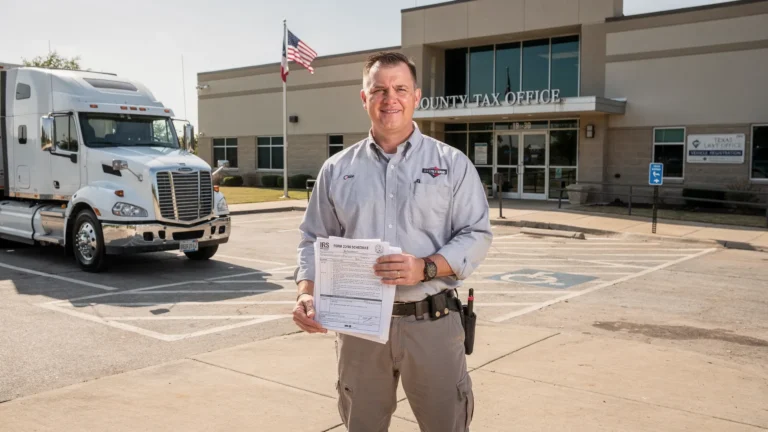
Need a stamped Schedule 1 for registration, IRP renewal, or a new truck you just put on the road? The fastest route is to file 2290 online through an IRS-authorized e-file provider, verify every detail before submission, and download the watermarked Schedule 1 after IRS acceptance.
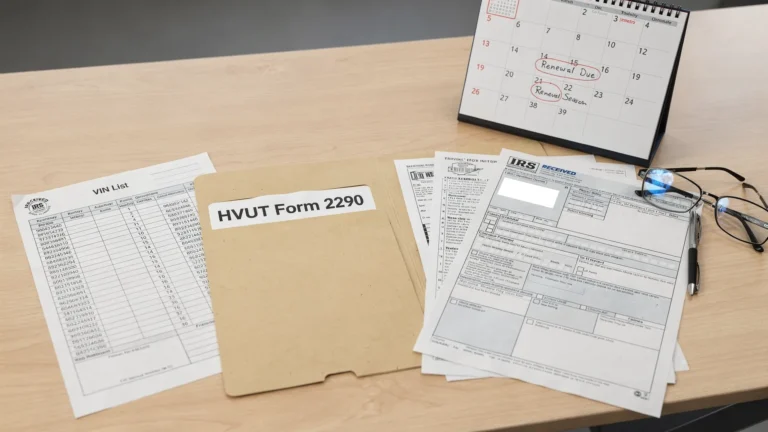
Form 2290 is the IRS return used to report and pay Heavy Vehicle Use Tax (HVUT) for taxable highway vehicles with a gross taxable weight of 55,000 pounds or more. The Schedule 1 is the page most truck owners need right away because DMVs and IRP offices commonly use it as proof that your Form 2290 was accepted by the IRS.
The online filing process is simple, but speed depends on accuracy. A wrong EIN, misspelled business name, incorrect VIN, or wrong first-used month can turn a minutes-long filing into a frustrating delay. This guide walks you through the cleanest workflow to file 2290 online and get Schedule 1 fast.
What “filing 2290 online” actually means
When you file 2290 online, you are submitting your HVUT return electronically to the IRS through an authorized e-file system. Instead of printing Form 2290, mailing it, and waiting for the IRS to stamp and return Schedule 1, you complete the return online and receive the IRS-stamped Schedule 1 digitally after acceptance.
According to the IRS Form 2290 overview, Form 2290 is used to figure and pay tax due on certain heavy highway motor vehicles. The IRS also requires electronic filing when you are reporting 25 or more vehicles, as explained in the IRS Instructions for Form 2290.
For owner-operators, e-filing helps avoid registration delays. For fleet managers, it reduces manual paperwork, improves recordkeeping, and makes it easier to manage multiple VINs in one place.
Before you start: gather the details that affect speed
Most Form 2290 delays happen before the return ever reaches the IRS. The fastest filing starts with clean, complete information.
| Information needed | Why it matters | Speed tip |
|---|---|---|
| Employer Identification Number (EIN) | The IRS uses it to identify the business or owner filing the return | Do not use an SSN. If your EIN is new, allow time for IRS systems to recognize it |
| Legal business name | Must match IRS records for the EIN | Use the exact name shown on IRS EIN confirmation records |
| Vehicle Identification Number (VIN) | Appears on Schedule 1 and is checked during registration | Copy it from the title, registration, or cab card, not from memory |
| Taxable gross weight | Determines the HVUT category and tax amount | Include unloaded vehicle weight, trailer weight, and maximum load customarily carried |
| First Used Month | Determines the filing deadline and prorated tax | Use the first month the vehicle was used on public highways during the tax period |
| Vehicle type | Regular, logging, agricultural, suspended, or other applicable status | Choose carefully because tax rates and mileage rules can differ |
| IRS payment method | Needed to complete the filing workflow | Decide ahead of time between direct debit, EFTPS, check or money order, or card payment options |
One important note: if you just applied for a new EIN, the IRS may need time to update its systems before your Form 2290 e-file can be accepted. Filing too soon with a brand-new EIN is a common reason for rejection, even when the EIN itself is valid.
How to file 2290 online step by step
The online process is built to be faster than paper filing, but you still need to follow the steps in the right order. Here is the basic workflow.
- Create or log in to your online filing account: Start with an IRS-authorized provider such as Simple Form 2290. A guided portal helps you enter business, vehicle, and tax details without working through paper forms manually.
- Enter your business information exactly as the IRS has it: Use your EIN, legal business name, address, and contact information. If the EIN and name do not match IRS records, the return can be rejected.
- Add your vehicle information: Enter the VIN, taxable gross weight category, first-used month, and whether the vehicle is taxable, suspended, logging, agricultural, or another applicable type.
- Review the calculated HVUT amount: Online systems can help calculate the tax based on weight, use type, and first-used month. Still, review the return carefully before transmitting it.
- Choose your IRS payment method: Common options include electronic funds withdrawal, EFTPS, debit or credit card payment through IRS-approved channels, or check or money order. If you use EFTPS, make sure you are already enrolled and schedule the payment on time.
- Transmit the return and wait for IRS acceptance: After the IRS accepts the return, your stamped Schedule 1 is generated and made available for download, email delivery, or retrieval from your account, depending on the provider.
If you are filing through Simple Form 2290, the platform offers a step-by-step guided process, bulk vehicle filings, secure data retrieval, customer support, bilingual support in English and Spanish, and a fleet management dashboard for larger operations.
How fast can you get Schedule 1?
For most accurate e-filed returns, the stamped Schedule 1 is available quickly after IRS acceptance, often in minutes. However, “fast” does not mean every filing is guaranteed to be instant. IRS processing, peak filing season, payment method issues, and data errors can all affect timing.
| Filing method | Typical Schedule 1 speed | Best for | Main drawback |
|---|---|---|---|
| 2290 online through an IRS-authorized provider | Often minutes after IRS acceptance | Owner-operators, fleets, urgent DMV or IRP needs | Requires accurate EIN, name, VIN, and vehicle details |
| Paper filing by mail | Often several weeks | Filers who prefer paper and are not in a hurry | Slow processing, mailing risk, registration delays |
| Paper filing near deadline | Can take longer during peak season | Rare situations where e-file is not possible | Highest risk of missing DMV or IRP deadlines |
If your registration appointment is coming up soon, do not wait until the same day if you can avoid it. Filing early gives you time to correct a rejection, update a VIN mistake, or resolve an EIN mismatch before the DMV or IRP deadline.
The fastest way to avoid IRS rejections
A rejected Form 2290 does not mean you owe more tax or did something intentionally wrong. It usually means the IRS could not accept the return because a required detail did not match or did not pass validation.
The best way to get Schedule 1 fast is to prevent the rejection in the first place.
| Common issue | What happens | How to avoid it |
|---|---|---|
| EIN and business name mismatch | IRS rejects the return | Match the name exactly to IRS EIN records |
| New EIN not recognized | IRS may reject because the EIN is not active in e-file systems yet | Wait until the EIN is established before filing |
| VIN typo | Schedule 1 may not match DMV or IRP records | Verify all 17 characters before submitting |
| Wrong first-used month | Tax and deadline may be wrong | Use the month the vehicle first operated on public highways in the tax period |
| Wrong taxable gross weight | HVUT may be overpaid or underpaid | Confirm weight category before filing |
| Duplicate filing | IRS may reject or flag the return | Check whether a return was already accepted for the same vehicle and tax period |
| Payment method confusion | Payment may be late even if the return was filed | Understand whether you selected EFTPS, direct debit, card, or check payment |
If your return is rejected, correct the issue and resubmit as soon as possible. You can also use a filing status guide, such as how to check 2290 filing status, to understand whether your return is pending, accepted, or rejected.
Filing deadlines matter even when you file online
E-filing helps you get Schedule 1 faster, but it does not change the IRS deadline. Form 2290 is generally due by the last day of the month following the vehicle’s first-used month. For vehicles first used in July, the normal annual due date is August 31.
The HVUT tax period runs from July 1 through June 30. If you place a vehicle on the road later in the tax year, the tax is typically prorated based on the first-used month, and the filing deadline follows the same “last day of the following month” rule.
For example, if a taxable truck is first used on public highways in October, the Form 2290 deadline is generally November 30. If a deadline falls on a weekend or legal holiday, the due date may move to the next business day. For a full deadline breakdown, review the Form 2290 due dates guide.
How payment choice affects your filing workflow
Your IRS tax payment method is separate from the e-file provider’s service fee. When filing 2290 online, you typically choose how you want to pay the HVUT amount due to the IRS.
Electronic funds withdrawal is convenient because you enter banking details during the filing process and authorize the IRS payment. EFTPS can be useful for businesses that already manage federal tax payments through the system, but enrollment must be completed ahead of time. Card payment options may be available through IRS-approved processors, often with processing fees. Check or money order payments require a voucher and mailing time, which may not be ideal if you need Schedule 1 quickly.
If you choose EFTPS, schedule the payment early enough for it to settle by the deadline. You can read more about that workflow in this guide to paying Form 2290 on EFTPS.
What to check when your Schedule 1 arrives
Getting the Schedule 1 is not the final step. Before you send it to a DMV, IRP office, leasing company, or compliance team, review it carefully.
Confirm that the Schedule 1 shows the IRS e-file watermark or stamp, the correct tax period, your business name, and each VIN you need for registration. If a VIN is wrong, the DMV or IRP office may reject it even if the IRS accepted the return.
Keep a digital copy and a printed copy if your registration office requires paper. A major benefit of filing online through a secure portal is that you can retrieve prior filings and Schedule 1 copies later instead of searching through email attachments or paper files.
Special situations that may affect Schedule 1
Not every Form 2290 filing is a simple full-tax vehicle return. Some cases require extra attention.
Suspended vehicles are heavy vehicles expected to travel 5,000 miles or less during the tax period, or 7,500 miles or less for certain agricultural vehicles. These vehicles may not owe HVUT, but they still generally need to be reported on Form 2290 to claim suspension.
Logging vehicles may qualify for reduced tax rates if they meet IRS requirements and are registered as highway motor vehicles used exclusively for transporting harvested forest products. Weight increases can require an amendment if a vehicle moves into a higher taxable weight category during the tax period. VIN errors may require a VIN correction so your Schedule 1 matches registration records.
These special cases are another reason to use a guided 2290 online filing process rather than guessing from a paper form.
Why use Simple Form 2290 to file online?
Simple Form 2290 is an IRS-authorized online platform built for truckers, owner-operators, and fleet owners who need a fast, secure way to file Form 2290 and receive Schedule 1. The portal is designed to reduce manual errors, guide you step by step, and support both single-truck and bulk vehicle filings.
Key benefits include instant Schedule 1 delivery after IRS acceptance, affordable flat pricing, professional customer support, bilingual support in English and Spanish, secure data storage and retrieval, and a fleet management dashboard for larger operations.
If your goal is to file 2290 online without unnecessary delays, using a provider that understands HVUT filing, Schedule 1 needs, and fleet workflows can save time during both annual renewals and urgent registration situations.
Frequently Asked Questions
Can I file 2290 online for just one truck? Yes. Owner-operators can file Form 2290 online for a single taxable vehicle. E-filing is also especially useful for fleets, and the IRS requires e-filing when reporting 25 or more vehicles.
How fast will I get my Schedule 1 after filing online? Many accepted e-filed returns receive the IRS-stamped Schedule 1 within minutes after IRS acceptance. Timing can vary if the IRS is busy, your return is rejected, or your EIN and business name do not match IRS records.
Do I need an EIN to file Form 2290 online? Yes. Form 2290 requires an Employer Identification Number. You generally cannot file Form 2290 with a Social Security number.
Can I get Schedule 1 if I pay through EFTPS? Yes, you can select EFTPS as your IRS payment method when filing, but you must schedule the payment separately through EFTPS and make sure it settles by the deadline.
What should I do if my Form 2290 is rejected? Review the rejection reason, correct the information, and resubmit quickly. Common fixes include correcting the EIN or business name, updating a VIN, changing the first-used month, or resolving duplicate filing issues.
Is a digital Schedule 1 accepted by the DMV or IRP office? DMVs and IRP offices commonly accept the IRS-stamped Schedule 1 as HVUT proof, including e-filed watermarked copies. Requirements can vary by jurisdiction, so check with your local office if you are unsure.
File 2290 online and get Schedule 1 without the wait
If you need Schedule 1 fast, do not rely on paper filing unless you have plenty of time. Filing online through an IRS-authorized provider is the quickest and most practical way to submit Form 2290, reduce errors, and retrieve your stamped Schedule 1 for registration.
Start your filing with Simple Form 2290 and complete your HVUT return through a guided, secure online portal built for truck owners and fleets.