IRS Payment Customer Service: Get Help Without Long Holds
When an IRS payment issue threatens a registration deadline, it can feel like your whole day is going to disappear on hold. The good news is that most “IRS payment customer service” problems can be solved faster by using the right channel first (online tools, the correct help desk, or your e-file provider) and by calling with the right info ready.
This guide is written for truck owners and fleet managers dealing with Form 2290 (HVUT), but the same approach works for many business tax payment questions.
Step 1: Identify the exact payment problem (so you do not get transferred)
Before you call anyone, narrow your issue to one of these categories. It determines the fastest path to a fix.
- Payment made, but not showing up in your records, bank, or IRS view yet.
- Payment scheduled, but you need to change or cancel it (common with EFTPS or bank debits).
- Payment rejected or returned by the bank.
- You received an IRS notice/letter about a balance due, penalty, or mismatch.
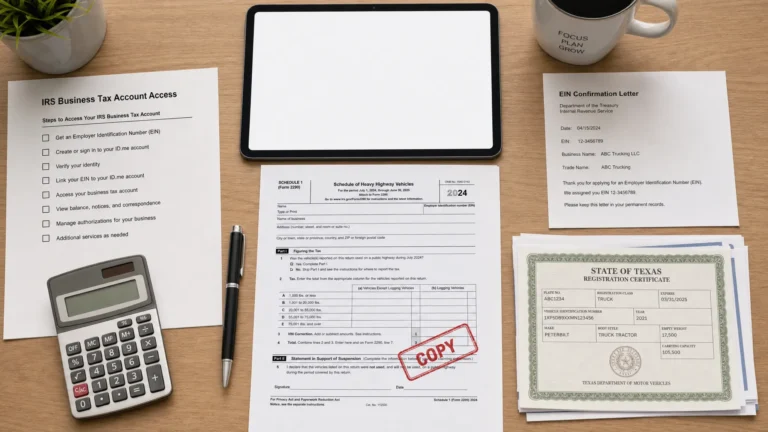
- You need proof for DMV/IRP (often Schedule 1 for Form 2290).
In trucking, the last item is the big one: you typically do not need a long IRS payment conversation, you need your IRS-stamped Schedule 1 as proof of HVUT filing.
Step 2: Try these “no-hold” options first (often faster than calling)
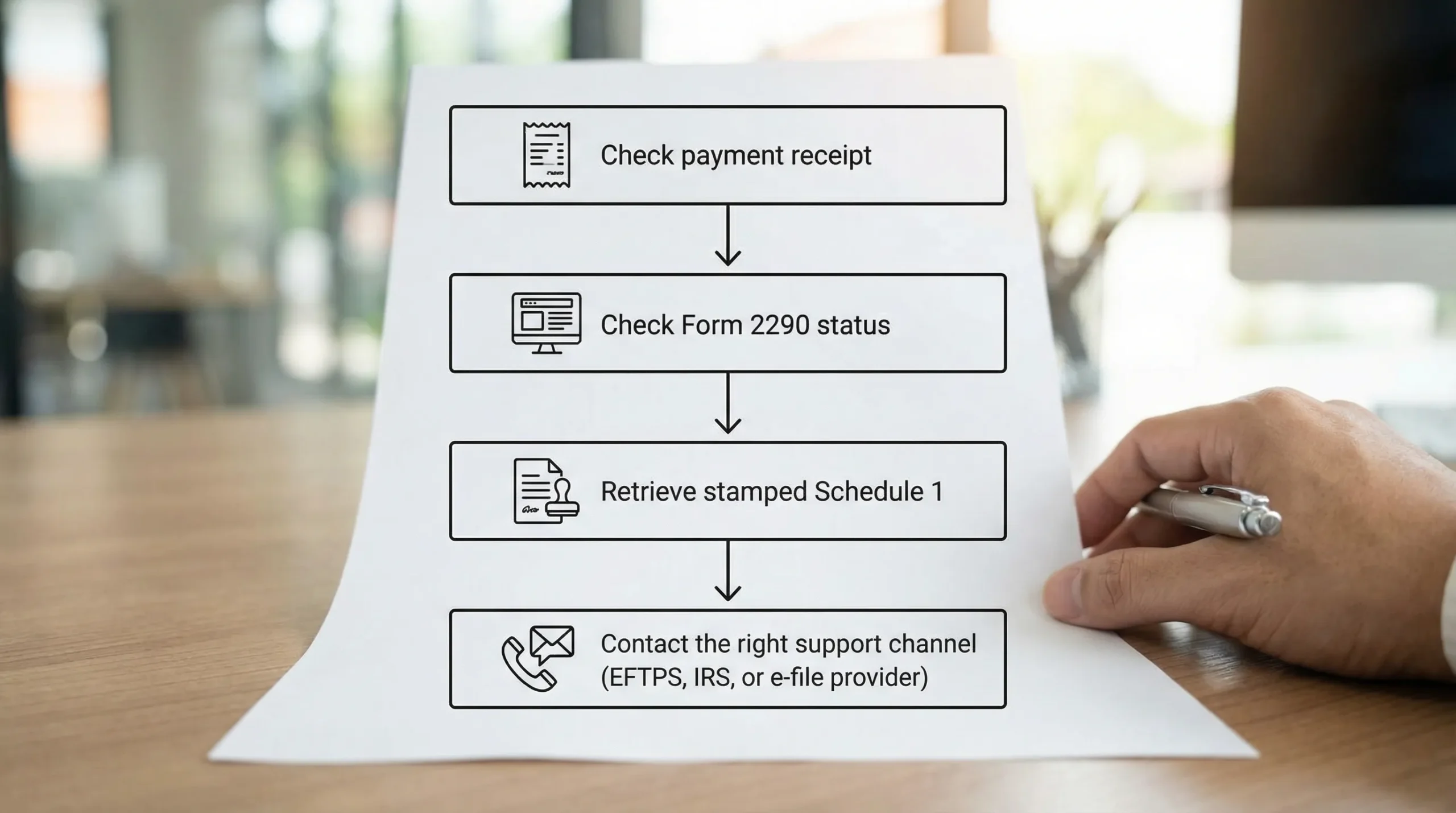
Check the source of truth for your payment method
A lot of delays come from checking the wrong system.
- EFTPS payment: Use your EFTPS account history first (and verify the settlement/effective date). See the official EFTPS site.
- Card payment: Check the confirmation from the card payment processor you used via the IRS-approved options on the IRS card payment page.
- Electronic Funds Withdrawal (bank debit submitted with an e-filed return): Confirm the bank debit details you entered in your filing record.
- Check or money order: Confirm mailing, delivery tracking, and whether you used the correct payment voucher (for HVUT, Form 2290-V may apply when mailing a check).
Use IRS online tools for payment history and notices
If you need to confirm what the IRS shows (payments posted, balances due, notices), start with the IRS online account tools:
- IRS Online Account (useful for viewing balance and payment activity where available)
- IRS payment options overview
Availability and detail can vary by tax type and entity, but it is still worth checking before you call.
For Form 2290 specifically: verify acceptance and Schedule 1 delivery
For HVUT, a common “payment customer service” situation is actually an e-file status issue (Accepted vs Rejected) or a Schedule 1 retrieval issue.
If you e-filed, check your filing status first. Here is a practical walkthrough: How to check 2290 filing status.
If your return was rejected, you usually do not need the IRS to fix it, you need a corrected re-file. (Simple Form 2290 offers free re-filing for rejected returns.)

Step 3: Use the right help desk (IRS vs EFTPS vs your provider)
“IRS payment customer service” is not one phone number. Choosing the correct contact point is the difference between a quick resolution and multiple transfers.
Quick decision table: who to contact for what
| Your issue | Fastest first step | If you still need help, contact |
|---|---|---|
| EFTPS enrollment, login, or scheduled payment questions | Review EFTPS history and effective date | EFTPS customer support (via EFTPS) |
| Card payment confirmation or duplicate card charge | Check the card processor confirmation | The card processor listed on the IRS card payment page |
| Form 2290 return rejected | Review rejection code and correct data | Your e-file provider support (often fastest) |
| Need a copy of stamped Schedule 1 | Re-download from your e-file account | Your e-file provider support |
| IRS notice about a business tax balance due | Read notice number and tax period | IRS business support line (match to notice) |
| HVUT (Form 2290) excise tax questions | Confirm filing status and payment method | IRS excise tax help desk (verify current number on IRS.gov or see the reference list at IRS customer support phone numbers) |
Note: Phone numbers and menus can change. Always verify any IRS number through an official IRS.gov page or a trusted reference page you use regularly.
Step 4: Call without long holds (timing and preparation that actually works)
You cannot fully control IRS wait times, but you can stack the odds in your favor.
Call at lower-volume times
In general, these patterns help:
- Call early in the day (right after lines open, in your time zone).
- Try mid-week (Tuesday through Thursday often has better odds than Monday).
- Avoid lunch hours.
- Avoid the week of major tax deadlines when possible.
For trucking, also plan around HVUT season peaks (late summer) and state registration surges.
Have a “no-transfer” info pack ready
Keep this in front of you before you dial. It reduces verification time and prevents “call back with more info.”
- Business name and EIN (exactly as the IRS has it)
- The tax period you are asking about (for Form 2290, the tax year runs July through June)
- VIN (if the question is vehicle-specific)
- Payment method used (EFTPS, card, bank debit, check)
- Payment date, amount, and any confirmation number
- Any IRS notice number (CP or LT code) and the date on the notice
If your EIN and legal name do not match IRS records, it can trigger rejections or delays. This mismatch is one of the most common causes of Form 2290 issues.
Use a clear opening script to get routed correctly
When you reach an agent, lead with specifics:
“Hi, I’m calling about a payment issue for Form 2290 (Heavy Vehicle Use Tax) for the tax period [year]. My EIN is [XX-XXXXXXX]. I used [EFTPS / card / bank debit] on [date] for [$ amount]. I need help confirming [posted status / correcting a payment / resolving a notice].”
This reduces time spent on general explanations.
Step 5: Common HVUT payment problems and the fastest fixes
Problem: “My payment is pending, but I need Schedule 1 for IRP/DMV”
For Form 2290, many filers confuse payment settlement timing with Schedule 1 timing.
- If you e-file through an IRS-authorized provider, you typically receive the watermarked Schedule 1 quickly after IRS acceptance, and your provider delivers it to your email or dashboard.
- If you do not see Schedule 1, check whether your return is Accepted or Rejected first.
If you are facing a DMV/IRP deadline, the fastest path is often to resolve the filing status (not wait on a general payment line).
Problem: “My EFTPS payment posted, but the IRS still says I owe”
This usually comes down to one of these:
- Wrong tax period selected in EFTPS
- Payment applied to a different tax form/type
- Timing, settlement date, or processing lag
Before calling the IRS, confirm the tax form/type and tax period in your EFTPS payment details. If those are wrong, you may need guidance on reapplying or correcting the payment.
For Form 2290 filers, payment timing matters. EFTPS uses an effective date, so scheduling with a buffer helps. See: When is EFTPS payment due for Form 2290.
Problem: “My return was rejected, and now I’m stuck”
Most rejected Form 2290 returns are caused by:
- EIN and business name mismatch
- VIN typo
- Wrong first-used month
- Duplicate filing
- Payment selection issues
A rejection is typically fixed by correcting the data and re-filing, not by waiting for IRS payment customer service. If you used Simple Form 2290, you can follow: Free re-filing for rejected returns.
Step 6: Prevent the next payment support call (simple process upgrades)
If you file Form 2290 every year (or manage a fleet), the best way to avoid long holds is to reduce preventable errors.
Use an IRS-authorized e-file provider for HVUT
IRS-authorized e-filing is designed to reduce friction because:
- Your return is transmitted electronically
- The system validates key fields (like EIN format and VIN length)
- You can retrieve Schedule 1 quickly after acceptance
Simple Form 2290 is an IRS-authorized e-file provider built for HVUT filing, including bulk vehicle filing support, secure record retrieval, and bilingual support (English/Spanish). If you are filing for multiple trucks, a fleet dashboard can help keep payments, VINs, and Schedule 1 copies organized in one place.
Build a repeatable “HVUT payment proof” checklist
Even as an owner-operator, treat this like compliance paperwork:
- Save payment confirmations (EFTPS, card, or bank debit)
- Save the IRS-accepted Schedule 1 PDF in two places
- Standardize naming (example:
2290_Schedule1_2026_EINxx1234.pdf) - Confirm VINs against registration documents before submitting
Frequently Asked Questions
How do I contact IRS payment customer service for Form 2290? Start by confirming your Form 2290 filing status and payment method. For HVUT-specific questions, use the IRS excise tax help resources and verify the current contact details on IRS.gov, or reference IRS customer support phone numbers.
Why is my HVUT payment not showing up yet? Posting time depends on the payment method. EFTPS uses an effective (settlement) date, card payments rely on processor confirmation, and mailed payments take longer. Confirm the tax period and form type first.
Do I need to call the IRS to get my Schedule 1? Usually no. If you e-filed, your provider typically delivers the IRS-stamped Schedule 1 by email and through your dashboard after acceptance. If you cannot find it, check How to check 2290 filing status.
What is the fastest way to pay Form 2290? Many filers choose electronic options (bank debit submitted with the e-filed return, EFTPS, or card). The best option depends on your timing, enrollment status, and whether you need immediate proof for registration.
Who do I contact for EFTPS problems? For EFTPS login, enrollment, or payment scheduling issues, use the support options provided through the official EFTPS website.
What information should I have ready before I call? EIN, business name, tax period, payment amount/date, confirmation numbers, VIN (if HVUT-related), and any IRS notice number.
File Form 2290 and avoid payment headaches
If your goal is to get compliant fast (and keep IRP/DMV registration moving), the simplest way to reduce IRS payment customer service calls is to e-file accurately and keep your proof organized.
Simple Form 2290 helps you e-file HVUT online through an IRS-authorized portal, with a guided process, bulk filing options for fleets, secure record retrieval, and dedicated customer support.
Get started here: File Form 2290 online with Simple Form 2290