Free IRS Tax Return Filing: Eligibility, Limits, and Tips
“Free tax filing” can mean very different things, depending on your income, where you live, and which forms you need. Some options are truly $0 from start to finish, while others are free to file federally but charge for state returns, or they are free only if you qualify for a simple return.
This guide breaks down free IRS tax return filing options, who is eligible, common limits to watch, and practical tips to help you file accurately without surprise fees.
What “free IRS tax return filing” actually means
When people search for free IRS tax return filing, they are usually looking for one (or more) of these:
- Free federal e-file (submit your federal Form 1040 online at no cost).
- Free state filing (some providers charge for state even if federal is free).
- Free preparation help (a trained volunteer helps you prepare and file).
- Free forms only (you fill everything in yourself, but the tool does not “guide” you).
The IRS does not generally charge a fee to file a return. Costs typically come from software, add-ons, or paid prep services.
Your main free filing options (and who they are best for)
IRS Free File (partner-guided software and free fillable forms)
IRS Free File is the IRS program that provides access to free tax software for eligible taxpayers, plus a separate “fillable forms” option for those comfortable preparing their own return.
- Start here: IRS Free File
Important: IRS Free File has eligibility rules that can change each filing season. The most common factor is your adjusted gross income (AGI), plus other criteria set by each participating company.
IRS Direct File (where available)
In recent tax seasons, the IRS has introduced and expanded Direct File, a way to file directly with the IRS in certain states and for certain tax situations.
- Check current availability and eligibility: IRS Direct File
Direct File is aimed at taxpayers with relatively straightforward returns. Eligibility depends on your state and your tax situation for that year.
VITA and TCE (free in-person or drop-off prep help)
If you want a human to help you prepare your return for free, look into:
-
VITA (Volunteer Income Tax Assistance), typically for people who meet income guidelines, have disabilities, or have limited English.
-
TCE (Tax Counseling for the Elderly), typically focused on taxpayers age 60+.
-
Find a site near you: IRS VITA/TCE Locator
These programs can be a great fit if you have questions, are worried about mistakes, or need help claiming credits.
MilTax (free for eligible military members)
If you are eligible, MilTax offers free tax preparation and e-filing.
- Learn more: MilTax information on IRS.gov
Eligibility: common requirements that determine whether you qualify
Free filing eligibility depends on the program. Here are the most common filters you will see.
1) Income (AGI) limits
Many “free” guided software options under IRS Free File have an AGI cap. The IRS updates this each year, and each partner may also set its own narrower rules.
Practical tip: If a website says “free,” but you start getting upgrade prompts, stop and verify you entered through the official IRS Free File portal (not the provider’s regular homepage).
2) Filing status and complexity
Free options often work best for relatively standard tax situations. You may see limitations involving:
- Certain schedules or forms (for example, complex business income or specialized credits)
- Itemized deductions versus standard deduction
- Certain investment or rental scenarios
Direct File in particular is designed for simpler returns, and eligibility varies by year.
3) State return costs
A very common “gotcha” is:
- Free federal filing
- Paid state filing
If you need to file a state return, confirm the total cost before you proceed.
4) Identity verification and account access
No matter which free method you use, you may need to verify your identity. For IRS tools and transcripts, you may see ID.me used for secure access.
- IRS identity verification overview: ID verification and IRS online access
Limits and pitfalls: how “free” tax filing can become expensive
Below are the most common reasons people think they are filing for free, then end up paying.
“Free” only applies to a simple return
Some commercial products advertise free filing, but only for certain situations. Common triggers that can force an upgrade include:
- Claiming certain deductions or credits
- Reporting self-employment income
- Needing additional schedules
Add-ons and “upgrade” bundles
Watch for optional charges like:
- Audit assistance packages
- Live help upgrades
- Faster support tiers
Some add-ons can be useful, but they are not required for filing a correct return.
Refund advance products
Be cautious with refund advances or similar products. If you want your refund quickly, the simplest approach is often:
- E-file early
- Choose direct deposit
The IRS provides general refund timing guidance here: Where’s My Refund?
Quick comparison table: choose the right free filing path
| Free filing option | Best for | Typical eligibility factors | Potential downsides |
|---|---|---|---|
| IRS Free File guided software | Many taxpayers who qualify by AGI | AGI and other partner criteria (varies) | State filing may cost extra, partner rules vary |
| IRS Free File Fillable Forms | Confident DIY filers | Generally available regardless of AGI | No step-by-step guidance, higher error risk |
| IRS Direct File | Eligible taxpayers in participating states | State availability and tax situation | Not available in every state, not for every scenario |
| VITA / TCE | People who want free human help | Income guidelines and other criteria, appointment availability | Limited appointment slots during peak season |
| MilTax | Eligible military community | Military eligibility requirements | Not for general public |
Tips to file for free (and avoid mistakes)
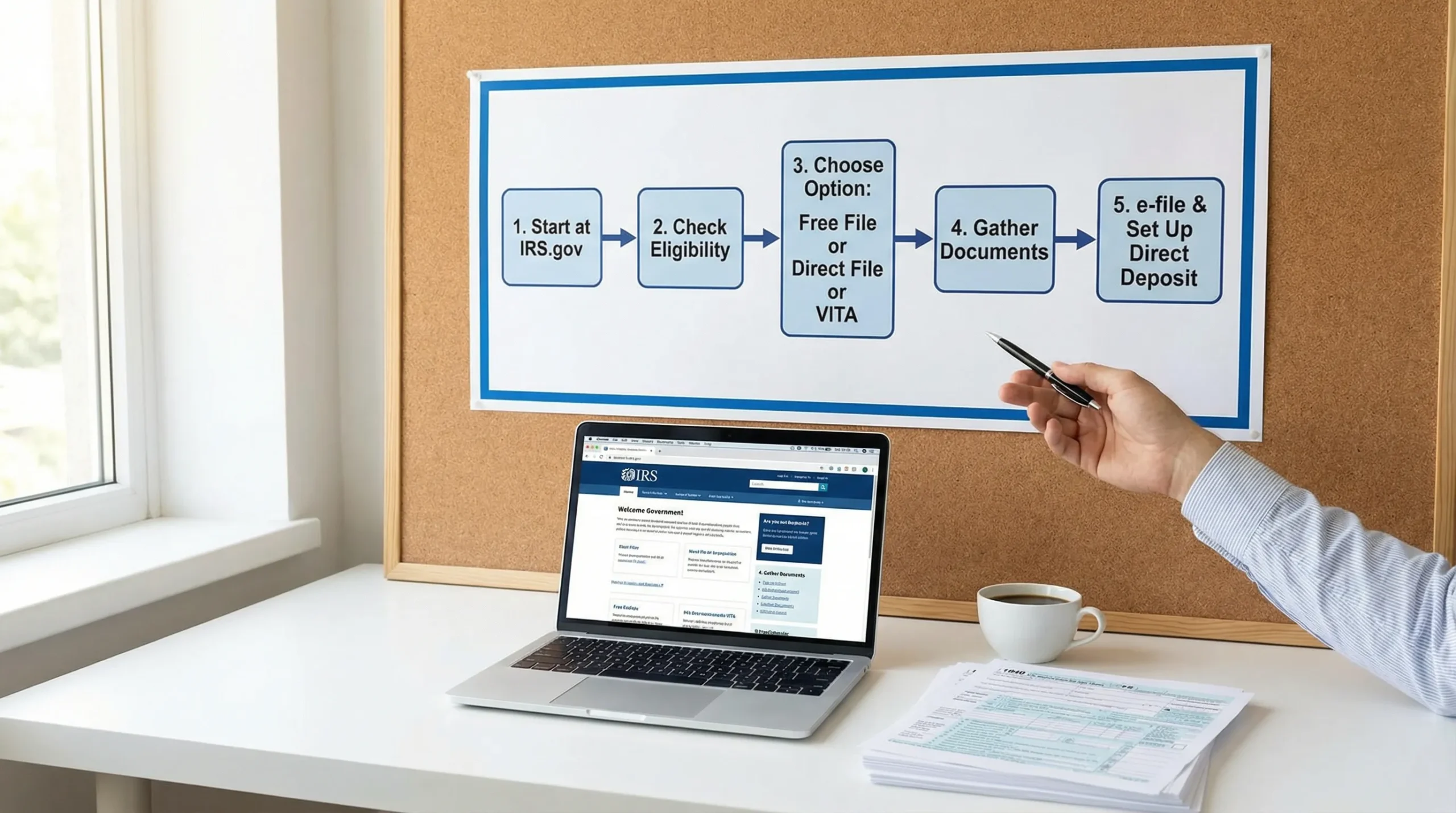
Start from the IRS website, not a search ad
If you want IRS Free File, begin at the official IRS Free File page to ensure you are routed to the correct no-cost version.
- Official entry point: IRS Free File
This reduces the risk of landing on a similar-looking “free” product page that is not part of the IRS program.
Confirm total cost before you enter sensitive data
Before you create accounts and upload documents, verify:
- Federal filing cost
- State filing cost (if needed)
- Any required upgrades for your forms
Gather documents first to prevent timeouts and errors
Have your tax documents ready, such as:
- W-2s and/or 1099s
- Prior-year return (helpful for carryovers and identity checks)
- Bank account and routing number for direct deposit
- Any letters you received from the IRS (entering these incorrectly can delay processing)
If you are self-employed or run a small trucking operation, be extra organized about income and expenses so you do not accidentally underreport or miss deductions.
Use direct deposit and double-check banking info
Direct deposit is one of the simplest ways to reduce delays and avoid mailed checks.
File early if you expect a refund
Peak filing season creates bottlenecks, and mistakes discovered late are harder to fix quickly.
Protect your identity while filing
Basic security practices matter, especially when using shared devices or public Wi-Fi:
- Avoid filing on public Wi-Fi
- Use strong, unique passwords
- Turn on multi-factor authentication if offered
For identity theft prevention resources, see: IRS identity protection
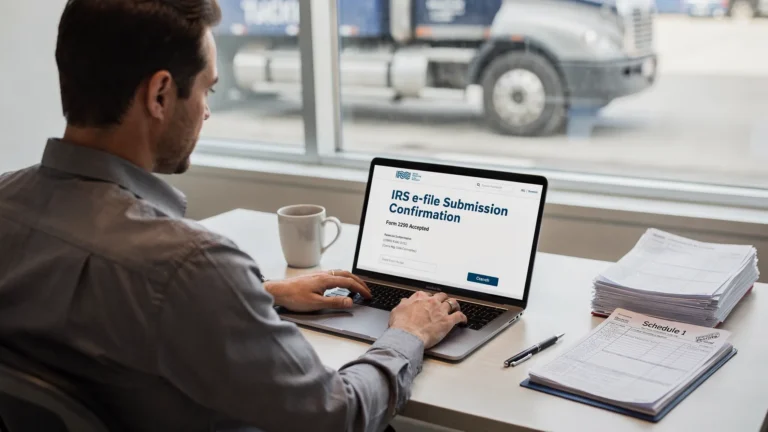
Special note for truckers and owner-operators: income tax vs. Form 2290
Many drivers and fleet owners file a regular income tax return (Form 1040 or business returns) and also handle separate trucking compliance items.
One common point of confusion is thinking “free IRS tax return filing” includes everything a trucking business files. It typically does not.
- Your income tax return might qualify for free filing.
- Your Heavy Vehicle Use Tax (HVUT) filing is a different federal filing: IRS Form 2290, which is tied to vehicle weight, first-used month, and registration requirements.
If you are looking for HVUT guidance, the IRS overview is here: IRS Form 2290 information
Frequently Asked Questions
Is IRS Free File really free? Yes, if you qualify and you enter through the official IRS Free File portal. Always confirm whether state filing or optional add-ons cost extra.
What is the difference between IRS Free File and IRS Direct File? IRS Free File routes eligible taxpayers to partner software (plus a separate fillable forms option). IRS Direct File is an IRS-run filing option available only in certain states and for certain tax situations.
Can I file my state return for free too? Sometimes. Some options include free state filing, but many do not. Check pricing for your state before you proceed.
What if I do not qualify for free guided software? You can look into IRS Free File Fillable Forms (DIY), compare other low-cost options, or use VITA/TCE if you qualify for free in-person help.
Does free IRS tax return filing include Form 2290 (HVUT)? No. Form 2290 is a separate excise tax filing for heavy highway vehicles and typically requires a specialized e-file provider if you want fast processing and an IRS-stamped Schedule 1.
Need an IRS-stamped Schedule 1 for your truck? File Form 2290 online
If you are a truck owner-operator or fleet manager, getting your IRS-stamped Schedule 1 quickly can be critical for IRP registration and keeping trucks on the road.
Simple Form 2290 is an IRS-authorized e-file provider built specifically for HVUT filing, with a guided step-by-step process, bulk filings for fleets, bilingual support (English/Spanish), and fast Schedule 1 delivery after IRS acceptance.
File your HVUT return here: Simple Form 2290