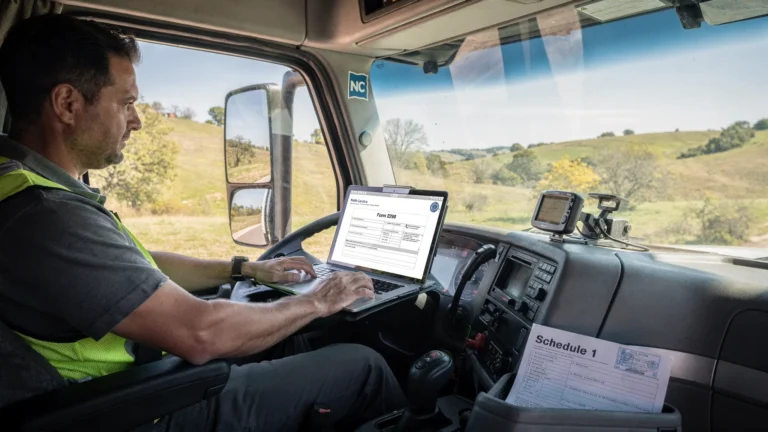
E File IRS: How E-Filing Works and What to Expect
When people search “e file IRS”, they usually want one thing: a faster, more predictable way to send tax forms to the IRS and get proof back without mailing paperwork and waiting weeks.
For truckers and fleet managers, e-filing matters even more because Form 2290 (HVUT) comes with a practical requirement: you often need a stamped Schedule 1 to register or renew tags. This guide explains how IRS e-filing works behind the scenes, what timelines are realistic, what “Accepted” vs “Rejected” actually means, and how to avoid the most common issues.
What “e file IRS” means (and what it does not)
E-filing means your tax return is prepared digitally and transmitted to the IRS through an approved electronic channel.
For most business forms, you do not upload a PDF to the IRS the way you might upload documents to a portal. Instead, the return is converted into an IRS-required electronic format and sent through IRS e-file systems (often called Modernized e-File, depending on the form type).
For Form 2290, the IRS generally expects electronic filing through an IRS-authorized e-file provider (especially for larger fleets). You can learn more about the form itself on the IRS page for About Form 2290.
What e-filing is not:
- It is not “instant approval” in every case (the IRS still validates what you send).
- It is not the same as paying your tax (payment is connected, but it is a separate step).
- It is not guaranteed to prevent mistakes (it reduces many errors, but VIN and EIN mismatches still happen).
How IRS e-filing works: the full process from submit to acceptance
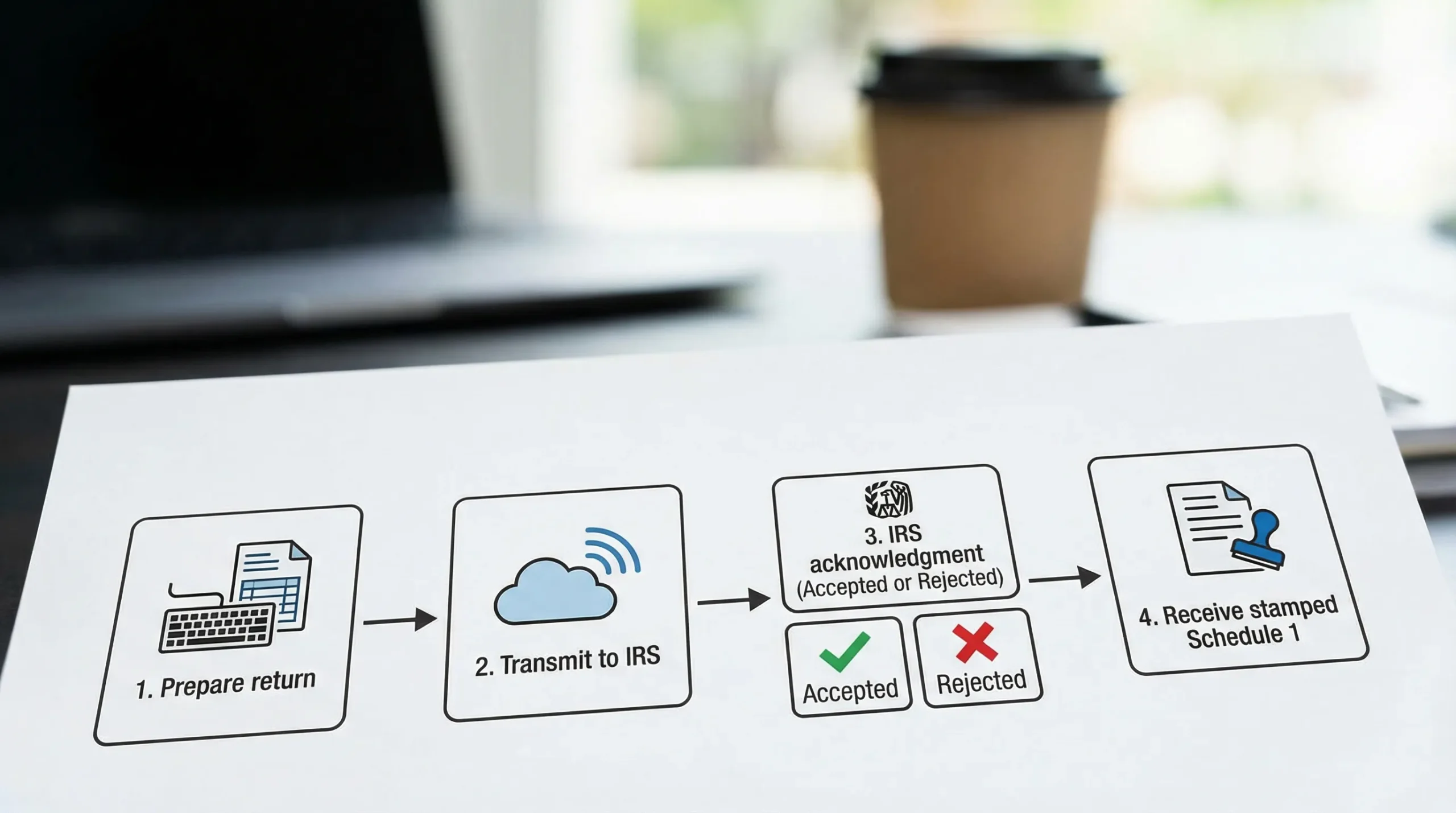
Even when an e-file provider makes the experience feel simple, the IRS process follows a predictable chain:
| Stage | What happens | What you should expect |
|---|---|---|
| Prepare the return | You enter your business and vehicle details (for 2290: EIN, VINs, first used month, taxable gross weight, etc.) | Accuracy here determines acceptance later |
| Error checks (pre-submission) | The software runs validations (missing fields, wrong formats, weight categories, math checks) | Many mistakes are caught before submission |
| Electronic transmission | The return is transmitted to the IRS through the provider’s authorized channel | You receive a submission confirmation from the provider |
| IRS acknowledgment | The IRS system responds with an acknowledgment | Status is typically Pending, Accepted, or Rejected |
| Proof document returned | For Form 2290, the IRS returns the stamped Schedule 1 when accepted | Most truckers use this for IRP/DMV registration |
| Recordkeeping | You store Schedule 1, payment confirmation, and filing receipt | Keep copies for audits, renewals, and amendments |
How fast is “fast” with e-filing?
E-filing is usually much faster than paper filing, but “minutes” vs “hours” vs “a day” depends on:
- IRS system volume (peak HVUT season is busy)
- Whether your return is clean (no data mismatches)
- Whether your EIN is newly issued
For Form 2290 specifically, acceptance can be very quick when all data matches IRS records, which is why e-filing is the go-to method when you need Schedule 1 quickly.
What you need before you e-file Form 2290
If you want fewer rejections and faster acceptance, preparation matters as much as the software you use.
In general, have the following ready:
- Employer Identification Number (EIN) (the IRS does not accept a Social Security Number for Form 2290)
- Business name exactly as the IRS has it for that EIN
- Vehicle Identification Numbers (VINs) for each taxable vehicle
- Taxable gross weight category and vehicle type (taxable, suspended, logging, agricultural where applicable)
- First Used Month (FUM) for the vehicle in the HVUT tax period
- A payment method (or a plan for how you will pay)
If you do not have an EIN yet, start here: How to apply for an EIN online for Form 2290 filing.
Practical note: if your EIN was just issued, it can take time before e-file matching works smoothly. Many filers wait about two weeks after receiving a new EIN before e-filing to reduce the chance of an EIN-related rejection.
What happens after you click “Submit”: statuses and messages you will see
After transmission, the IRS sends an acknowledgment back through your e-file provider.
Here is what the common statuses mean in plain English:
- Pending: The IRS has your return in its queue and has not finished processing it.
- Accepted: The IRS accepted the return as filed. For Form 2290, this is when you can typically retrieve your stamped Schedule 1.
- Rejected: The IRS did not accept the return. A rejection includes a code or message that explains what to fix.
If you want a deeper walkthrough tailored to Form 2290 acknowledgments and where to look in your account, see: How to check 2290 filing status.
What “Accepted” does (and does not) guarantee
For Form 2290, Accepted is the key milestone because it gives you IRS proof (Schedule 1) for registration.
However:
- Accepted does not mean you will never need an amendment later (for example, VIN corrections or weight increases can still occur).
- Accepted does not eliminate your responsibility to pay correctly and on time.
Common reasons IRS e-files get rejected (and how to avoid them)
Most Form 2290 rejections are fixable, but they cost time, especially if you are up against an IRP renewal or tag deadline.
EIN and business name mismatch
This is one of the most common issues: the EIN is correct, but the business name you entered does not match the IRS record closely enough.
How to avoid it:
- Use the exact legal name associated with your EIN.
- If you recently updated your business name, allow time for IRS records to reflect the change.
VIN errors
A single character off in a VIN can trigger rejection.
How to avoid it:
- Copy VINs directly from registration documents when possible.
- Double-check O vs 0, I vs 1, and other look-alikes.
Duplicate filing
If you (or a preparer) already filed for the same EIN and vehicle for the same tax period, the IRS may reject a duplicate.
How to avoid it:
- Confirm whether a filing was already submitted before trying again.
- If you are unsure, check your provider’s filing history or status page first.
Wrong tax period or first used month
Form 2290 is tied to a specific HVUT tax year (July 1 to June 30) and often depends on the month the vehicle was first used.
How to avoid it:
- Verify your FUM before filing.
- If you need deadline clarity, use a due date reference like Form 2290 due dates.
Paying the IRS when you e-file: what your options usually look like
E-filing submits the return. Payment is how you settle the tax. For Form 2290, common IRS payment methods include:
- Electronic funds withdrawal (direct debit) (when available through your filing method)
- EFTPS (the IRS Electronic Federal Tax Payment System), which you can access at EFTPS.gov
- Debit or credit card through IRS-approved payment processors (see IRS guidance on paying by card)
For official details specific to Form 2290 filings, the IRS instructions are the best reference: Instructions for Form 2290.
Is it safe to e-file with the IRS?
IRS e-filing is widely used across personal and business tax filing because it reduces mailing risks and speeds up acknowledgments.
That said, your security depends heavily on who transmits the return. When choosing a provider, look for:
- IRS authorization (the provider should state they are IRS-authorized for the form type)
- Secure login and account protection
- Clear data retention and document retrieval options (important when you need to re-download Schedule 1)
- Accessible customer support (especially during peak HVUT season)
Paper filing vs e-filing for Form 2290: what changes in real life
For truckers, the biggest difference is not just convenience. It is how quickly you can get Schedule 1.
| Factor | Paper filing | E-filing |
|---|---|---|
| Submission method | Mail to the IRS | Online transmission through an authorized provider |
| Processing speed | Often weeks | Often much faster, sometimes minutes to hours |
| Proof of filing (Schedule 1) | Delayed, depends on IRS processing and mailing | Typically available soon after IRS acceptance |
| Error handling | Corrections require more back-and-forth | Rejections usually come with a code to fix and re-submit |
| Record retrieval | You manage paper copies | Digital download/retrieval from your account (provider-dependent) |
If you are filing during busy season or need registration proof quickly, e-filing is usually the practical choice.

When you must e-file Form 2290
For Form 2290, e-filing is not only convenient, it can be required. The IRS generally mandates e-filing when you file for 25 or more vehicles on a Form 2290 return (fleet filings).
Even below that threshold, many owner-operators still e-file because it reduces waiting time and helps avoid mail delays.
Frequently Asked Questions
Is “e file IRS” the same as paying the IRS online? E-filing submits your tax return electronically. Payment is a separate action (direct debit, EFTPS, or card), though many filing workflows let you choose a payment method during submission.
How long does IRS e-filing take for Form 2290? It depends on IRS volume and whether your information matches IRS records, but e-filing is typically far faster than mailing. Many clean 2290 filings are accepted quickly, and then Schedule 1 becomes available.
What if my Form 2290 e-file gets rejected? A rejection usually includes an IRS error code or message. Fix the cause (often EIN/name mismatch, VIN error, duplicate filing, or tax period issue) and re-submit.
Do I need Schedule 1 right away for registration? Most states and IRP jurisdictions require a stamped Schedule 1 as proof of HVUT filing/payment for registration or renewal. If you are close to a deadline, e-filing is often the fastest way to obtain it.
Can I e-file Form 2290 without an EIN? No. Form 2290 requires an EIN. If you need one, start with the IRS process and then file after your EIN is active in IRS records.
Is e-filing required for all truckers? Not for everyone, but it is generally required if you file Form 2290 for 25 or more vehicles. Many smaller operators still choose e-filing for speed and easier Schedule 1 access.
E-file Form 2290 and get Schedule 1 faster with Simple Form 2290
If your goal is to e file IRS Form 2290 without paperwork delays, Simple Form 2290 is an IRS-authorized platform built for truckers and fleets. You can complete a guided online filing, handle bulk vehicle filings when needed, and retrieve your stamped Schedule 1 after IRS acceptance.
File online here: Simple Form 2290 (pricing starts at $9.95).